How AI is Changing Construction Documentation in 2026
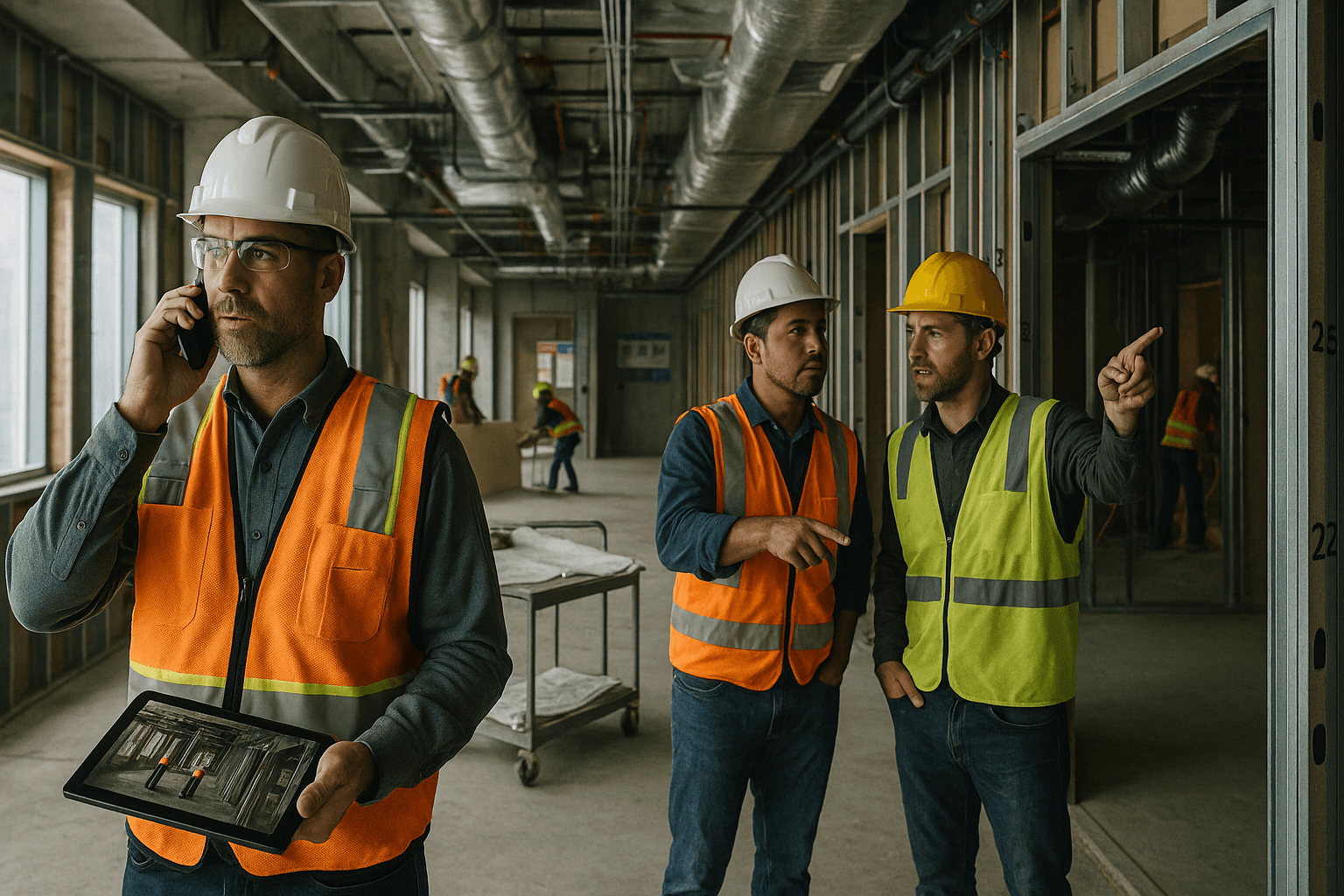
If you’re still doing AI construction documentation the old way—typing daily reports at 9:00 pm, chasing foremen for notes, and digging through photos to prove what happened on Tuesday—2026 is finally the year that pain starts to ease. Not because AI is “magic,” but because a few very specific tools (especially voice-to-report) are now reliable enough to use on real jobsites.
Table of Contents
- The Documentation Problem AI Solves
- AI Applications in Construction Documentation
- What’s Real vs Hype
- Implementation Challenges
- Getting Started with AI Documentation
- What’s Coming Next
- FAQ
The Documentation Problem AI Solves
Documentation isn’t hard because people don’t know what to write. It’s hard because the job moves fast, information is scattered, and nobody has time to turn field reality into clean records.
Two common scenarios show the problem:
- Scenario 1: The end-of-day scramble. The super logs 12,000 steps, answers 60 calls, and still needs a daily report. They remember the big stuff (inspection passed, concrete placed), but the details that protect you later—crew sizes, delays, why a lift was down—get lost.
- Scenario 2: The “prove it” moment. Three weeks later, a GC and a trade argue about access or rework. Everyone has opinions. The only thing that matters is what’s documented: photos, notes, timestamps, weather, and who was on site.
This is where AI construction reporting earns its keep: it doesn’t “run the job.” It reduces the friction between what you know in the field and what you can prove later.
The best AI tools in 2026 focus on a few outcomes:
- Capture facts quickly (voice, photos, simple forms)
- Structure messy notes into consistent reports
- Pull in repeatable data automatically (weather, manpower, equipment)
- Flag missing info before it becomes a problem
Practical takeaway: If your documentation process depends on someone “finding time” at the end of the day, you don’t have a process. You have a hope. AI is most valuable when it turns documentation into a quick habit that fits between walk-throughs and coordination.
AI Applications in Construction Documentation
AI isn’t one thing. In construction technology 2026, you’ll see “AI” used to describe everything from speech-to-text to computer vision to machine learning models trained on project data. Some of it is mature. Some of it is still rough.
Below are the AI applications that are actually changing documentation right now, plus how to use them without getting burned.
Voice-to-Report
Voice-to-report is the biggest real-world win in AI daily reports today because it matches how supers already work: you talk while you walk.
Here’s what “working” looks like in 2026:
- You record 1–3 minutes of voice notes per area (or per issue)
- The system turns it into structured sections like Work Completed, Delays, Safety, Manpower, Visitors, and Issues/RFIs
- It keeps construction language intact (rebar, embeds, P6 activity names, trade terms)
- It supports accents and bilingual teams better than older dictation tools (Spanish support matters on real crews)
Two jobsite scenarios where voice-to-report is a real upgrade:
- Scenario 1: Concrete pour day. You walk the deck and say: “Placed 72 yards at grid C through F. Slump 4 to 5. Vibrated and bull-floated. One truck delayed 35 minutes due to plant issue. Added one finisher from ABC Concrete at 1 pm.” That becomes a clean daily report without you typing it at night.
- Scenario 2: MEP rough-in coordination. You say: “Plumbers in 210–218 setting carriers. Electricians pulling branch circuits. Conflict at 214 above ceiling—duct drop is 6 inches lower than reflected. Marked for coordination; RFIs coming.” Later, you’ve got a time-stamped record when the finger-pointing starts.
What voice-to-report can’t do (and you should be honest about it):
- It can’t read your mind. If you don’t say manpower, it won’t invent manpower.
- It can misunderstand specifics (suite numbers, activity codes) if you mumble or use inconsistent naming.
- It can’t replace a clear “who/what/when” habit. It amplifies good field notes; it doesn’t fix sloppy ones.
Practical takeaways:
- Speak in short chunks: location → trade → work → quantity → issue → action.
- Use consistent naming: “Level 3 east corridor” beats “over there by the stairs.”
- Record notes in the moment, not at the end of the day when everything blends together.
At ProStroyka, we built the product around a true voice-first workflow: talk for a few minutes, get a structured PDF report—no “type what the AI got wrong for 30 minutes” trap. That’s the difference between AI that demos well and AI that actually gets used.
Photo Analysis
Photo analysis is the next major piece of artificial intelligence construction documentation that’s becoming practical—if you keep expectations realistic.
What photo AI can do well right now:
- Sort and label photos by location/date and extract basic context
- Identify common objects: PPE, ladders, guardrails, excavators, rebar mats, installed drywall
- Detect changes over time if photos are consistent (same angle/area)
Two useful scenarios:
- Scenario 1: Documenting concealed work. Before drywall, you take photos of backing, in-wall plumbing, firestopping, and inspections. AI helps tag and group them by room so you’re not scrolling through 400 images later.
- Scenario 2: Safety and housekeeping. AI can flag obvious issues like missing guardrails at an edge, blocked egress paths, or lack of hard hats—especially in controlled areas like interiors.
Where photo analysis still struggles:
- It’s not a substitute for an experienced eye. It may miss subtle issues (improper lap splice, wrong fastener spacing, poor firestop install).
- It can be fooled by angle, lighting, and clutter—common jobsite conditions.
Practical takeaways:
- Take “documentation photos,” not random photos: include a reference point, shoot wide then close.
- Keep a repeatable walk path (same floors, same corners). Photo AI improves when your inputs are consistent.
Automated Weather & Conditions
This one is less exciting, but it’s high value because it removes a constant source of disputes: “Was it really raining?” “How bad was the wind?” “Was the slab protected during the cold snap?”
Automated weather capture in 2026 typically includes:
- Temperature highs/lows
- Precipitation start/stop times
- Wind speed/gusts
- Alerts for heat/cold advisories
Two real-world scenarios:
- Scenario 1: Exterior work delay. Siding crew loses half a day due to wind gusts. If your daily report logs wind speeds automatically, you’re not arguing from memory.
- Scenario 2: Concrete curing conditions. Overnight temps drop below spec. Automatic weather logs plus your note (“blankets installed at 4:30 pm”) make a clean record for QA/QC and warranty risk.
What AI adds here isn’t the forecast—it’s the automation and consistency. You stop relying on someone remembering to paste weather into a report.
Practical takeaways:
- Always pair weather with a field action: “Rain started 2:10 pm; covered materials; stopped work at 2:30.”
- Use weather logs as part of your delay documentation, not as a standalone fact.
Compliance Checking
Compliance checking is where “machine learning construction” gets serious, because the cost of missing something is real: failed inspections, rework, safety incidents, and schedule slip.
What AI compliance tools can do now:
- Check documents for missing required fields (signatures, dates, spec references)
- Compare daily report content against a checklist (was a safety meeting logged? was an inspection recorded?)
- Flag inconsistencies (e.g., manpower listed but no work described; “equipment down” with no duration)
Two practical scenarios:
- Scenario 1: Safety documentation. If your client expects toolbox talks, near-miss logs, and visitor logs, AI can flag missing entries before the report goes out.
- Scenario 2: QA/QC checks. If you need to track inspection requests, pour tickets, or test results, AI can remind you when a day includes relevant work but no testing note.
What compliance checking can’t do reliably yet:
- It can’t guarantee “code compliance” from photos or a couple of notes. Code interpretation and field conditions still require qualified humans.
- It can’t replace your company’s safety program. It can help you document it consistently.
Practical takeaways:
- Treat AI as a second set of eyes on completeness, not as the authority.
- Build a short “minimum required daily report” standard: 8–12 fields you always capture.
Progress Tracking
Progress tracking with AI ranges from simple (and useful) to complex (and risky).
What’s useful right now:
- Turning daily notes into a progress narrative by area/trade
- Highlighting trends: repeated delays, recurring rework, manpower dips
- Basic “planned vs observed” summaries when tied to schedule activities (if your data is clean)
Two scenarios where it helps:
- Scenario 1: Weekly owner updates. Instead of rewriting your week, AI can summarize: “Drywall Level 2 east 80% hung; taping started; MEP rough-in complete in rooms 201–215; open issues: duct conflict in 214.” You still review it, but you’re not starting from scratch.
- Scenario 2: Subcontractor performance tracking. If daily reports consistently capture manpower and work areas, AI can surface patterns like “Crew size dropped below plan 6 of the last 10 days” or “Repeated material delays on deliveries.”
What to be careful about:
- If your inputs are inconsistent, your progress analytics will be junk. AI can’t fix bad data habits.
- “Percent complete” guesses are dangerous if they’re not tied to measurable quantities.
Practical takeaways:
- Track progress by area and scope (e.g., “Rooms 210–218 rough-in complete”) rather than vague statements (“making good progress”).
- Start with 3–5 repeatable metrics: manpower, deliveries, inspections, constraints, rework.
What’s Real vs Hype
Construction pros are right to be skeptical. This industry has seen plenty of tech that looks great in a conference room and falls apart in the field.
Here’s a practical line between what’s real in AI construction documentation today and what’s still hype.
Real now (2026):
- Voice-to-report that produces usable daily reports in minutes
- AI that handles construction jargon and many accents better than generic dictation
- Automated structuring: turning messy notes into consistent categories
- Photo tagging and organization, basic safety/housekeeping detection
- Automated weather capture and linking it to reports
- “Completeness” checks: missing fields, missing required sections, inconsistent entries
Emerging (works sometimes, depends on data quality):
- Progress summaries tied to schedule activities
- Trend detection across projects (recurring delays, repeated issues by trade)
- Automated meeting minutes that produce action lists (needs review)
Mostly hype (or risky if you treat it as finished):
- “AI will run your project for you” scheduling
- Automatic code compliance verification from a handful of photos
- Fully automated pay apps and change order justification with no human review
- Perfect object detection in messy, low-light, cluttered jobsites
Two examples of “hype traps” to avoid:
- Trap 1: The demo that hides the hard parts. The vendor tests in quiet conditions with clean audio. On your site, it’s generators, radios, and wind. Ask them to test with real field audio.
- Trap 2: The AI that creates confident nonsense. Some tools will “fill in” missing information to sound complete. That’s dangerous in documentation. You want AI that asks, flags, or leaves blanks—not one that invents.
Practical takeaways:
- Prioritize tools that reduce time and increase consistency without inventing facts.
- Require a human review step for anything that could become a contract record.
Implementation Challenges
AI adoption isn’t mainly a tech problem. It’s a workflow problem.
Here are the real challenges teams hit—and how to handle them without turning rollout into a fight.
Challenge 1: “My guys won’t use it.”
Two scenarios you’ve probably seen:
- Scenario 1: The foreman refuses another app. They’re already juggling texts, calls, and drawings. A new tool feels like office overhead.
- Scenario 2: The super is willing, but the habit doesn’t stick. Everyone starts strong for a week, then slips back into end-of-day typing.
What works:
- Make it faster than the old way on day one. If it takes longer, adoption dies.
- Start with one role (usually the super) and one output (daily report). Don’t boil the ocean.
Challenge 2: Noise, accents, and jobsite reality.
In the field, you’ve got grinders, lifts, and wind. You’ve got bilingual teams and different accents.
What works:
- Use voice tools designed for field conditions (noise handling, construction vocabulary).
- Encourage short recordings near quieter zones (inside a trailer, stairwell landing, or cab) when possible.
- Standardize location naming (“Level 4 west,” “Grid B-7”) so the AI has anchors.
Challenge 3: Data security and privacy.
This is a legitimate concern, not a blocker you ignore.
Two common worries:
- Scenario 1: Owner or client doesn’t want sensitive info in third-party systems. Think hospitals, labs, or high-security projects.
- Scenario 2: Internal fear of recordings being used against people. Crews worry their voice notes become HR issues.
What to do:
- Ask vendors clear questions: Where is data stored? Is it encrypted in transit and at rest? Who owns it? Can you delete it? Is it used to train models?
- Set a field policy: what can be recorded, what stays off voice notes (e.g., personal info, speculating blame).
Challenge 4: Garbage in, garbage out.
AI doesn’t remove the need for discipline.
Two examples:
- Scenario 1: Vague notes. “Worked on drywall” isn’t helpful no matter how good AI is.
- Scenario 2: Missing quantities. If you never capture quantities, you can’t justify progress or delays.
What works:
- Create a simple prompt your team uses every time: where, who, what, how much, what got in the way, what you did about it.
- Keep the “minimum required” list short enough that people actually do it.
Getting Started with AI Documentation
You don’t need a six-month transformation plan to get value from AI construction reporting. You need a small pilot that saves time and creates better records.
Step 1: Pick one workflow and one metric
Start with daily reports because they touch everything: schedule, safety, costs, claims.
Two ways to set a clear goal:
- Goal example 1: Cut daily report time from 45 minutes to under 5 minutes.
- Goal example 2: Increase completeness: manpower + location + delays captured 5 days per week instead of “when we remember.”
Practical takeaway: If you can’t measure the before/after, you’ll argue about feelings instead of results.
Step 2: Standardize your “field language” (lightly)
You don’t need to turn your supers into robots. You just need consistency.
Do this:
- Use consistent area labels (levels, zones, gridlines)
- Use trade names the same way (HVAC vs Mechanical, Firestop vs Firestopping)
- Use a repeatable note order: location → trade → work → quantity → issue → action
Two examples of “good” voice notes:
- “Level 1 north: framing crew 6. Laid out walls in rooms 110–118. Waiting on door frames delivery; pushed install to tomorrow. Safety: corrected trip hazard at corridor by elevator.”
- “Roof: waterproofing crew 4. Installed 12 rolls at south edge. Wind gusts above 25 mph after 1 pm; stopped torch-down for safety.”
Step 3: Build a review step that takes 2 minutes
AI should draft. A human should approve.
What to check every time:
- Names and locations
- Quantities and durations
- Anything that could become a dispute (delays, access, rework cause)
Two scenarios where review saves you:
- Scenario 1: AI mishears “Suite 214” as “Suite 240.” That one number matters later.
- Scenario 2: AI formats a delay without the “why.” Add: “Waiting on inspection” or “Material not delivered.”
Step 4: Add photos and weather once voice is working
Voice-to-report gives you the habit. Then you layer in photos and automated conditions.
A simple field routine that works:
- 2–3 voice notes per day (morning plan, midday issues, end-of-day wrap)
- 10–20 photos with consistent location naming
- Automatic weather attached to the report
Two examples of “lightweight but solid” documentation:
- For an interior buildout: morning note + photo set of each room + end-of-day issues list.
- For sitework: weather auto-log + photo of excavation progress + note on trucking and downtime.
Step 5: Decide where the records live
Executives care about system-of-record, and they should.
Options teams use in 2026:
- Standalone tool that exports a PDF daily report and stores it in a shared folder
- Integration into an existing platform (when available)
- Email distribution list with archived PDFs
Practical takeaway: If your documentation can’t be found in 30 seconds when you need it, it’s not a system—it’s a pile.
What’s Coming Next
The next wave of construction technology 2026 isn’t about AI writing prettier reports. It’s about AI connecting documentation to the rest of the project—without creating new admin work.
Here’s what’s likely to become normal over the next 12–24 months:
1) More reliable multilingual documentation Spanish support is already useful today. Next is smoother mixed-language reporting—where a foreman speaks Spanglish and the output still comes out clean and professional.
- Scenario: A concrete foreman dictates in Spanish, the GC needs English PDFs, and the system produces both versions consistently.
- Scenario: A bilingual super records quick notes during a walkthrough and sends a structured report to an English-speaking owner without rewriting everything.
2) Smarter “missing info” prompts Instead of generating content, good AI will ask targeted questions:
-
“You mentioned a delay—how long and what caused it?”
-
“You listed a delivery—was it accepted, rejected, or damaged?”
-
Scenario: You say “lift down,” AI asks “which lift and when back in service?”
-
Scenario: You mention “inspection,” AI asks “pass/fail and inspector name?”
3) Better linking between photos, locations, and schedule Not perfect autopilot scheduling—more like searchable, cross-referenced project memory.
- Scenario: You filter “Level 3 / electrical rough-in / last 14 days” and instantly pull related photos and notes.
- Scenario: Owner asks when a specific room was ready for inspection; you pull a date-stamped chain of evidence.
4) Offline-first field capture Connectivity still fails on basements, cores, and remote sites. Offline capture that syncs later is a real differentiator.
- Scenario: You’re in a concrete core with no signal; you record notes anyway and they sync in the trailer.
- Scenario: Rural infrastructure job with spotty service; you still get consistent reports.
The honest outlook: AI will keep getting better, but the winners will be tools that respect field reality—noise, speed, messy data—and focus on reducing risk, not chasing flashy features.
FAQ
Q: Is AI construction documentation actually reliable, or will I spend time fixing it? A: The best tools today save time because they structure what you say instead of forcing you to rewrite everything. You’ll still review for names, locations, and quantities, but that review should be minutes—not another typing session. Test it with real jobsite audio before rolling it out.
Q: What’s the biggest “real” benefit of AI construction reporting in 2026? A: Speed and consistency. When daily reports are fast, they actually get done, and you capture details you’d normally skip. That consistency is what protects you in disputes, supports billing, and keeps owners confident.
Q: Can AI understand construction jargon and accents? A: It’s dramatically better than it was even a couple of years ago, especially with tools built for the field. It’s not perfect, but it’s good enough to use daily—particularly when your team uses consistent area names and speaks in short, clear chunks. Spanish support is also becoming a baseline requirement on many sites.
Q: What about privacy—are my voice notes used to train someone else’s AI? A: You have to ask the vendor directly. Don’t assume. Confirm data ownership, retention, encryption, who can access it, and whether your content is used for model training. Also set a field policy: don’t record personal info or speculation—stick to observable facts and actions.
Q: How do I start without disrupting the team? A: Pilot on one project with one or two users (often the super and an assistant). Focus only on daily reports for two weeks. Measure time saved and completeness. Once it’s clearly faster than the current method, adoption becomes a lot less painful.
Ready to see AI documentation in action—without the hype? ProStroyka turns voice notes into structured PDF daily reports in about 3 minutes, with Spanish support and offline mode built for real sites. Start your free trial — no credit card required.