Best Construction Daily Report Apps Compared (2026)
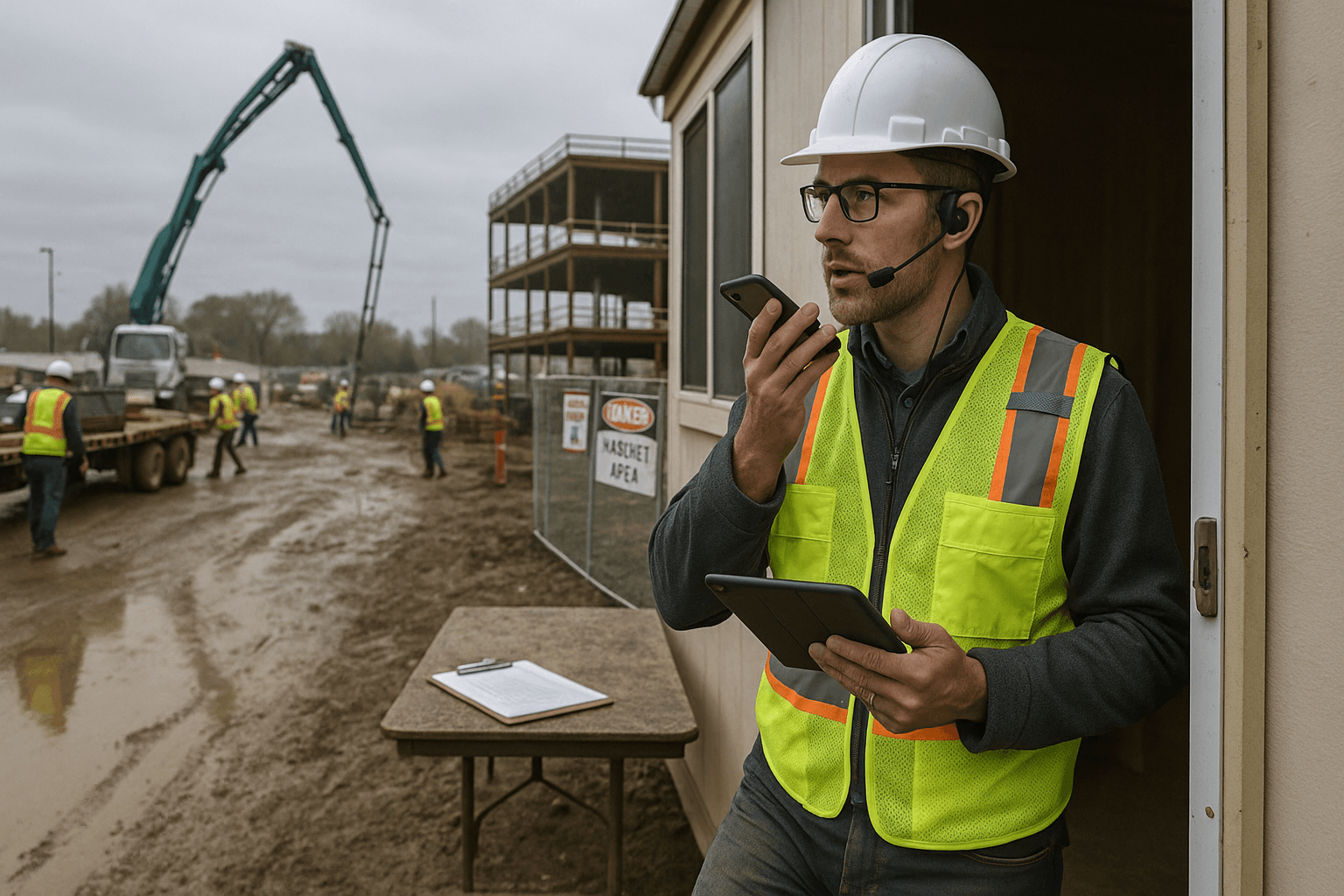
If you’ve ever spent 45 minutes at the end of a long day typing a daily log—only to realize you still missed manpower counts or a key delay note—you’re exactly who a construction daily report app is built for. This guide compares the top options for 2026 with real trade-offs, real pricing ranges, and the stuff that actually matters in the field (offline, speed, adoption), not affiliate fluff.
Table of Contents
- Quick Comparison Table
- What to Look for in a Daily Report App
- Detailed App Reviews
- Best App by Company Size
- Best App by Trade
- Pricing Comparison
- Our Recommendation
- FAQ
Quick Comparison Table
Here’s the fast, practical view—who each tool is really for, and what you’ll feel day-to-day.
| App | Best for | Biggest strength | Biggest drawback | Typical 2025–2026 pricing* |
|---|---|---|---|---|
| ProStroyka | Small–mid crews that want speed | Voice-first daily reports → PDF in minutes | Fewer enterprise integrations (for now) | $49/user/month early bird ($99 regular) |
| Raken | Field-heavy teams standardizing reporting | Strong daily reporting workflows | Expensive per user | $100+/user/month (often higher by tier) |
| Procore | Large GCs with strict compliance + integrations | Enterprise platform + ecosystem | Overkill + complex for small crews | Enterprise pricing (quote-based; typically high five- to six-figures/year) |
| Buildertrend | Residential builders/remodelers | All-in-one (clients, schedules, change orders) | Daily reporting can feel buried | ~$399–$1,299/month (company-based, tiers vary) |
| Fieldwire | Punch/task management-first teams | Best-in-class tasks & field coordination | Daily reports are secondary | ~$0–$99/user/month (tiered) |
| PlanGrid (Autodesk Build) | Drawing + document control in Autodesk stack | Sheet sets, markups, issue tracking | Daily logs often not the main workflow | ~$300–$500/user/year (Build/PlanGrid offerings vary by package) |
*Pricing changes often based on tier, region, and annual commitments. The numbers above are realistic 2025–2026 market ranges and what contractors typically report paying.
What to Look for in a Daily Report App
A construction daily log app isn’t just “a place to type notes.” The right one reduces risk, speeds up billing, and helps you win arguments when a schedule goes sideways.
1) Speed of capture (the real adoption driver)
If it’s not faster than your current method, your foremen won’t use it consistently. Two common field scenarios:
- Scenario A (typical): A superintendent takes photos, texts the PM, then tries to reconstruct the day at 7:30 PM. The report becomes vague: “Worked on framing. Weather ok.” That’s useless when the owner challenges a delay.
- Scenario B (better): At 2:15 PM you record: “Drywall crew short two guys, only hung 60 sheets; inspection delayed due to missing fire caulk.” That one note can save you hours later.
Takeaway: Pick a tool that matches how people naturally communicate on site—voice, photos, quick picks—not one that assumes you have time to type paragraphs.
2) Structure: does it enforce the basics without being a pain?
Daily reports fail when they’re inconsistent. You want the app to “force” the essentials:
- Manpower by company/trade
- Work performed by area
- Deliveries + equipment
- Safety incidents / toolbox talks
- RFIs, inspections, visitors
- Delays (weather, owner, subs)
Two practical examples:
- If a concrete pour is pushed, you want a delay reason + who was impacted captured the same day.
- If an owner rep visits, you want who, when, and what was discussed logged automatically.
Takeaway: Look for templates, required fields, and auto-structured sections—without making the report feel like tax paperwork.
3) Offline mode and bad-jobsite reality
If your app breaks in a metal building, basement, or remote site, it’s dead. Two real-world situations:
- Remote civil job: no signal for hours; you still need to capture quantities, equipment, and photos.
- High-rise core: spotty data in elevators and stairwells; photos fail to upload and get lost.
Takeaway: Confirm offline capture and reliable sync. Ask the vendor specifically: “What happens to photos and voice notes when I’m offline for 6 hours?”
4) Output: can you get a clean PDF that owners/CMs accept?
Most arguments aren’t about what happened—they’re about what you can prove. Your daily report software for construction should produce a professional, consistent PDF.
Two examples:
- For a T&M dispute, you need a report that clearly lists labor hours, equipment, and extra work.
- For a weather delay, you need time-stamped notes + photos that are easy to forward.
Takeaway: If exporting/sharing is clunky, reports won’t get distributed—and they won’t protect you.
5) Who actually needs a license?
Per-user pricing can get expensive fast. Consider how your team works:
- Scenario A: Only supers write reports, but PMs and owners need read-only access.
- Scenario B: Foremen contribute voice notes/photos; one super compiles the final report.
Takeaway: Ask about read-only roles, collaborator pricing, and how many licenses you’ll realistically need.
6) The emerging category: voice-to-report
2026 is the first year where voice-first reporting is moving from “nice idea” to “why aren’t we doing this?”
Two examples where voice wins:
- You’re walking the job at 6:10 AM and can say, “Received rebar delivery, bundle count 14, staged south laydown.” No typing, no stopping.
- During a safety walk you can record, “Guardrails missing at level 3, east stair opening—told sub to correct immediately,” and attach a photo.
Takeaway: Voice-to-report only works if the AI structures your notes into real report sections—not just a transcript.
Detailed App Reviews
Below are practical reviews for superintendents and PMs who are actually going to use (and enforce) the tool.
Raken
Raken is a market leader for daily reporting and field management, especially in companies that want standardized reporting across many jobs.
Where Raken fits best
- Mid-size to large contractors with multiple supers and a need for consistent daily reporting
- Organizations that want more than a log: production tracking, safety, and field workflows
Two good-fit scenarios:
- A GC running 10+ active projects wants the same daily report structure across every job.
- A self-perform contractor wants labor + production tracked daily (e.g., LF of pipe, CY placed).
Strengths
- Solid daily reporting features and templates
- Good photo handling and structured inputs
- Built for field adoption (more than a generic “forms” tool)
Honest drawbacks
- Pricing is high for small teams: typically $100+/user/month depending on tier and scale.
- If you only need daily reports (not a broader platform), it can feel like you’re paying for features you won’t use.
Practical takeaways if you choose Raken
- Limit licenses to the people who truly author reports; give others access based on roles.
- Standardize a “minimum required” daily report template so you don’t get 10 different styles.
Procore
Procore is the enterprise standard for many large GCs. It’s powerful, but it’s not a lightweight superintendent report app.
Where Procore fits best
- Large contractors managing complex compliance requirements, lots of stakeholders, and deep integrations
- Teams that want one platform for: RFIs, submittals, drawings, financials, and field productivity
Two good-fit scenarios:
- A GC with owner-mandated Procore requirements (common in institutional work).
- A company that needs audit trails, permissions, and integrations across accounting, scheduling, and document control.
Strengths
- Deep platform capabilities beyond daily logs
- Strong permissions, workflows, and auditability
- Big ecosystem: many subs and owners already know it
Honest drawbacks
- Overkill for small crews: training, setup, and ongoing admin are real.
- Pricing is enterprise/quote-based and often not cost-effective if you mainly want daily reports.
- Some field users feel it’s “one more system” unless the company commits to rollout and support.
Practical takeaways if you choose Procore
- Assign an internal admin (or consultant) to configure permissions and templates correctly.
- Keep daily logs simple; don’t turn them into a data-entry marathon.
ProStroyka
ProStroyka is built around one idea: the fastest daily report is the one you can capture while you’re already working. It’s a construction field reporting app that turns voice notes into structured PDF daily reports.
Where ProStroyka fits best
- Small to mid-size contractors who need daily reports done consistently without adding admin time
- Supers and foremen who prefer speaking over typing
- Bilingual crews: Spanish support matters when reporting needs to be consistent
Two good-fit scenarios:
- A superintendent running 2–4 projects who’s tired of spending 30–60 minutes nightly typing and formatting.
- A foreman who can record: “Crew of 6, installed 120 LF of curb, inspector arrived 10:30, failed compaction at station 12+50,” and have it auto-structured into the right sections.
Strengths
- True voice-first workflow (not just voice-to-text): the AI structures entries into report sections.
- Speed: voice notes to a professional PDF report in minutes.
- Offline mode for capture when service is bad.
- Affordable relative to per-user enterprise tools: $49/user/month early bird (and $99 regular).
Honest drawbacks
- Fewer enterprise-grade integrations than Procore (for now).
- If your company needs a full suite (RFIs, submittals, financials), you may still need another platform.
- Like any voice system, you’ll want a consistent habit: clear job names, consistent phrasing for manpower, and quick photo add-ons.
Practical takeaways if you choose ProStroyka
- Set a standard voice routine: morning manpower + mid-day events + end-of-day summary.
- Use voice for what matters: delays, inspections, visitors, extra work, and safety—then attach photos.
Buildertrend
Buildertrend is popular with residential builders and remodelers because it combines project management with customer-facing features.
Where Buildertrend fits best
- Residential builders who want scheduling, selections, customer communication, and change orders in one system
- Teams that want homeowners to see updates without constant phone calls
Two good-fit scenarios:
- A remodeler managing 10–30 active jobs who needs client messaging and approvals.
- A home builder who wants selections + change order tracking tied to job progress.
Strengths
- Strong “all-in-one” value for residential workflows
- Client communication can be a big win (less texting, fewer misunderstandings)
- Scheduling and change management are core strengths
Honest drawbacks
- Can feel complex if you only want daily reports.
- Daily reporting may not be as streamlined as tools built primarily for daily logs.
- Teams sometimes struggle with consistent adoption unless a PM enforces the process.
Practical takeaways if you choose Buildertrend
- Keep daily reporting templates short so supers don’t get bogged down.
- Decide upfront what must be logged daily vs. weekly (e.g., deliveries daily, quality checks weekly).
Fieldwire
Fieldwire is widely used for task management, punch lists, and field coordination. Daily reports exist, but it’s not the core identity.
Where Fieldwire fits best
- Crews that live in punch lists, checklists, and assignments
- Projects where “what’s open, who owns it, and when it’s due” is the daily battle
Two good-fit scenarios:
- A commercial TI project where dozens of punch items need fast assignment and closeout.
- A multi-family project where supers are coordinating many trades and need clean task tracking.
Strengths
- Excellent task workflows and field coordination
- Good drawing access and on-site collaboration
- Often easier to roll out than big enterprise platforms
Honest drawbacks
- Daily reporting is typically secondary—you may need extra discipline to make reports consistent.
- If your primary pain is end-of-day reporting time, a task-first tool might not fix it.
Practical takeaways if you choose Fieldwire
- Use tasks for the “open items” system, but define a daily reporting minimum (manpower, weather, delays, inspections).
- If daily reports are critical for claims, test the PDF output and distribution workflow early.
PlanGrid (Autodesk Build)
PlanGrid as a standalone product has largely rolled into Autodesk’s construction platform offerings (Autodesk Build). Many teams still refer to the workflow as “PlanGrid” because of the drawing-first experience.
Where it fits best
- Teams that prioritize drawings, markups, version control, and document management
- Companies already invested in Autodesk tools
Two good-fit scenarios:
- A GC managing complex drawing sets where field access and version control are non-negotiable.
- A subcontractor that needs fast access to the latest sheets, RFIs, and markups in the field.
Strengths
- Strong document and drawing workflows
- Good for coordination around sheets and issues
- Fits well if Autodesk is already your standard
Honest drawbacks
- Daily logs may not feel as purpose-built as dedicated daily report tools.
- Pricing and packaging can be confusing because it depends on Autodesk bundles and modules.
Practical takeaways if you choose Autodesk Build
- If daily reports are mission-critical, validate the daily log workflow with an actual superintendent before committing.
- Keep daily reporting simple and link issues/photos back to sheet locations where it helps.
Best App by Company Size
The best daily report app construction teams choose depends on how many jobs you run, how formal your owners are, and how much admin capacity you have.
Solo super / small contractor (1–10 field users)
You need speed, not a platform project.
Best fits:
- ProStroyka for voice-first reporting when you don’t want typing at night.
- Fieldwire if your biggest pain is punch/task tracking and daily reports are “good enough.”
Two examples:
- A small GC doing tenant improvements: voice notes + photos create defensible reports without hiring admin.
- A concrete contractor: quick manpower, pour locations, tickets, and weather notes—done from the truck.
Mid-size contractor (10–100 field users)
You need consistency across projects plus manageable cost.
Best fits:
- Raken if daily reporting is the backbone and you can justify per-user pricing.
- ProStroyka if you want to roll out reporting fast without heavy training and keep costs predictable.
Two examples:
- A regional GC: standard templates across 20 jobs to reduce “missing info” fights.
- A civil contractor: offline capture is a must, and voice helps supers log events while moving.
Enterprise (100+ users, owners involved, strict governance)
You need integrations, permissions, audit trails, and platform scale.
Best fits:
- Procore (especially if owners require it)
- Autodesk Build if your organization is standardized on Autodesk ecosystems
Two examples:
- Hospital work: compliance, safety documentation, and stakeholder access are major drivers.
- Multi-state contractor: centralized controls, standardized workflows, and robust reporting across business units.
Best App by Trade
Daily reports aren’t one-size-fits-all. Here are practical matches based on what your trade has to prove each day.
General contractors
You’re documenting coordination, site conditions, and delays.
Best fits:
- Raken for standardized daily reporting at scale
- ProStroyka for fast narrative + photo documentation without admin time
- Procore for enterprise governance and multi-stakeholder workflows
Two examples:
- You need daily logs that clearly show owner-driven changes and resulting impacts.
- You need consistent manpower reporting across multiple subs for cost and schedule control.
Concrete / civil
You’re documenting quantities, tickets, inspections, and weather.
Best fits:
- ProStroyka for quick voice capture (“CY placed, tickets, downtime reasons”)
- Raken for production + labor tracking across multiple crews
Two examples:
- A compaction failure: you need the note, location, who was present, and the rework plan—same day.
- Rain shutdown: you need time-stamped weather + photos, not “rainy.”
MEP (mechanical/electrical/plumbing)
You’re tracking installs, constraints, material delays, and coordination.
Best fits:
- Fieldwire when tasking and coordination drive the day
- ProStroyka when you need fast daily narratives for constraints and delays
Two examples:
- “Couldn’t rough-in level 2 due to drywall not complete” is exactly the kind of constraint note that prevents back-charges and finger-pointing.
- A late gear delivery: log the promised date, actual arrival, and impact on energization.
Residential builders/remodelers
You’re juggling clients, selections, and constant change orders.
Best fits:
- Buildertrend for client communication + change management
- ProStroyka as a daily reporting layer if your pain is end-of-day reporting speed
Two examples:
- Homeowner walkthrough notes become change orders; Buildertrend handles that ecosystem well.
- If your supers are skipping daily logs because they’re slammed, voice-first reporting can bring consistency back.
Pricing Comparison
Pricing is where most comparison articles get fuzzy. Here’s a realistic 2025–2026 view, with the caveat that quotes vary by tier and annual commitments.
| App | Pricing model | Typical cost (2025–2026) | Notes |
|---|---|---|---|
| ProStroyka | Per user/month | $49/user/month early bird; $99/user/month regular | Focused on voice-to-PDF daily reports; simple rollout |
| Raken | Per user/month | $100+/user/month | Often tiered; can rise with advanced features |
| Procore | Enterprise annual contract | Quote-based (commonly high five- to six-figures/year) | Value comes from platform breadth, not just daily reports |
| Buildertrend | Company/month tiers | ~$399–$1,299/month | Often not per-user; varies by package and features |
| Fieldwire | Tiered per user/month | ~$0–$99/user/month | Daily reports not the primary driver; task features shine |
| Autodesk Build / PlanGrid | Per user/year or bundle | ~$300–$500/user/year | Packaging varies; may be part of larger Autodesk subscriptions |
Practical cost check (real example):
- If you have 12 field users, a $100/user/month tool is roughly $1,200/month.
- If only 4 supers truly author reports, consider licensing just them and using read-only access for PMs/owners where possible.
Our Recommendation
Most “best app” articles pick one winner for everyone. That’s not real life. Here’s the honest breakdown based on what you’re trying to accomplish.
If your #1 problem is time (and reports aren’t getting done)
Pick a construction daily report app that reduces friction.
- Recommendation: ProStroyka
- Why: Voice-first capture is the fastest way to build consistent daily reports without evening typing.
Two examples where this matters:
- A super running back-to-back pours can’t stop to type; voice notes keep the record accurate.
- A PM who needs same-day PDFs for billing and documentation gets them without chasing the field.
If your #1 problem is standardization across many projects
You need consistent structure and reporting discipline.
- Recommendation: Raken
- Why: Mature daily reporting workflows and standardization, especially for field-heavy organizations.
Two examples:
- Multiple regions need the same daily log format so leadership can compare production and delays.
- Safety documentation must be consistent job-to-job.
If your #1 problem is enterprise governance + integrations
You need a platform, not just a daily log tool.
- Recommendation: Procore (or Autodesk Build if you’re deep in Autodesk)
- Why: Permissions, audit trails, and enterprise ecosystem.
Two examples:
- Owner requires Procore access and standardized workflows across RFIs, submittals, and daily logs.
- Multi-stakeholder projects with strict documentation expectations.
If you’re residential and need client-facing workflows
You want an all-in-one that handles homeowners and change orders.
- Recommendation: Buildertrend
Two examples:
- Selections, approvals, and changes need to be tracked with clients.
- Scheduling and communication reduce “he said / she said” arguments.
If you live in tasks and punch lists
Daily reports matter, but coordination is the daily battle.
- Recommendation: Fieldwire
Two examples:
- Fast punch closeout with clear ownership and due dates.
- Trade coordination that needs quick assignments tied to drawings.
One more honest point: voice-to-report is becoming the new baseline
In 2026, voice capture is no longer a gimmick—especially as crews get leaner and documentation expectations rise.
If your current daily reports are inconsistent (or done days later), voice-first systems typically fix that for one reason: they fit the jobsite rhythm.
FAQ
Q: What’s the best construction daily report app for a small contractor? A: If your biggest issue is time and consistency, a voice-first tool like ProStroyka is usually the fastest path to “reports done every day.” If you also need punch lists and task management, Fieldwire can work—just confirm the daily report workflow meets your documentation needs.
Q: Is a daily report app worth it if we only have a few projects? A: Yes, because small teams feel documentation gaps the hardest. Two missed notes—like an inspection delay or a material shortage—can cost more than a year of software. The key is choosing something your field team will actually use without extra admin.
Q: What should be in a construction daily report? A: At minimum: manpower by trade/company, work completed by area, weather, deliveries, equipment, inspections, visitors, safety notes, delays/impacts, and photos. If you do T&M work, add clear extra-work notes tied to hours and equipment.
Q: Why do some apps cost $100+/user/month? A: You’re often paying for broader field management features, deeper configuration, reporting layers, and support for larger rollouts. That can be worth it for bigger organizations—but it can be hard to justify if you mainly need daily logs.
Q: Can I replace Procore with a daily report app? A: Usually no. Procore is a platform (RFIs, submittals, documents, financial tools). A daily report app is focused. Some contractors run both: Procore for enterprise workflows, and a faster field-first reporting tool to keep daily logs consistent.
Want to see how voice-first daily reports work? Try ProStroyka free for 14 days. ProStroyka turns your voice notes into professional PDF reports automatically. Start your free trial — no credit card required.