Best Construction Daily Report Apps in 2025: Features, Pricing, and What Actually Saves You Time
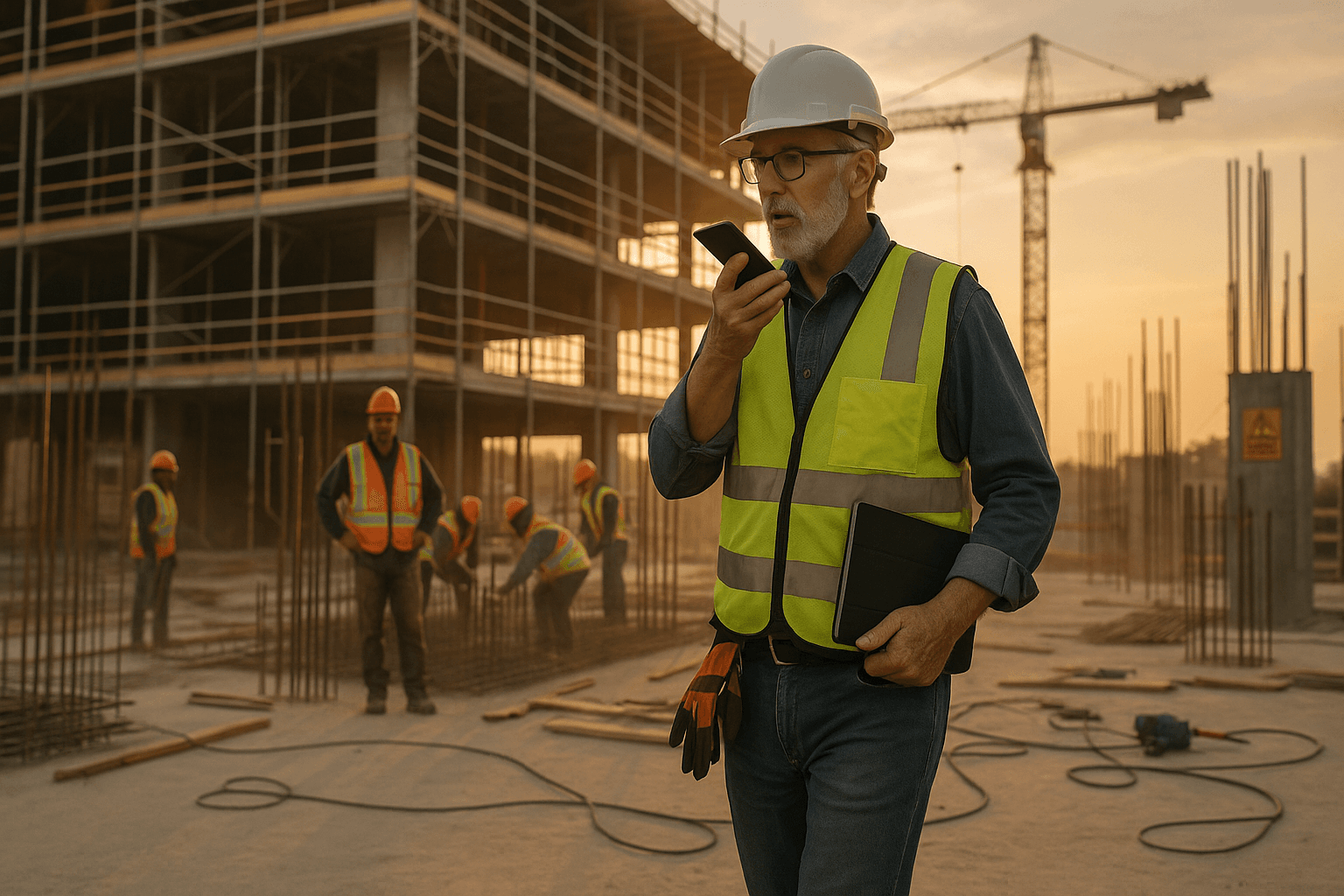
You already know how most days end: you're exhausted, the site’s finally quiet, and you’re still staring at a laptop or phone trying to bang out a “quick” daily that turns into 45 minutes. A good construction daily report app should kill that pain, not add another screen to fight with.
Table of Contents
- Why Daily Report Apps Are Not All the Same
- What Superintendents Actually Need From a Daily Report App
- Key Evaluation Criteria for Construction Daily Report Apps
- Side-by-Side Comparison of Popular Construction Daily Report Apps
- Where Voice-First Daily Report Apps Fit In
- Checklist: How to Choose the Right Daily Report App for Your Team
- How ProStroyka Fits Into the Daily Report App Landscape
- Next Steps: Try a Voice-First Daily Report Workflow
- FAQ
Why Daily Report Apps Are Not All the Same
You’ll see a lot of tools marketed as daily reporting software for construction, but they’re built with very different goals. Some are full-blown project management platforms trying to do everything. Others are basically fancy forms where you still type everything. A few are finally leaning into voice.
The key is simple: how many minutes does it take you to complete a full, owner-ready daily in real field conditions? That’s the metric that actually matters.
The real cost of 45-minute daily reports
Forty-five minutes at the end of a 10–12 hour day doesn’t sound terrible on paper. On a live job, it’s brutal.
- You’ve still got subcontractor calls coming in.
- The owner is texting about a photo of that water intrusion.
- Safety wants an incident written up clearly.
Two scenarios:
- Scenario 1: You spend 45 minutes typing. By the time you finish, you rush home, skip reviewing tomorrow’s critical path, and small coordination issues slip.
- Scenario 2: You finish your report in about 3 minutes by talking through your day while walking back to the truck. You still have 40+ minutes to plan tomorrow, respond to emails, or simply go home on time.
Now stretch that over a month:
- 45 min/day × 22 working days ≈ 16.5 hours per month.
- 3 min/day × 22 days ≈ 1.1 hours per month.
That’s roughly two full working days you either waste on typing or get back for real management work.
Why generic project management tools fail in the field
A lot of “best app for construction daily reports” lists push big project management suites. They’re powerful, but they’re not built for a superintendent standing in mud, wearing gloves, with spotty signal.
Typical problems:
- Too many clicks: Daily log is buried under several menus.
- Tiny form fields: Hard to use on a phone in bright sun.
- Keyboard-heavy: Assume you’re at a desk, not on a windy slab.
Example: you’re on a tilt-up job, it’s 5:30 PM, and the GC wants a clear note on why the panel pour slipped a day. In a heavy PM tool, you may need 8–10 taps, pick the right log type, then type paragraphs.
With a field-first construction field reporting app, you should just hit record, talk through the delay and manpower, and let the tool format it.
What Superintendents Actually Need From a Daily Report App
Must-have features for field use (offline, photos, voice, Spanish)
From hundreds of real-world workflows, these are non-negotiable for a construction daily report app:
- Offline mode: You should be able to record and save the full daily with zero signal, then sync later. Think underground parking, basements, or remote sites.
- Fast photos and attachments: Snap progress photos, safety issues, deliveries, and attach them directly to that day’s log.
- Voice input built-in: Not just generic dictation. You need voice that understands construction terms and turns rambling site notes into structured sections.
- Spanish support: Many crews are bilingual. Your app should accept Spanish voice or text and still create a clean report in a consistent format.
Example 1: on a highway job with dead zones, you walk the site at 4:30 PM, record all notes offline, and the app syncs at 6:00 PM when you hit a better signal.
Example 2: on a multifamily job, a foreman records manpower and production in Spanish. The app still produces an organized daily PDF the GC can read.
Nice-to-have vs overkill (what you can ignore)
You’ll see plenty of extras packaged into construction superintendent software:
- Detailed resource scheduling
- RFIs and submittals modules
- Change order workflows
- Owner dashboards
Those are useful, but if your main pain is “I’m stuck typing dailies for 45 minutes,” they can be overkill.
What’s often safe to ignore for daily reporting:
- Complex Gantt charts inside the same app
- Deep accounting integrations for small/mid-size GCs
- Custom dashboards that take weeks to configure
Focus on what changes your day this week:
- How fast can a foreman complete a daily?
- Will older supers actually use it, or default back to paper?
- Can your Spanish-speaking crews contribute without friction?
If you get daily reports consistent and fast, you can always bolt on heavier PM tools later.
Key Evaluation Criteria for Construction Daily Report Apps
Time to complete a full daily report
When you test any construction daily report app, time it. Literally.
Compare these two patterns:
- Typing-based apps: 25–45 minutes per detailed daily, especially if you’re documenting weather, manpower by trade, deliveries, safety issues, equipment, and delays.
- Voice-first apps: Around 3–7 minutes to walk and talk through the same content while the AI structures it later.
Real example: on a concrete pour day, you need to capture:
- Weather (rain window, temps)
- Manpower (GC + each sub headcount)
- Start/stop times
- Delays from a late pump truck
- Photos of placement and finish
Typing every one of those as separate fields is slow. Dictating a clear description once and letting AI split it into sections is where big time savings happen.
Ease of use for older-school supers and bilingual crews
If the app only works for your most tech-savvy PM, it will fail.
Look for:
- One big button to start a report (ideally voice).
- Simple screens, large buttons, and clear labels.
- No forced training videos just to complete a basic daily.
For bilingual teams:
- The app should accept Spanish speech naturally.
- Interface text doesn’t have to be perfect Spanish, but the workflow must not punish Spanish speakers.
Example: a 30-year superintendent who hates typing should be able to hit one button, talk like he’s leaving a voicemail, and be done.
How well the app structures reports for owners and GCs
Field notes are only half the story. The other half is how clean the output looks when an owner, GC, or lawyer pulls it up.
Strong structure usually means sections like:
- Weather
- Manpower (by company/trade)
- Work performed
- Equipment
- Deliveries
- Safety incidents and toolbox talks
- Delays and disruptions
- Photos with captions
If the app just gives you one giant text blob, you’ll still spend time cleaning it up.
AI-powered tools can now take raw voice notes like: “Weather cloudy, light rain after two, we had 6 carpenters from ABC, 4 electricians from XYZ… pump truck delayed us one hour…” and automatically slot each piece into the correct section.
Pricing models and hidden "per user" costs
Pricing can be as important as features.
Common models:
- Per-user, per-month: Often $30–$100+ per user.
- Per-project tiers: Price jumps as you add jobs.
- Flat monthly fee: Same price regardless of users.
Example: You have 1 superintendent plus 4 foremen needing access:
- At $50/user/month, that’s $250/month for daily reports.
- At $100/user/month, you’re at $500/month.
- A flat $49/month tool covers the whole team for a fraction of that.
Per-user models can also lead to bad behavior: you restrict access to “save seats,” and then half your field leadership can’t log issues directly.
Side-by-Side Comparison of Popular Construction Daily Report Apps
Here’s a practical comparison of common tools people use as a construction field reporting app:
| Tool | Primary Focus | Daily Input Style | Pricing Style | Best For |
|---|---|---|---|---|
| Raken | Field reporting & production | Typed forms + some voice | Per user, per month | GCs/subs wanting rich field logs |
| Procore Daily Logs | Part of full PM platform | Typed forms | Enterprise, per seat | Larger firms already on Procore |
| Buildertrend Daily Logs | Residential project management | Typed forms | Per user / per project | Homebuilders, remodelers |
| Generic notes/spreadsheets | Catch-all DIY | Free text typing | Free / cheap | Very small jobs, minimal documentation |
| ProStroyka | Voice-first daily reports | Voice-to-PDF | Flat monthly (no per user) | Teams who want fastest possible dailies |
Raken: Overview, strengths, and limitations
Raken is a well-known construction daily report app focused on field reporting and production tracking.
Strengths:
- Polished daily log forms
- Good photo handling and sign-off workflows
- Widely adopted, so many owners recognize the format
Limitations:
- Primarily typing and tapping through forms; voice is still secondary
- Per-user pricing; can add up quickly for multiple foremen
- Still requires structured input from the person in the field
On a complex commercial job, Raken can produce solid dailies, but expect those 25–45 minute sessions unless you’re very fast at forms.
Procore Daily Logs: Overview, strengths, and limitations
Procore’s Daily Logs are part of a larger enterprise project management platform.
Strengths:
- Tight integration with other modules (RFIs, submittals, drawings)
- Standardized logs many large owners already accept
- Good for firms that live in Procore all day
Limitations:
- Not realistic for smaller contractors due to enterprise pricing
- Daily logs are another module in a huge system—extra clicks, extra training
- Still heavily typing-based; not voice-first
If you’re already fully on Procore, their daily logs make sense. If you’re mainly solving daily report headaches, Procore is usually overkill.
Buildertrend Daily Logs: Overview, strengths, and limitations
Buildertrend focuses on residential and light commercial, with daily logs as part of a broader package.
Strengths:
- Good fit for homebuilders and remodelers
- Integrated schedules, selections, and client communication
Limitations:
- Daily logs are one feature among many; not deeply optimized for speed
- Per-user or tiered pricing can climb as your team grows
- Typing- and tapping-heavy for detailed documentation
If your main pain is client communication plus basic logs, Buildertrend works. For fast, consistent daily documentation, it’s still more typing than talking.
Generic note apps and spreadsheets: Why they break down
A lot of supers still use:
- iPhone Notes + photos
- WhatsApp messages to themselves
- Excel templates on a laptop
They work until:
- An owner asks for clean daily logs for the last 90 days.
- A delay claim needs clear, date-stamped documentation.
- Safety asks for proof of daily inspections.
Then you’re stuck digging through:
- Random notes
- Separate photo folders
- Files named “DailyLog_Final_v3_REAL_FINAL.xlsx”
These are not real daily reporting software for construction—they’re band-aids.
Where Voice-First Daily Report Apps Fit In
Voice-to-PDF vs typing: Time and accuracy comparison
Voice-first tools are a new category. They’re built around one workflow:
- You walk the site.
- You talk through the day.
- The app’s AI turns that into a structured, professional PDF daily.
Typical comparison for a standard daily:
- Typing-based: 30–45 minutes, depending on detail.
- Voice-to-PDF: Around 3 minutes for a clear walkthrough.
Accuracy is often better with voice because you naturally mention:
- Who was on site
- What actually happened
- What went wrong
- What was delivered
Instead of cutting corners to “just get it done,” you speak freely and let the AI handle formatting.
Field conditions: Gloves on, noisy site, spotty signal
Real jobsites are not quiet offices.
Challenges:
- Gloves: Typing on a touchscreen with gloves is painful.
- Noise: Equipment, wind, and other trades make dictation tough for generic tools.
- Spotty signal: Basements, remote sites, and steel structures kill connectivity.
A purpose-built voice-first construction field reporting app should:
- Handle background noise better than generic phone dictation.
- Work fully offline, saving audio and transcripts until you reconnect.
- Require minimal tapping—ideally one button to start/stop.
Example: you finish a roof walk in strong wind. You record your notes in the stairwell, offline, with gloves still on, and the app syncs and processes them later.
Spanish and bilingual reporting workflows
On many sites, a big portion of your workforce speaks Spanish as a first language.
Voice-first daily apps can:
- Let foremen record notes in Spanish.
- Turn those into structured daily reports in a consistent template.
- Keep everyone’s documentation in one place, regardless of language.
Example: the concrete foreman records: “Tuvimos ocho trabajadores hoy, colamos el lado norte, el camión de concreto llegó 45 minutos tarde por tráfico.” The app understands this and logs manpower, work performed, and delay causes correctly.
Checklist: How to Choose the Right Daily Report App for Your Team
Questions to ask vendors before you commit
When you talk to any vendor, ask:
- How long does it take, on average, to complete a full daily? Ask for a demo in real time.
- Does it work offline for both input and saving? What exactly happens with no signal?
- Can my team use voice for the entire daily? Or just for small notes?
- Do you support Spanish voice input? How is that handled in the report?
- How are reports exported? PDF? Email? Owner-ready formats?
- What’s the pricing model? Per user? Per project? Flat?
- What happens when I add 5 more foremen? Get that number.
If the vendor can’t answer these clearly, expect surprises later.
7-day test plan for superintendents and foremen
Don’t just watch demos. Run a 7-day live test on one active project with 2–3 tools in parallel.
Day-by-day plan:
- Day 1–2:
- Set up the same job in each app.
- Train supers/foremen in 30 minutes or less per tool.
- Day 3–5:
- Have the same superintendent complete dailies in each tool.
- Time each daily from start to finished report.
- Log issues: offline problems, confusion, missing features.
- Day 6:
- Pull PDFs from each tool.
- Ask a PM or owner, “Which report would you actually read and trust?”
- Day 7:
- Compare total minutes spent per tool.
- Compare total cost (including per-user pricing).
- Ask supers and foremen: which one would you actually use every day?
This plan works whether you’re comparing Raken vs Procore vs Buildertrend vs a voice-first app like ProStroyka.
How ProStroyka Fits Into the Daily Report App Landscape
Designed for 3-minute voice daily reports
ProStroyka is built specifically as voice-to-text construction reports that turn into clean PDFs—nothing more, nothing less.
Workflow:
- You open the app and hit record.
- You speak through your day in your own words (English or Spanish).
- ProStroyka’s AI automatically structures your notes into sections:
- Weather
- Manpower
- Work performed
- Equipment
- Deliveries
- Safety
- Delays and issues
- You get a professional PDF ready for owners and GCs.
Most users go from 30–45 minutes of typing to about 3 minutes of speaking per daily.
ProStroyka also supports:
- Spanish input for bilingual crews
- Offline mode, so you can record anywhere
- Photo attachments tied to the correct day
Pricing vs traditional players (Raken, Procore, Buildertrend)
Let’s look at pricing styles. Exact numbers change, but ranges are consistent:
- Raken: commonly $30–$50+ per user/month for field reporting.
- Procore: enterprise pricing, often $100+/user or large lump contracts.
- Buildertrend: tiered, often effectively $100+/month once you add enough users/features.
- ProStroyka: flat $49/month (early bird), $99/month regular, no per-user fees.
For a superintendent with 4 foremen who all need to document:
- Raken or Buildertrend at ~$50/user ≈ $250/month.
- Larger suites or enterprise tools can run higher.
- ProStroyka stays at $49/month early bird whether it’s you alone or your whole field team.
That lets you give every foreman access without worrying about seat count.
When ProStroyka is the right choice—and when it’s not
ProStroyka is the right fit when:
- Your main headache is time spent on dailies.
- You want voice-first daily reports in English and Spanish.
- You need offline capability and clean PDF exports.
- You’re not trying to replace your entire PM stack right now.
It’s not the right fit when:
- You’re shopping specifically for an all-in-one PM suite with RFIs, submittals, accounting, and more.
- Your owner mandates a specific platform (e.g., Procore only) and won’t accept outside reports.
In many cases, teams keep their existing PM tool for RFIs and documents, and plug ProStroyka in just for fast daily reporting.
Next Steps: Try a Voice-First Daily Report Workflow
How to run a quick pilot on one active project
Here’s a simple way to test ProStroyka against your current method for 7 days:
- Pick one live job with normal complexity (not the easiest, not the worst).
- Choose 1 superintendent and 1–2 foremen to participate.
- Current method vs ProStroyka:
- Keep doing your usual daily (Raken, Procore, Buildertrend, Excel, or paper).
- In parallel, use ProStroyka to record a full voice daily each day.
- Time both methods for each person. Write the minutes down daily.
- At the end of the week, compare:
- Average minutes per daily
- Consistency and completeness of logs
- Which PDF you’d rather send to an owner.
What results to measure in the first week
Track these metrics during your 7-day test:
- Time per daily report: Did you actually drop from ~45 minutes to around 3–7 minutes?
- Adoption: Did older-school supers and Spanish-speaking foremen actually use ProStroyka without hand-holding?
- Quality of documentation: Are delays, safety issues, and deliveries documented more completely when spoken instead of typed?
- Owner/GC reaction: When you send them a ProStroyka PDF, do they find it easier to read and archive?
If you see clear time savings and better documentation in a week, you’ve got your answer.
FAQ
Q: Can voice-first daily report apps handle noisy jobsites?
A: They’re designed to do better than generic phone dictation. You’ll still get the best results stepping a few feet away from heavy equipment, but ProStroyka’s workflow expects wind, machinery, and background chatter.
Q: What if my foremen prefer Spanish?
A: ProStroyka supports Spanish voice input, so foremen can speak naturally. The app still generates a structured, consistent PDF that your GC or owner can file and read.
Q: Do I have to change my whole project management system?
A: No. Many teams keep Procore, Buildertrend, or other tools for RFIs and documents, and use ProStroyka only for fast, voice-first daily reports.
Q: Are ProStroyka reports acceptable for owners and GCs?
A: ProStroyka generates clean, professional PDFs with standard sections (weather, manpower, delays, safety, etc.). They’re built to be owner- and GC-friendly for documentation and claims support.
Q: How long does it take to train a superintendent on ProStroyka?
A: Most supers can start using it in one short session. The workflow is basically: open app, hit record, talk, review the PDF. There’s no need to learn a complex project management system.
Ready to cut your daily report time from 45 minutes to about 3—and prove it on a real job? Run ProStroyka side‑by‑side with your current daily report process for 7 days and see how much time you actually get back. Start your free trial — no credit card required.