Construction Daily Report App: How Superintendents Can Cut Paperwork Time by 80%
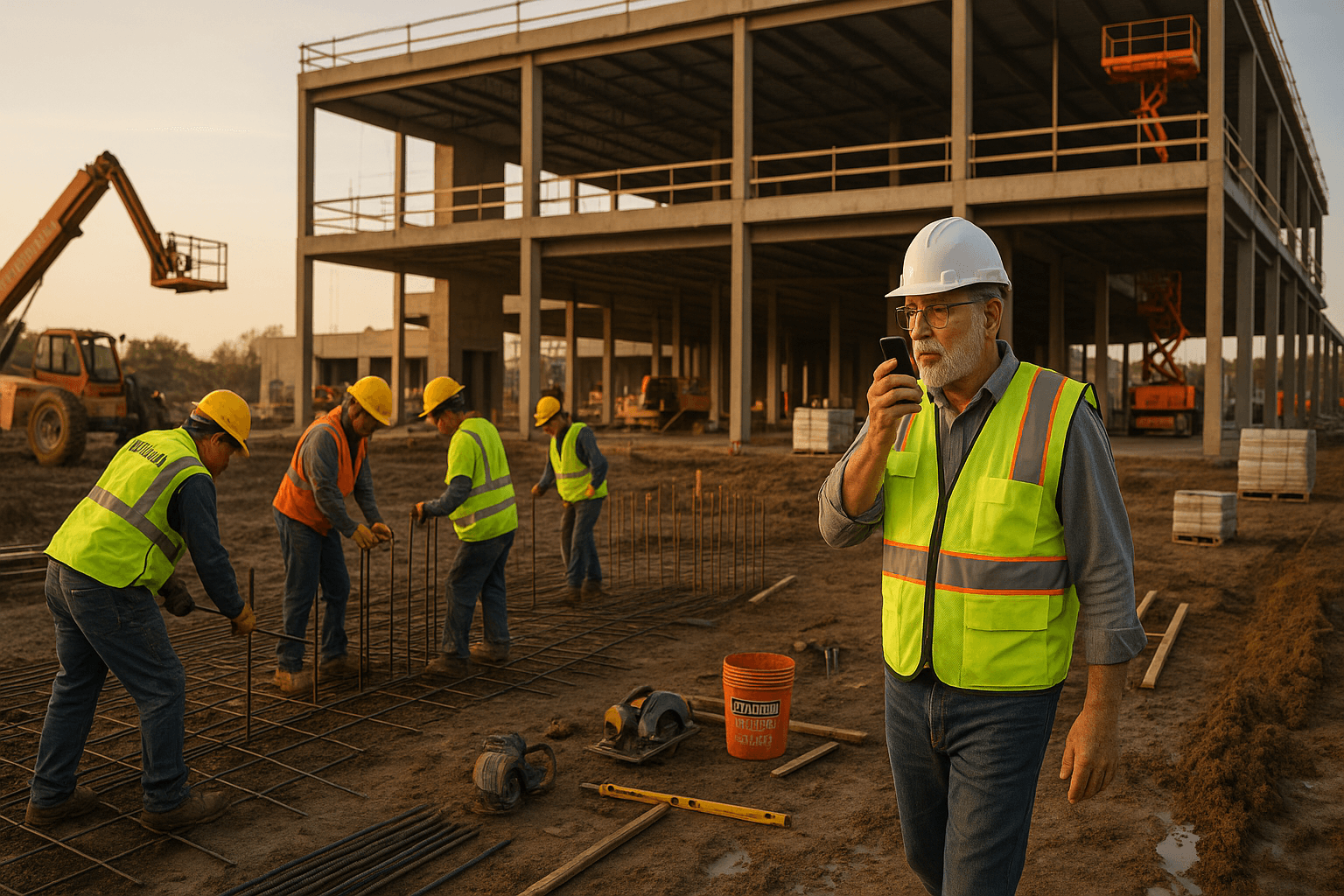
You already know the drill: everyone else heads home and you’re still in the trailer finishing daily reports. A construction daily report app is supposed to help, but most of them still leave you typing for 30–45 minutes after a 10-hour day.
It doesn’t have to be like that. Used right, daily report software for construction can cut that time by 80% or more—without cutting corners on documentation.
Table of Contents
- Why Daily Reports Still Eat Up Your Evenings
- What a Construction Daily Report App Must Actually Do in the Field
- Evaluating Construction Daily Report Apps: A Superintendent’s Checklist
- Voice-to-PDF Workflows: Turning a 3-Minute Walkthrough into a Clean Report
- Comparing App Types: Generic Note Apps vs. Spreadsheet Templates vs. Purpose-Built Tools
- How to Roll Out a New Daily Report App Without Losing the Crew
- When a Voice-First Daily Report App Makes Sense for Your Jobsite
- FAQ
Why Daily Reports Still Eat Up Your Evenings
The real cost of 30–45 minute reports after a 10-hour day
Most superintendents will tell you they spend 30–45 minutes a day on construction superintendent reports. On a five-day week, that’s 2.5–4 hours—basically half a day every week—just on paperwork.
Two real scenarios:
- You finish at 6:30 PM, sit in the truck, and hammer through a spreadsheet on your laptop until 7:15. You still have a 45-minute drive home.
- You take rough notes on paper during the day, then at 8 PM on the couch try to remember which crew moved to Level 3 and what time the concrete pump got stuck.
Neither is great. You’re tired, you rush, and details slip. A strong field reporting app should give you that time back without turning you into a data entry clerk.
Common superintendent complaints about current report tools
Most “daily report software for construction” was clearly designed by someone who’s never walked a muddy site in steel toes. The complaints are pretty consistent:
- Too many tiny fields and dropdowns
- Typing on a phone with gloves off in the cold
- Needs Wi‑Fi or full bars just to save
- Battery drain from heavy all‑in‑one project platforms
- Takes as long as paper, just in a different format
Example: you open an app at 6 PM in the parking lot, try to log manpower, equipment, weather, deliveries, and issues. Ten minutes in, it freezes because you’ve got one bar. You start over later from the hotel Wi‑Fi.
That’s not helping. That’s just moving the pain around.
Hidden risks of rushed or incomplete documentation
Everyone knows daily reports matter when things go sideways, but the risks show up quietly:
- You forget to note that the drywall crew left early because the area wasn’t ready.
- You skip photos of rebar placement because your phone storage is full.
- You don’t log that the crane was down from 9–11 AM waiting on a mechanic.
Six months later, there’s a delay claim or an argument about who held up who. Your daily report is two short lines: “Work progressing. Weather good.” That’s not much help.
You need complete, timestamped, structured data—without adding 30 more minutes to your day.
What a Construction Daily Report App Must Actually Do in the Field
Non-negotiable features for superintendents (offline, photos, crews, weather)
A serious construction daily report app has to work where you actually work:
Non‑negotiables:
- Offline mode: You can log everything with zero signal. It syncs when you’re back in range.
- Photos: Snap conditions, deliveries, and issues directly into the report.
- Crews and manpower: Track headcount by trade or subcontractor quickly.
- Equipment: Note which machines were on site and if they were idle.
- Weather: Auto‑pull or quick-select conditions and temps.
- Safety and incidents: Simple way to flag toolbox talks, near misses, and injuries.
Example: you’re in the basement level with no signal. You should still be able to talk through the day, snap a few photos of formwork, log that the lift was down for an hour, and know it’ll all sync later.
Why voice-first matters more than more checkboxes
The big shift now is voice-first instead of form-first.
Typing:
- 30–45 minutes of fighting tiny fields
- Stopping your walk to tap and scroll
Talking:
- 2–5 minutes while you walk the site
- Natural language: “Electrician, eight guys on Level 4, pulled wire in units 401–407…”
With a voice-first tool like ProStroyka, you just talk once, and the system:
- Transcribes your voice
- Detects sections like manpower, equipment, delays, safety
- Builds a clean, structured PDF for the office
Example: end-of-day walk, you hit record and talk for 3 minutes. By the time you’re in your truck, your daily is sitting in your email as a PDF, broken into sections. No extra typing.
Spanish and multilingual needs on modern jobsites
Many crews are bilingual or Spanish‑first. If your construction documentation software only works well in English, adoption suffers and details get lost.
You need:
- Spanish voice support: Let a foreman dictate in Spanish.
- Accurate transcription of trade terms and names.
- Mixed-language handling: “Luis con cinco en framing, más dos en limpieza.”
Example: your concrete foreman is more comfortable in Spanish. With a voice-to-text construction report that actually handles Spanish, he can dictate his part of the daily, and you still get a structured English/Spanish PDF for the GC or owner.
ProStroyka was built with Spanish support from the start for exactly this reason.
Evaluating Construction Daily Report Apps: A Superintendent’s Checklist
Speed test: How long does one complete report really take?
If you only check one thing, check real minutes per report. Time it.
Here’s what many supers see:
| Method | Typical Time / Day |
|---|---|
| Handwritten notes + later typing | 40–60 minutes |
| Direct spreadsheet on laptop | 30–45 minutes |
| Generic notes app + copy/paste | 25–35 minutes |
| Form-heavy daily report software | 20–30 minutes |
| Voice-first app (e.g., ProStroyka) | 3–5 minutes |
Two quick tests:
- Test 1: Do one full, honest report in the app—labor, equipment, delays, weather, safety, photos. Time from app open to “report sent.”
- Test 2: Do the same day on paper or spreadsheet. Compare.
If the app isn’t shaving at least 15–20 minutes off what you do now, it’s not worth forcing on your crew.
Field usability: gloves, noise, bad signal, and battery life
Paper doesn’t care about mud, noise, or dead zones. Your app has to compete with that.
Ask:
- Can you start and finish a report with gloves on? (Big buttons, minimal typing.)
- Does it still work when the compressor is running next to you? (Good voice recognition in noise.)
- Will it save offline in the elevator shaft and sync later?
- Does your phone still have battery at 4 PM if you used it all day?
Example: you’re in a loud mechanical room. With ProStroyka, you hold the phone close, speak normally, and it still captures a usable transcript. You don’t need to go hide in your truck to dictate.
Structuring data for PMs, owners, and compliance without extra work
PMs and owners don’t want your raw notes; they want structured information:
- Manpower by trade/sub
- Equipment usage
- Weather and impacts
- Delays and reasons
- Safety activities and incidents
- Deliveries and inspections
With most tools, you do the structuring: click this field, type that line, pick from this list.
With a voice-first system like ProStroyka, you speak naturally, and the app automatically organizes the information into those sections. You get:
- A professional PDF you can forward directly
- Data that’s consistent day to day
- A record that actually helps when something is in dispute
No extra passes, no copying from your notebook into a form.
Voice-to-PDF Workflows: Turning a 3-Minute Walkthrough into a Clean Report
Example workflow: From job walk to finished PDF
Here’s a realistic 3-minute workflow with ProStroyka:
- 4:45 PM – Start walk
- Open the app on your phone.
- Tap “New Daily Report.”
- Hit record and walk
- “General: Work on Level 2 and 3. Weather clear, 75°F, no wind issues.”
- “Manpower: Electricians, 8 on Level 3 rough-in. Plumbers, 5 on Level 2 corridors…”
- Mention equipment and delays
- “Equipment: One 60’ boom lift, used all day. One telehandler idle from 10–12 waiting on fuel.”
- Cover safety and deliveries
- “Safety: Morning toolbox talk on ladder safety, no incidents reported.”
- “Deliveries: Two pallets of tile received at 11 AM, stored in Level 1 storage room.”
- Attach a few photos
- Snap progress shots, a delivery photo, and the blocked access to an area.
- End recording and save
- App processes your voice and photos.
- A clean PDF gets generated and emailed or saved.
Total talking time: ~3 minutes. Total “admin” time (open app, attach photos, send): another 1–2 minutes.
You’re in your truck heading home while your report is already sitting in the PM’s inbox.
Automating sections: manpower, equipment, delays, safety, deliveries
The magic isn’t just transcription; it’s automatic structuring.
You might say:
“Electricians, eight on Level 3. Carpenters, four on Level 2. Telehandler idle for two hours waiting on fuel. Talked with sub about rebar congestion, no resolution yet.”
A voice-first construction daily report app like ProStroyka will:
- Pull “Electricians, eight” into Manpower
- Pull “Telehandler idle for two hours” into Equipment / Delays
- Flag “Talked with sub about rebar congestion” under Issues / Coordination
Your final PDF has clear headings:
- Labor / Manpower
- Equipment
- Delays / Issues
- Safety
- Deliveries
- General Progress
You talk once; the system does the organizing.
Reducing double entry with photos, notes, and task tagging
Double entry kills time:
- You take photos in your camera app.
- Later you manually insert them into a report or email.
With a purpose-built field reporting app:
- Photos are taken inside the app and auto‑attached to that day’s report.
- Captions can be dictated by voice: “Photo: formwork complete gridlines B–D.”
- You can tag them to areas or tasks if needed.
Example: you see damaged material on delivery. You:
- Snap two photos in ProStroyka.
- Dictate: “Delivery at 2:15 PM, three bundles damaged, noted with driver.”
That’s it. The photos and description live together in the PDF, ready for the PM and, if needed, for future dispute handling.
Comparing App Types: Generic Note Apps vs. Spreadsheet Templates vs. Purpose-Built Tools
Why notes and text messages fail as legal documentation
Many supers rely on notes apps, photos, and text messages. It feels quick, but it breaks down later:
- Notes are unstructured walls of text.
- Texts are scattered across conversations and phones.
- Finding something from four months ago is a scavenger hunt.
If there’s a disagreement about a delay, scrolling through texts and random notes isn’t a reliable record. Owners and lawyers look for consistent, dated, formatted daily reports.
A purpose-built construction daily report app gives you that structure automatically, every day, without making you work harder.
Spreadsheet and template limitations in the field
Spreadsheets are better than nothing, but they weren’t built for muddy boots:
- Hard to use on a phone
- Often require a laptop, which stays in the trailer or truck
- Easy to break formatting or formulas
- Photos end up in separate folders
Example: you fill out an Excel daily in the job trailer at 6 PM. You still need to:
- Drag in photos from your phone or email
- Save a PDF
- Email it to the PM or upload it somewhere
By the time you’re done, that “quick update” has eaten 45 minutes.
Where purpose-built daily report apps save the most time
Purpose-built tools like ProStroyka focus on one thing: getting your daily done fast and clean.
They save time by:
- Using voice-to-text construction reports instead of typing
- Auto‑structuring your notes into report sections
- Bundling photos and notes into one PDF
- Working offline and syncing later
Compared to all‑in‑one project platforms, they’re usually:
- Faster to learn
- Lighter on your phone
- More focused on what the superintendent actually needs at 5 PM
You don’t need every feature under the sun. You need a way to speak for 3 minutes and get a proper daily report out of it.
How to Roll Out a New Daily Report App Without Losing the Crew
Getting buy-in from foremen and subs
If your team hates the tool, it won’t get used. Simple as that.
How to get buy‑in:
- Start small: One job, one or two supers, a couple of foremen.
- Explain the benefit in minutes: “This should cut your report from 30 minutes to about 5.”
- Show, don’t preach: Do one report in front of them in real time.
Example: at the morning huddle, you say, “End of day, I’ll do my entire daily just by talking. Time me.” You do it in 3–4 minutes, include photos, and show the PDF. That’s usually all the convincing you need.
Training tips: 1-day rollout plan for your site
You don’t need a two-week training program. Here’s a 1-day rollout:
- Morning (15–20 min)
- Install the app (like ProStroyka) on key people’s phones.
- Show them how to start/stop recording and attach photos.
- Midday (5–10 min)
- Have each person do a practice report at lunch.
- Keep it casual—just narrate the morning.
- End of day (10–15 min)
- Everyone does their real daily by voice.
- Review one or two PDFs together so they see the structure.
Most supers and foremen are comfortable after doing it twice.
Measuring success: time saved and disputes avoided
Don’t just “feel” if it works; measure it.
Track for 2–4 weeks:
- Average minutes per report before vs. after
- Percentage of days with a completed daily (no more missed days)
- Number of back-and-forth emails asking for clarification
Example: if you cut from 35 minutes to 5 minutes per report, that’s 2.5 hours a week back in your schedule. Over a year, that’s more than 120 hours—three full workweeks—per superintendent.
Plus, when a schedule or scope issue comes up, you’ll have solid, consistent documentation to point to.
When a Voice-First Daily Report App Makes Sense for Your Jobsite
Job types and company sizes that benefit the most
A voice-first construction daily report app tends to pay off fastest on:
- Mid-size commercial jobs with many subs and fast changes
- Residential multi-family projects with repetitive units and lots of crews
- Infrastructure and civil work with long days and remote locations
It also works for:
- Small GCs that don’t want a full-blown enterprise platform
- Larger firms that already use a big system but want a faster field reporting layer
If you have at least one superintendent or foreman doing daily reports every day, those minutes add up quickly.
Key questions to ask before committing to any app
Here’s a quick checklist you can use on any daily report software for construction:
- Can I complete a full daily (labor, equipment, delays, safety, deliveries, photos) in under 10 minutes?
- Does it work offline with full functionality?
- Is it voice-first, or is voice an afterthought?
- Does it support Spanish and mixed-language crews?
- Does it generate a clean PDF I can send directly to PMs and owners?
- Can I roll it out to a job in less than a day of training?
- Is the price reasonable compared to the time it saves my supers?
If you can’t check most of these boxes, keep looking.
Next step: Try a voice-first daily report workflow on your next project
You don’t need to overhaul your whole company to test this. Pick one project and run a simple pilot:
- Choose one superintendent who’s open to trying new tools.
- Have them use a voice-first app like ProStroyka for 2–3 weeks.
- Compare their time and report quality to your current method.
ProStroyka focuses specifically on voice-to-PDF daily reports:
- Superintendents talk for about 3 minutes instead of typing for 45.
- The app structures reports into labor, equipment, delays, safety, deliveries, and more.
- It works offline, handles photos, and supports Spanish for bilingual crews.
If the pilot doesn’t save you real minutes, you move on. If it does, you’ve just taken back hours of your week without sacrificing documentation.
FAQ
Q: How accurate are voice-to-text construction reports in noisy environments?
A: Modern voice engines are surprisingly good, especially when the app is tuned for construction. With ProStroyka, you can record in typical jobsite noise by holding the phone close and speaking at a normal pace. You can always skim the transcript before sending, but most supers find they rarely need to edit more than a word or two.
Q: What if some of my foremen aren’t comfortable with technology?
A: Voice-first tools are actually easier for less tech‑savvy users because they don’t need to learn complex menus or forms. You show them how to open the app, tap record, talk, and hit save. After they see one or two clean PDFs generated from their voice, the resistance usually drops.
Q: Can I still add specific fields my company requires, like cost codes or work packages?
A: Yes. Most purpose-built daily report apps let you include custom fields or tags, so you can attach cost codes, areas, or phases to your notes. In ProStroyka, you can mention these in your voice note or add them through simple prompts, and they’ll appear properly in the final PDF.
Q: How does offline mode actually work on remote sites?
A: When you have no signal, the app stores your recordings, photos, and report data locally on your device. Once you’re back in range or on Wi‑Fi, it syncs automatically and generates the reports. You don’t have to remember to re-enter anything later.
Q: Is a voice-first daily report app only useful on big projects?
A: No. Even on smaller projects, a superintendent or foreman still spends meaningful time on daily reports. Saving 20–30 minutes a day adds up whether you’re running a $500k TI or a $50M tower. The difference is just how quickly the time savings pay back the cost of the tool.
Test a voice-first daily report on your next shift—start a free trial of ProStroyka and turn a 3-minute walkthrough into a complete PDF report. Start your free trial — no credit card required.