HVAC Contractor Daily Log: What to Document
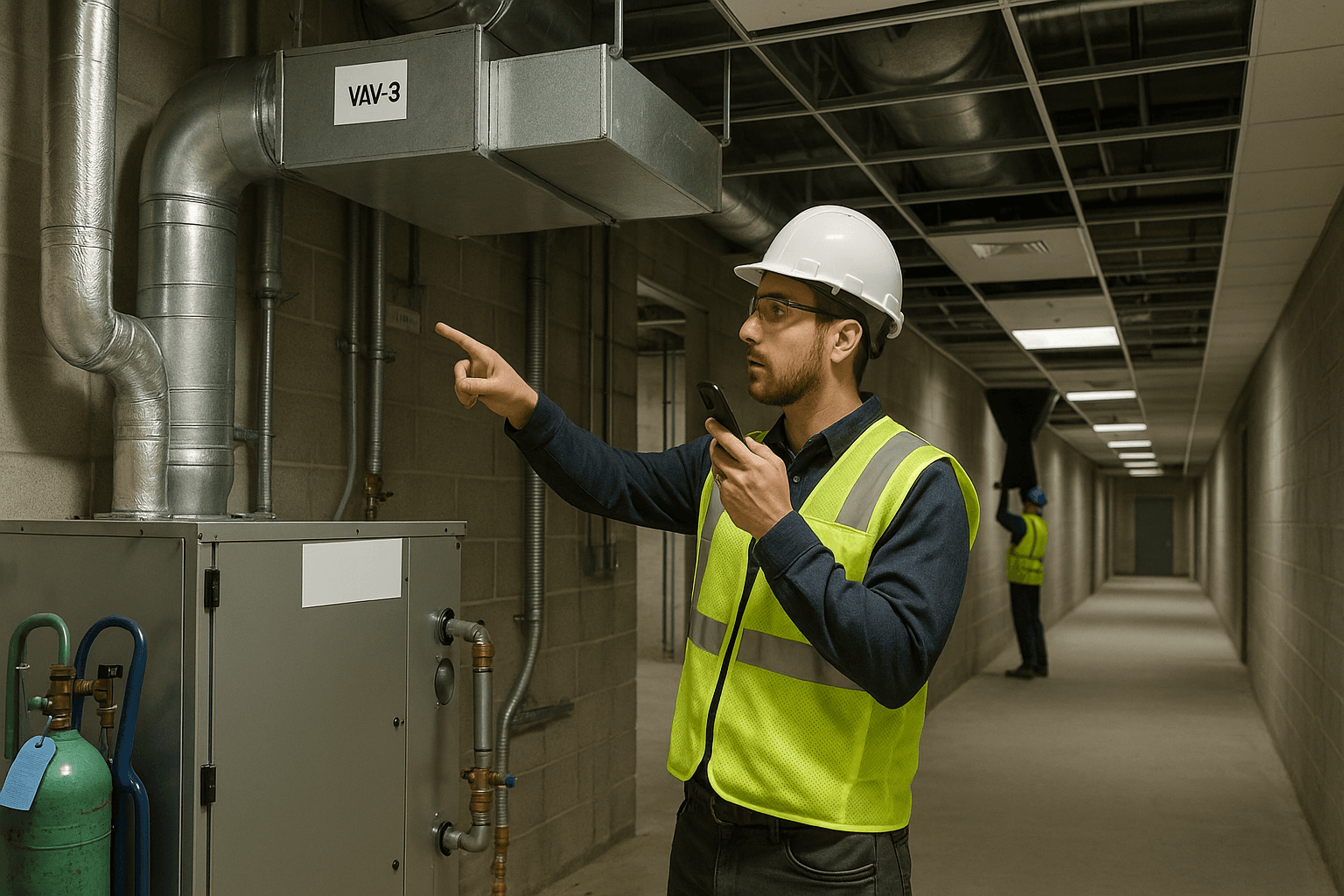
If you’ve ever been asked, “Where’s the HVAC daily report for last Tuesday?” while you’re trying to finish a startup, you already know the pain: HVAC work moves fast, but HVAC documentation has to be airtight—especially around refrigerants, testing and balancing, and commissioning. A solid HVAC daily report isn’t busywork. It’s how you protect your crew, prove you did the work, and stop arguments before they start.
Table of Contents
- HVAC-Specific Documentation Needs
- What to Track Daily
- Commissioning Documentation
- Working with GCs and Other Trades
- Template for HVAC Daily Reports
- FAQ
HVAC-Specific Documentation Needs
An HVAC contractor daily log has to do more than record manpower and “worked 7–3.” Mechanical scopes live and die by details: model/serial numbers, installation conditions, airflow results, and the refrigerant chain of custody. If your log can’t answer those questions, you’ll feel it at punch, in closeout, or during a warranty call.
Two situations that come up constantly on real jobs:
- Warranty dispute: A condenser fails six months after turnover. The manufacturer asks for model/serial, install date, start-up readings, and any abnormal conditions. If your mechanical contractor daily report has the serial numbers and start-up notes tied to the date, you’re not scrambling.
- Schedule hit from coordination: Your duct rough-in was ready, but the ceiling grid went in early, or the fireproofing crew didn’t finish. If your HVAC foreman daily log shows who blocked you, where, and for how long, you’ve got proof for a change request or schedule conversation.
What makes HVAC documentation different (and non-negotiable)
A few HVAC-only realities shape what you need to document:
- EPA refrigerant compliance: Handling refrigerants is regulated. You need clear records of recovery, charging, cylinder tracking, and who did the work.
- Testing and balancing (TAB): TAB is measurable and often audited. Missing airflow, static pressure, or water flow documentation turns into retests, withheld pay apps, and finger-pointing.
- Commissioning: Commissioning isn’t one event—it’s a chain of checks, corrections, and signoffs. Your daily report is the thread that ties it together.
Practical takeaway: Treat your daily log like a future closeout binder. If it won’t help you answer a commissioning question later, it’s not complete.
What to Track Daily
A strong HVAC daily report has consistent headings and repeatable entries so you’re not reinventing it every afternoon. The goal is simple: any PM, GC, or commissioning agent should be able to read it and understand what was installed, where, with what constraints, and what still needs follow-up.
At minimum, your daily HVAC work documentation should include:
- Crew (names or count), hours, and any subs
- Areas worked (floor/zone/room numbers)
- Work completed and quantities
- Equipment received/installed (with model/serial when applicable)
- RFIs, change directives, inspections, and signoffs
- Coordination notes (who, what, where, impact)
- Safety notes specific to mechanical work (ladders, lifts, hot work, confined spaces)
- Photos tied to locations and issues
Two examples of “good vs. useless” daily entries:
-
Useless: “Installed duct on Level 3.”
-
Good: “Level 3 West: Installed 220 LF of 24x18 supply main, (6) VAV drops stubbed to gridline D-7 through D-10. Fire caulking pending at (3) 6” wall penetrations—firestop contractor notified.”
-
Useless: “Set RTU.”
-
Good: “Roof: Set RTU-2 on curb C2; verified curb level within 1/8”. Electrical disconnect not landed—EC notified 10:15. Gas flex not delivered—material backorder.”
Ductwork installation
Duct documentation is where “it’s in” isn’t enough. You need to capture where, how much, what type, and what’s blocking you.
What to log daily for duct:
- Area/zone and drawing reference (gridline/room)
- Duct type (galv, spiral, lined, double-wall)
- Sizes and quantities (LF, fittings, takeoffs)
- Hangers/supports installed and any special anchoring
- Penetrations and fire/smoke damper status
- Insulation status (internal liner, wrap, vapor barrier)
- Pressure class notes and sealing level (when relevant)
- Issues: clashes, ceiling height constraints, access problems
Two real-world scenarios to document:
- Clash with sprinkler main: “Level 2 corridor, duct main at 9’-6” conflicts with sprinkler main near grid B-4. Field routed 12” offset; added (2) 45s. Notified GC and sprinkler foreman; awaiting revised coordination model.”
- Fire damper inspection: “Installed (4) 18x12 fire dampers at rated wall near stair core. Firestop not complete; inspection requested for Thursday; photos attached of sleeves and damper labels.”
Practical takeaway: If you’re not writing gridlines/rooms and quantities, you’re leaving money on the table when productivity gets questioned.
Equipment installation
Equipment entries should read like a start-up checklist preview. The biggest closeout pain comes from missing model/serials, missing accessory installs, and unclear “ready for start-up” status.
What to capture:
- Equipment tag (AHU-1, RTU-2, FCU-14, EF-3)
- Model and serial numbers (photo the nameplate)
- Location (roof, mech room, ceiling zone)
- Installation status (set, anchored, connected, leveled)
- Utilities status (power, controls, gas, condensate, hydronic)
- Accessories installed (vibration isolators, curb adapters, economizer kits)
- Open items preventing start-up
Two scenarios that save you later:
- Nameplate proof for submittal match: “AHU-1 set in Mech Room 1. Nameplate photo attached; model matches approved submittal Rev 3. Serial recorded for O&M.”
- Start-up blocked by other trade: “VAV controller power not available; controls contractor scheduled Friday. Start-up for VAV-12 through VAV-20 cannot proceed until low-voltage pulled.”
Practical takeaway: If you install it, document the tag + model/serial the same day. Waiting until closeout means missing plates behind insulation or above ceilings.
Refrigerant handling
This is where HVAC daily reporting gets unique—and where you can get burned if your logs are vague. Refrigerant handling documentation should support EPA compliance and your own internal accountability. Depending on the refrigerant type and job context, federal rules under the Clean Air Act (EPA Section 608) apply, and many companies also keep stricter internal records.
What to document every time refrigerant is handled (recover, evacuate, charge, add, remove):
- Date, location, and equipment ID
- Refrigerant type (R-410A, R-134a, R-407C, etc.)
- Amount recovered/added (lbs/oz)
- Cylinder ID (your shop’s tracking number)
- Recovery machine used (if you track it internally)
- Vacuum/evacuation readings (microns) and hold test notes
- Leak check method and results (nitrogen pressure test, electronic detector)
- Technician name and certification status (at least note “EPA 608 tech on task”)
- Disposition notes (returned to cylinder, sent for reclaim, etc.)
Two real job examples:
- Split system charge with documentation that holds up: “Level 4 East, CU-7: Evacuated to 420 microns; held 15 min rise to 520 microns. Charged 8 lb 6 oz R-410A per nameplate; final suction 128 psig, liquid 365 psig at 78°F ambient. Cylinder #R410A-014 used. Leak check passed at braze joints.”
- Recovery during demo/replace: “Basement Mech, old WSHP-3 removed. Recovered 3 lb 2 oz R-407C into cylinder #REC-009. Tagged cylinder for reclaim pickup. EPA-certified tech on task; photo of gauge and cylinder tag attached.”
Practical takeaway: Build a habit: no refrigerant moves without a line item in the HVAC contractor daily log. If you’re ever questioned, your report becomes your compliance narrative.
Testing and balancing
TAB is one of the fastest ways to lose time and goodwill because results are measurable and expectations are strict. Your daily log should show what was tested, what failed, what was adjusted, and what prevented completion.
What to track daily for TAB-related work:
- Areas/systems tested (AHU-1, VAV zones, EF/relief)
- Readings taken (CFM, static pressure, RPM, temperature split)
- Damper settings and adjustments made
- Filter status (temporary vs. final filters)
- Control sequences that affected readings (economizer, min OA)
- Issues requiring rework (duct leaks, missing access doors, incorrect fan rotation)
- Coordination items (controls contractor needed, ceiling access needed)
Two scenarios that happen all the time:
- TAB blocked by incomplete controls: “TAB attempted Level 2 VAVs. Controls in hand/offline; VAV min/max not responding. Logged readings as ‘preliminary’ only. Controls contractor notified; retest scheduled after point-to-point.”
- Airflow issues caused by install conditions: “EF-2 airflow low by ~18%. Found flex duct kink above ceiling near grid F-6. Corrected routing; retest improved to within 5% of design.”
Practical takeaway: Don’t just write “TAB in progress.” Write what was measured and why it could/couldn’t be finalized.
Commissioning Documentation
Commissioning is where average documentation gets exposed. The Cx agent and GC want traceability: what was installed, what was verified, what was corrected, and what was retested. Your mechanical contractor daily report should track the commissioning path without you needing to recreate it from memory.
Commissioning documentation in your daily log should include:
- Pre-functional checklist (PFC) completion status by system
- Start-up activities and start-up sheets (noting who was present)
- Deficiency lists (Cx issues) opened/closed with dates
- Functional performance tests (FPT) scheduled/completed and outcomes
- Trending/logging requests (controls points trended, duration)
- Training sessions (who trained, who attended)
Two real-world commissioning examples:
- Deficiency closure proof: “Cx item #47: AHU-3 vibration high. Verified isolators tightened and spring deflection per spec; rechecked with Cx agent at 14:00—accepted. Photo of isolator setting attached.”
- FPT notes that avoid a retest: “FPT for smoke purge sequence: smoke damper actuated late due to mislabeled control point. Controls corrected mapping; retest completed same day; pass documented with time stamp and attendees.”
Practical takeaway: Track commissioning like you track production—system by system, issue by issue. Every closed item should have a date, a “what changed,” and a witness when possible.
Working with GCs and Other Trades
HVAC coordination is constant: ceilings, electrical, controls, fire protection, framing/drywall, roofing, insulation, and even flooring (thermostat locations, penetrations, curbs). Your daily log should be your neutral record of who needed what, when, and what impact it had.
Coordination notes to include:
- Who you coordinated with (trade + name if possible)
- What was requested/decided
- Where (area/gridline)
- What it impacted (lost hours, resequencing, rework)
- Photos showing constraints (congestion above ceiling, blocked access)
Two scenarios that should always be documented:
- Ceiling closure pressure: “GC requested ceiling close in Area 210 by Thursday. HVAC above-ceiling work remaining: (2) VAV reheat connections, (3) balancing damper access doors, insulation patching at joints. Requested hold on close-in until Friday 10:00 to avoid reopen.”
- Electrical/controls dependencies: “RTU-5 ready mechanically; cannot start-up until EC lands disconnect and controls pulls comm wire. Notified GC in huddle; requested dates. Impact: start-up pushes to next week unless power available by Friday.”
Practical takeaway: Write coordination notes like you’re explaining it to someone who wasn’t at the trailer meeting. Names, locations, and impacts matter.
Template for HVAC Daily Reports
A good HVAC contractor daily log template keeps your foreman focused on the trade-specific details—without turning the report into a novel. Use this structure every day, and you’ll cover EPA refrigerant entries, TAB notes, and commissioning items without forgetting.
HVAC Daily Report template (field-ready)
-
Project / Date / Weather
- Site conditions that affected HVAC (roof access, crane wind limits, humidity for insulation)
-
Crew & Hours
- HVAC crew count, foreman, apprentices
- Subcontractors (TAB, controls, insulation)
-
Areas Worked
- Floor/zone/rooms/gridlines
-
Work Performed (Quantities)
- Duct installed (type/size/LF), hangers, dampers
- Piping installed (type/size/LF), valves, insulation
- Diffusers/grilles/VAVs installed (counts)
-
Equipment Installed / Set / Started
- Tag + location
- Model/serial numbers (nameplate photo)
- Utilities status (power/controls/gas/condensate/hydronic)
- Open items preventing start-up
-
Refrigerant Handling Log (EPA-sensitive)
- Equipment ID + refrigerant type
- Amount recovered/charged
- Cylinder ID
- Evacuation micron level + hold results
- Leak test notes
- Technician on task (EPA 608)
-
TAB / Performance Checks
- Systems checked
- Key readings (CFM, static, temps)
- Adjustments made
- Items blocking final TAB
-
Commissioning / Closeout
- PFC status
- Cx issues opened/closed
- FPTs completed/scheduled
- Training held (who attended)
-
Coordination Notes (GC + Trades)
- Conflicts, access issues, ceiling close-in, power/controls dependencies
- Requests made + responses
-
Safety / Permits
- LOTO, hot work, lift plans, confined space
-
Photos
- Nameplates, rough-in before cover, issues/conflicts, test setup
Two “copy/paste” example entries (what good looks like)
-
Example 1 (production + coordination):
- “Level 1 North: Installed 160 LF of 18” spiral return, hung at 10’-0”. Set (12) diffusers in Rooms 110–122. Drywall crew staged lifts in corridor blocking access 13:00–15:00; resequenced to Rooms 130–138. Photos attached.”
-
Example 2 (refrigerant + commissioning):
- “CU-3 / FCU-3: Pressure test w/ nitrogen to 350 psig for 45 min—no drop. Evacuated to 480 microns; held 10 min to 540. Charged 6 lb 10 oz R-410A using cylinder #R410A-022. Start-up deferred: controls not commissioned; Cx agent requested trend points for SAT/RAT and compressor amps once online.”
Practical takeaway: If your foreman can fill this out in 3–5 minutes with consistent headings, you’ll get better data than a 45-minute end-of-day memory dump.
FAQ
Q: What’s the difference between an HVAC daily report and a general construction daily log? A: An HVAC daily report includes trade-specific proof: model/serial numbers, refrigerant handling records, TAB notes, and commissioning progress. A general log usually stops at manpower, activities, and delays—helpful, but not enough for mechanical closeout and compliance.
Q: What refrigerant details should we document for EPA compliance? A: Record the equipment ID, refrigerant type, amount recovered/added, cylinder ID, evacuation (microns) and hold results, leak check method/results, and who performed the work (note EPA 608-certified tech on task). These entries protect you if questions come up later.
Q: Do we really need model and serial numbers in the daily log if we already have submittals? A: Yes. Submittals show what was approved; your daily log shows what was actually installed, when, and where. On replacements, mixed shipments, or phased installs, nameplate photos and serials prevent closeout chaos.
Q: What should we write for testing and balancing when TAB isn’t on site yet? A: Log what you verified: fan rotation, belt alignment, damper access, filter status, obvious duct leaks, and controls readiness. Also note what’s blocking TAB (controls incomplete, ceilings closed, access doors missing) so the delay doesn’t get pinned on HVAC.
Q: How detailed should coordination notes be in an HVAC foreman daily log? A: Detailed enough that someone not on site can understand the impact: trade/person, location, what happened, and what it cost (hours lost or resequence). “Couldn’t work due to other trades” won’t help you later; “EC not landed disconnect at RTU-4, roof, grid C-5; start-up blocked” will.
Ready to document your HVAC daily report in minutes, not at the trailer after hours? ProStroyka handles HVAC terminology (including refrigerant, TAB, and commissioning notes) and turns quick voice notes into structured PDF reports automatically. Start your free trial — no credit card required.