Offline Construction Daily Report App: How to Keep Reporting Moving When the Wi‑Fi Doesn’t Work
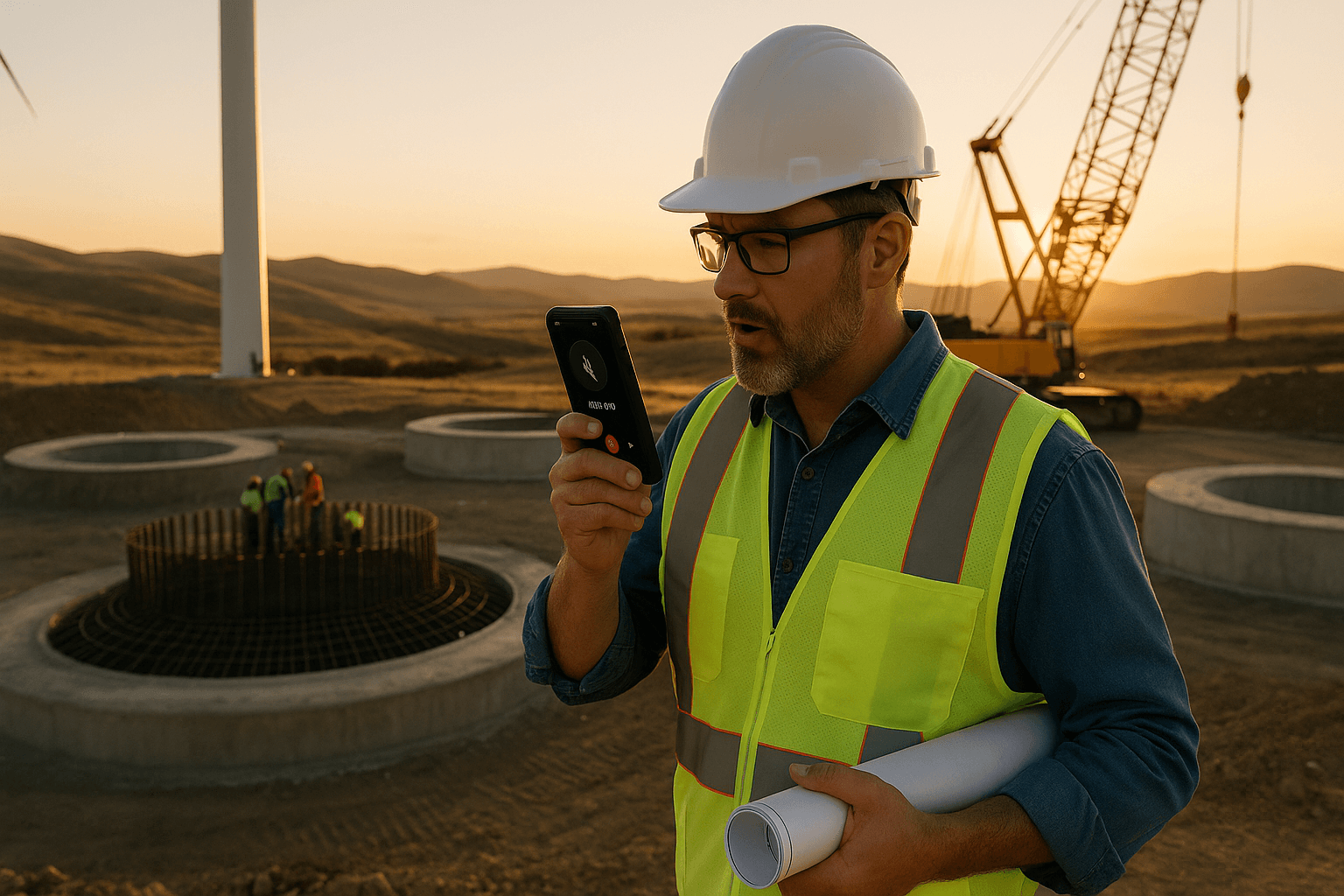
You don’t need another construction app that dies the second you lose a bar of signal. If your offline construction daily report app can’t actually work offline, you’re stuck filling reports at 8 p.m. in the truck or back at the hotel. This article breaks down what “true offline” really means, how voice-first tools change the game, and what to look for so your reports don’t depend on Wi‑Fi.
Table of Contents
- Why Connectivity Is Killing Your Daily Reports
- What an Offline Construction Daily Report App Actually Needs to Do
- Voice-First Offline Reporting: Turn Walkthroughs Into Finished PDFs
- Bilingual Crews, Remote Sites: Why Spanish + Offline Matters
- Evaluating Offline Construction Daily Report Apps: Checklist for Supers
- How ProStroyka Handles Offline Daily Reports in 3 Minutes
- Implementation Plan: Getting Your Crew Using Offline Reporting in a Week
- Conclusion: Stop Letting Bad Signal Delay Your Paper Trail
- FAQ
Why Connectivity Is Killing Your Daily Reports
Real jobsite scenarios where Wi‑Fi and cell service fail
If you’ve ever tried to file a daily report from:
- A tunnel or below-grade parking structure
- A concrete core on level 3 with no windows yet
- A remote highway or utility project miles from town
…you already know why a construction daily report app that depends on internet is a problem.
Real scenarios:
- You’re in a hospital basement mechanical room. Your app spins, you can’t load yesterday’s report, and photos won’t attach. You tell yourself you’ll “do it later” and hope you remember everything.
- You’re on a solar farm 45 minutes outside the city. No cell service until you hit the highway. By the time you get signal, it’s 7 p.m. and you’re trying to rebuild the day from memory.
If your field reporting software stops working when the bars disappear, it’s not built for actual jobsites.
How bad connectivity turns 10‑minute reports into 45‑minute admin chores
Daily reports themselves aren’t the real time sink. The problem is the stop‑start workflow caused by connectivity.
Typical day with a connected-only app:
- You try to enter labor counts in the elevator lobby — app won’t load.
- You wait to get back to the trailer to attach photos — then you realize you’ve got 40+ images to sort.
- You’re hunting through texts and notes to remember weather, deliveries, delays.
What could be a 10-minute walkthrough plus quick review turns into:
- 20–30 minutes in the trailer typing and clicking through menus
- 10–15 minutes uploading and labeling photos
- Extra time tracking down missing info from foremen
Now multiply that by 5–6 days a week. That’s why so many supers are stuck doing reports after hours.
Hidden costs: delays, disputes, and missing documentation
Slow or skipped daily reports don’t just hurt your schedule — they hit your wallet.
Common fallout from poor documentation:
- Schedule disputes: Owner says, “You never documented the weather delay.” You know you lost a day to rain, but there’s no clear record.
- Back charges: A trade leaves trash in another area. You clean it up, but there’s no note or photos in the daily. Two weeks later you’re arguing about who pays.
- Change order fights: You added extra labor for rework, but the daily only shows headcount, not what they did or why.
An offline-capable construction reporting app offline helps you capture these details while they’re fresh, even in zero-signal areas, so you’re not trying to reconstruct the story later.
What an Offline Construction Daily Report App Actually Needs to Do
Core features superintendents care about (not just IT)
You don’t need fancy dashboards. You need a offline construction daily report app that:
- Lets you create a full daily from scratch with no signal
- Saves everything locally on your phone or tablet
- Handles photos quickly, without long upload times
- Works fast on a dirty, half-broken jobsite phone
Real-world examples:
- You open the app in a concrete basement, start a new daily, and log labor, equipment, and issues without seeing a single “offline” error message.
- You snap 20 photos of punch items, attach short notes, and keep walking — no spinning wheels, no failed uploads.
If the app needs Wi‑Fi to “fetch templates” or “load project data” before you can start, it’s not truly field-ready.
True offline data capture vs. "works if you have 1 bar"
Vendors love to say their field reporting software “works offline.” Often that really means:
- It’ll keep the screen open if you briefly lose signal.
- It buffers some text, but can’t pull project info or save photos.
True offline means you can:
- Create a new daily report from nothing
- Edit it multiple times throughout the day
- Save it fully — text, photos, quantities — all stored locally
- Review yesterday’s reports while still offline
All of that should work with zero connectivity: airplane mode on, deep in a basement, or miles off the highway.
If you can’t complete the entire daily with the phone in airplane mode, it’s not truly offline.
Syncing reports later without data loss or retyping
Offline is only useful if syncing later is painless.
A good construction site documentation app should:
- Sync automatically when you hit Wi‑Fi or cell service again
- Keep your local copy safe until it confirms the upload
- Handle conflicts smoothly if you edited the same report twice
Example:
- You finish the day in the tunnel with no service. Phone stays in your pocket during the 40‑minute drive back.
- You walk into the hotel, the app notices Wi‑Fi, and syncs in the background.
- Next morning, office and PM already have your PDFs — you didn’t have to “rebuild” anything.
No retyping, no reattaching photos, no wondering what got lost.
Voice-First Offline Reporting: Turn Walkthroughs Into Finished PDFs
Using voice to text to capture notes while walking the site
Typing long descriptions on a phone while you’re dodging lifts and rebar is a bad plan. That’s where voice to text construction reports come in.
With a voice-first app:
- You walk the site once, talking through what you see.
- You call out weather, manpower by trade, deliveries, delays, safety issues, and progress.
- The app records your voice and converts it to text — even offline.
Example:
- “Concrete crew, 6 workers, poured level 2 deck from 7 to 11, 2 truck delays due to traffic. Electrical, 3 workers, rough-in level 1 east wing, materials arrived late afternoon.”
Instead of typing that into ten little fields, you say it once while you’re already walking the project.
Automatic structuring into professional daily report formats
Raw text is fine, but owners want structure. A smart construction daily report app should take your voice notes and automatically organize them into common sections like:
- Labor (by trade/company and headcount)
- Equipment on site and in use
- Weather (conditions and impact)
- Work performed (by area or trade)
- Delays and issues (with causes)
- Safety (incidents, observations, toolbox talks)
This is how ProStroyka works: you talk naturally, and the AI structures your words into a clear daily format. You still review and adjust, but you’re not starting from a blank form.
So instead of you wrestling with form fields, the app does the structuring. You just correct details if needed.
Handling photos, quantities, and issues without manual typing
Photos and quantities are usually what slow you down.
With an offline, voice-first construction reporting app offline:
- You snap photos in the app as you walk.
- You add quick spoken notes: “Photo: damaged duct before repair in corridor A3.”
- You call out quantities verbally: “Installed 200 linear feet of 4-inch conduit in level 1 east hall.”
The app links the photo to your comment and drops the quantity into the proper section of the report.
You’re still in control — you can edit the text later — but you’re not typing long explanations for every picture.
Bilingual Crews, Remote Sites: Why Spanish + Offline Matters
Letting Spanish-speaking foremen dictate reports in their language
On many sites, some of the people who know the most about what actually happened speak Spanish first, English second.
If your daily report software for superintendents only works well in English and only online, you’re missing half the story.
With a tool like ProStroyka that supports Spanish voice input offline:
- A Spanish-speaking foreman can dictate a full report in Spanish while walking the site.
- The app transcribes their Spanish speech into Spanish text and structures it just like an English report.
Now the person closest to the work can document it, instead of relying on someone else to “translate” later from memory.
Reducing translation bottlenecks and miscommunication
The old way:
- Foreman explains the day in Spanish.
- Someone bilingual tries to translate it into an English daily.
- Details get lost or simplified (“they did framing”) instead of specifics (“framed 8 units, levels 3–4, north wing”).
An offline, Spanish-capable construction reporting app offline:
- Captures the original context in the foreman’s own words
- Lets office staff or supers review and, if needed, translate or summarize later
You cut down on back-and-forth and avoid misunderstandings that can cost you time and money.
Keeping a consistent record across mixed-language crews
Mixed-language crews are normal now. Your documentation should keep up.
A good system will:
- Use the same report structure regardless of language (labor, equipment, work, delays, safety)
- Let you export PDFs that look consistent across crews and projects
- Keep everything timestamped and tied to the same project record
That way, when a dispute or claim pops up months later, you’re not sorting through a mess of different formats, notebooks, and half-translated notes.
Evaluating Offline Construction Daily Report Apps: Checklist for Supers
Must-have features for field use (battery, storage, speed)
When you’re picking a offline construction daily report app, focus on what matters in the field:
- True offline mode: Full create/edit/save with phone in airplane mode
- Fast startup: Opens in a few seconds, even on older phones
- Low battery drain: Can handle a long day of photos and voice notes
- Local photo storage: Photos saved on-device first, not streamed
- Simple interface: Big buttons, few taps to start recording
- Voice-first workflow: No hunting through 20 fields just to log one note
Here’s a simple checklist you can screenshot:
| Feature | Yes/No | Notes |
|---|---|---|
| Works fully in airplane mode | ||
| Create/edit/save reports offline | ||
| Offline voice recording supported | ||
| Offline voice-to-text available | ||
| Photos attach instantly offline | ||
| Automatic structuring into sections | Labor, weather, delays... | |
| Spanish voice input supported | ||
| Syncs automatically when online |
Questions to ask vendors about offline mode (and how to test it)
When a vendor says “yes, we work offline,” push for details:
Ask:
- Can I start a brand-new report in airplane mode?
- Can I add photos and voice notes offline?
- Does voice-to-text work offline, or only recording?
- What happens if I lose power mid-sync? Do I lose data?
How to test quickly:
- Install the app.
- Put your phone in airplane mode.
- Try to create a new daily, add notes, and attach photos.
- Close the app, reopen it, make sure your draft is still there.
If anything fails in that simple test, it’s not truly offline-ready.
Pricing, per-user traps, and how to budget for your crew
Many construction daily report app tools charge per user and can get expensive fast.
Watch for:
- Per-seat pricing that makes you hesitate to add foremen
- Extra fees for “premium” features like offline or voice
- Long contracts that lock you in before you test on a live job
ProStroyka keeps it simple:
- Early bird pricing from $49/month (later $99 regular)
- Voice-first and offline included, not bolted on
Whatever tool you pick, make sure you can afford to put it in the hands of the people actually doing the reporting — not just one person in the trailer.
How ProStroyka Handles Offline Daily Reports in 3 Minutes
Step-by-step: record, auto-structure, sync, export to PDF
Here’s how ProStroyka, a voice-first offline construction daily report app, works in practice:
- Record: You open the app, hit record, and talk through your day as you walk the site — in English or Spanish.
- Auto-structure: The AI turns your speech into text and organizes it into sections: labor, equipment, work performed, weather, delays, safety, notes.
- Review: You skim the structured draft, tweak any details, and attach key photos.
- Sync: When you hit signal or Wi‑Fi later, the app syncs your report to the cloud.
- Export to PDF: You download or share a clean PDF daily report that looks like what GCs and owners expect.
All of this can be done with no connectivity until the sync step.
Example workflow for a superintendent on a no-service site
Picture this:
- Remote wind farm site, no cell coverage all day.
- At 3:30 p.m., you do your final walkthrough.
You pull out your phone:
- Put it in airplane mode.
- Open ProStroyka and start dictating: crews on site, work areas, delays due to crane issue, safety observation from morning.
- Snap photos of a damaged delivery and a safety barrier that needs fixing, adding quick voice labels.
You finish in about 3 minutes. The report is saved locally. On the drive back, nothing to do.
You reach the yard, your phone reconnects, ProStroyka syncs automatically, and a ready-to-share PDF is waiting for the PM.
Time savings vs. manual typing and photo uploads
Compare that to the old routine:
- 20–30 minutes in the trailer typing
- 10–15 minutes attaching photos and labeling
- Extra time chasing missing details
With a voice-first, offline construction site documentation workflow like ProStroyka:
- Most supers see daily report time drop from 30–45 minutes to about 3–5 minutes
- Reports are more detailed because you talk naturally instead of trying to type fast
You get your evenings back, and you still have rock-solid documentation.
Implementation Plan: Getting Your Crew Using Offline Reporting in a Week
Rolling it out to one project first
Don’t roll new tools out to every site at once. Pick one project with:
- Spotty connectivity
- A cooperative superintendent and a couple of engaged foremen
Plan:
- Week 1: Only that project uses the new offline construction daily report app.
- Office and PMs review the PDFs and compare to old reports.
You’ll learn what works, what doesn’t, and adjust your process before expanding.
Training foremen and leads in 30 minutes or less
If it takes a day of training, it’s too complicated.
For a voice-first tool like ProStroyka, training looks like:
- 10 minutes: Show how to start a recording and walk a sample area.
- 10 minutes: Review the auto-structured draft and edit a few items.
- 10 minutes: Attach photos and see the final PDF.
Most foremen are comfortable after one or two reports. They already use voice messages on WhatsApp — this isn’t a big leap.
Measuring success: time saved and dispute-proof documentation
To tell if your new field reporting software is working, track:
- Average time per daily before vs. after (ask your supers honestly)
- Number of days with missing or late reports
- Quality of documentation in disputes: can you quickly show labor, photos, and notes for a given day?
After a month, you should see:
- Less after-hours admin time
- More detailed, consistent reports
- Fewer “we don’t have that documented” moments when arguing schedule or changes
Conclusion: Stop Letting Bad Signal Delay Your Paper Trail
Bad Wi‑Fi and spotty cell shouldn’t decide whether your daily reports get done. A true offline construction daily report app lets you record the day while you walk, structure it automatically, support Spanish-speaking crews, and sync later — without turning your evenings into paperwork time.
Ready to cut your daily report time from 45 minutes to 3? ProStroyka turns your offline voice notes into professional PDF reports automatically, in English or Spanish, even with zero signal. Start your free trial and see how fast you can finish today’s report right from the jobsite.