Best Construction Daily Report App for Superintendents in 2025
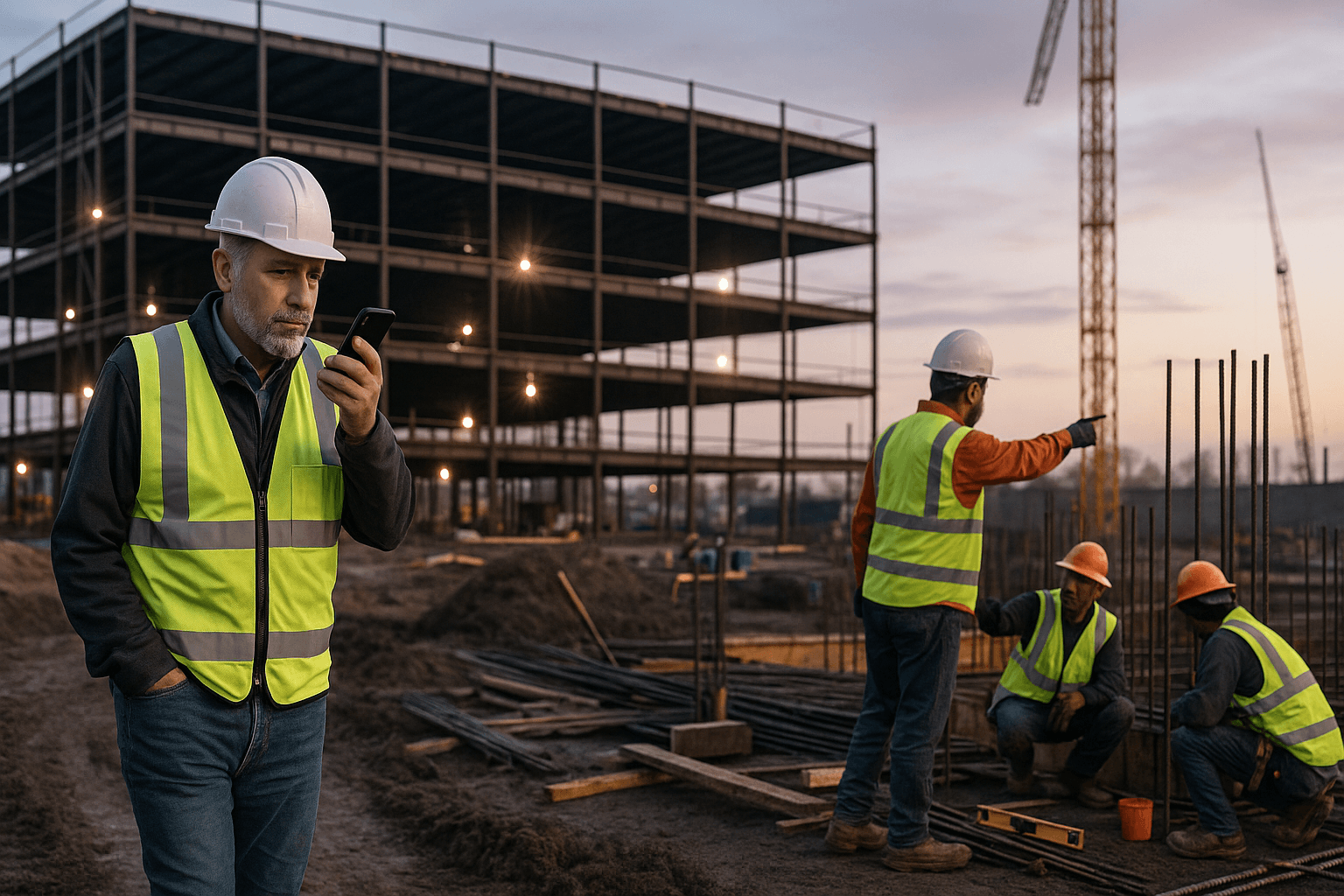
You already know where your “free time” goes: sitting in your truck at 7:30 p.m., punching out a daily report on your phone while your family eats without you. A construction daily report app is supposed to fix that… but most just give you more boxes to click and more fields to fill.
Superintendents don’t need more software. You need a way to turn what’s already in your head into a clean daily in a few real minutes, under real jobsite conditions.
Table of Contents
- Why Daily Report Apps Matter More Than Ever on Today’s Jobsites
- What Makes a Great Construction Daily Report App for the Field
- Top Construction Daily Report App Options in 2025
- Deep Dive: Voice-First Daily Report Apps
- Cost Comparison: Daily Report Apps vs. Doing Nothing
- Implementation: Getting Your Crew to Actually Use the App
- Checklist: How to Choose the Right Construction Daily Report App
- Where a Voice-First App Fits in Your Tech Stack
- Conclusion: The Best Daily Report App for Time-Strapped Superintendents
- FAQ
Why Daily Report Apps Matter More Than Ever on Today’s Jobsites
A construction daily report app isn’t just about checking a box for the office anymore. Owners, GCs, and insurers expect detailed, time-stamped records of who was on site, what work happened, and what slowed you down.
You’re dealing with tighter schedules, more change events, and more pictures and documentation than ever. When a claim pops up 18 months later, those dailies are your memory. If they’re thin, copied, or missing, you’re exposed.
The superintendent’s reporting reality: nights, weekends, and copy-paste chaos
On most jobs, supers and foremen spend 30–60 minutes a day on daily reports, usually after everyone else is gone.
Real examples from the field:
- You finish a pour at 6:15 p.m., walk the site with the PM, then sit in your truck retyping: headcount, deliveries, inspections, weather, issues.
- You copy yesterday’s report in a form-based app, tweak a few lines, and hope nothing important changed that you forgot to update.
That’s how you end up with:
- Wrong crew counts from copy-paste
- Missing notes on RFIs, owner visits, or small delays
- Photos stuck on your phone, never attached to the daily
A good daily construction report software tool has to fit into that reality, not fight it.
How poor daily reporting hurts schedule, claims, and safety
When dailies are rushed or incomplete, it shows up later.
Examples you’ve probably seen:
- An owner disputes a delay claim because your dailies don’t clearly show weather impacts or late steel deliveries.
- Safety walks happened, but they weren’t logged clearly, so trending hazards is impossible.
Weak reporting leads to:
- Schedule pain: It’s harder to prove that subs were understaffed or late.
- Claims risk: You lose leverage in change order and delay disputes.
- Safety blind spots: Near-misses and minor incidents never get written down.
A solid construction reporting app doesn’t just tick boxes. It captures what actually happened on site, in your words, while you still remember it.
What Makes a Great Construction Daily Report App for the Field
Not every field reporting software tool is built for someone wearing a hard hat and juggling radios, calls, and site walks.
Must-have features for superintendents (not office staff)
For supers, the must-haves are simple:
- Fast: Under 5 minutes per report on a normal day
- Simple: Minimal taps, no hunting through 20 modules
- Mobile-first: Works on your phone with gloves, dust, and sun glare
- Reliable: Doesn’t choke when reception drops
Two real-world scenarios:
- You’re walking the site at 3:30 p.m., dictating updates trade-by-trade as you go, instead of trying to remember everything at 7 p.m.
- A foreman finishes his area, snaps a few photos, adds a quick voice note, and he’s done before he leaves the floor.
If a construction superintendent app can’t deliver that kind of speed, it’ll end up ignored.
Voice-first vs. form-first: which actually saves time?
Most older apps are form-first: you tap into each field and type. In reality:
- Typing everything: 30–60 minutes per daily
- Reusing old reports and editing: still 20–30 minutes if you’re honest and update everything
With voice-first (like ProStroyka):
- You pull out your phone
- Tap record
- Speak for 2–3 minutes about crews, work performed, delays, visitors, safety, issues
- The app converts that into a structured report
Even if you spend 1–2 minutes reviewing, you’re still around 3–5 minutes total. That’s the difference between doing dailies at your desk… and doing them walking to your truck.
Offline mode, photos, and Spanish support in real jobsite conditions
Real jobsites are rough on apps:
- Basement levels and concrete cores kill reception
- Steel structures and remote sites have dead zones
- Mixed-language crews mean English-only tools miss details
Your construction daily report app needs to:
- Work fully offline and sync later without losing anything
- Let you attach photos quickly right from your camera
- Support English and Spanish so your team can report in the language they’re most comfortable with
For example:
- Your Spanish-speaking foreman records his daily in Spanish. The system captures his notes accurately instead of you trying to translate later.
- You walk the site in a dead zone, dictate the full report offline, and it syncs automatically when you hit the trailer Wi‑Fi.
ProStroyka was built specifically with offline mode and Spanish support for this kind of mixed, low-signal reality.
Top Construction Daily Report App Options in 2025
Most tools you’ll see fall into three buckets.
Legacy form-based apps: strengths and limitations
These are the older construction reporting apps that mirror paper forms.
Strengths:
- Familiar layout for office staff
- Lots of fields for detailed records
- Often used by companies that “grew up” on them
Limitations on site:
- Too many required fields and drop-downs
- Slow to use on a phone with one hand
- Easy to skip when you’re slammed
On a busy day with three concrete pours and an inspection, your daily should not feel like you’re filling out a tax return.
All-in-one platforms vs. focused daily report tools
Big project management suites (like enterprise platforms) bundle dailies with RFIs, submittals, drawings, etc. Focused tools just handle dailies and maybe photos.
| Type | Typical Use Case | Time to Complete Daily |
|---|---|---|
| All-in-one platform | Large GC, lots of modules, office-driven | 20–45 minutes |
| Legacy form-based app | Mid-size contractor, paper-to-digital | 20–40 minutes |
| Focused voice-first app | Supers wanting speed and simplicity | 3–7 minutes |
Both can work. But if you mainly care about getting accurate dailies done fast, the focused tools usually win.
Where mobile usability breaks down for supers
You know an app isn’t built for you when:
- You need 8–10 taps just to start a new report
- You’re forced to pick from long lists instead of just saying what happened
- You can’t add a note while you’re standing in the mud with poor reception
Real example:
- You’re walking with the inspector, you see a rework item, but the app won’t let you log it until you pick a cost code, location code, and impact type. By the time you do that, the inspector’s moved on.
That’s how dailies get watered down. Mobile field reporting software has to be designed for real movement, not a clean office desk.
Deep Dive: Voice-First Daily Report Apps
Voice-first is where things are changing fast in 2025.
How a 3-minute voice workflow replaces 45 minutes of typing
Here’s a realistic side-by-side for one superintendent’s day:
Old way (manual or form-based):
- Scroll through texts/photos: 5–10 minutes
- Type or tap crew counts, weather, work performed: 20–30 minutes
- Add issues, deliveries, safety notes: 10–15 minutes
- Clean up formatting and send: 5 minutes
- Total: ~45 minutes
Voice-first (e.g., ProStroyka):
- Open app, hit record
- Talk through your day for 3 minutes while walking the site or to your truck
- Quick review and minor edits: 1–2 minutes
- Export/send PDF: under 1 minute
- Total: ~3–5 minutes
Multiply that by 5–6 days a week, and you’re looking at 3–4 hours saved weekly.
Structuring voice notes into PDF-ready daily reports automatically
The magic isn’t just turning speech into text. It’s how the app structures it.
With ProStroyka, you talk naturally:
“Concrete crew: 8 workers, poured level 3 deck, 120 yards, no issues. Electrical: 5 workers, rough-in on level 2 east wing, delayed two hours waiting on material…”
The system automatically organizes that into sections like:
- Manpower by trade
- Work performed
- Delays and impacts
- Safety/inspections
- Visitors and notes
You end up with a clean, professional PDF daily report that looks like you spent 45 minutes typing it in a template, even though you spoke for 3 minutes.
No messing with Word templates, no reformatting, no copying into email. Just save, share, or upload.
Handling multiple crews, trades, and change events by voice
On a real job, you’re not dealing with one crew and one trade.
Voice-first tools handle complexity like:
- Multiple trades on different floors
- Owner-directed changes
- Weather hits
Example:
- “Weather delay: rain from 11 to 2, framing crew moved inside, exterior sheathing pushed to tomorrow.”
- “Change event: Owner requested additional blocking in corridor 2B, potential change order, 4 extra man-hours today.”
ProStroyka picks up these cues and slots them into delay/impact sections and change-related notes so your PM has documentation ready when it’s time to price a CO or argue a delay.
Cost Comparison: Daily Report Apps vs. Doing Nothing
Typical pricing ranges for daily report software
Most daily construction report software options land in these ranges:
- Legacy/form-based apps: $50–$150+/user/month
- All-in-one enterprise platforms: often $100+/user/month or company-wide licenses
- Focused, voice-first tools like ProStroyka: $49/month (early), $99 regular
The sticker price matters, but the real question is: how many hours does it save you?
Hidden costs of manual or spreadsheet-based reports
“Doing nothing” (aka Excel, Word, or handwritten) isn’t free.
Hidden costs:
- Your time: 30–60 minutes every day, unpaid overtime
- Missed details: weak support for claims and changes
- Inconsistent format: every super reports differently, PMs waste time decoding
Example:
- On a $50/hr fully-loaded cost for a superintendent, 30 minutes/day is about $500/month in time burned per person. At 45 minutes/day, it’s closer to $750/month.
Suddenly, a $50–$100/month app that actually cuts that time down looks cheap.
Calculating ROI: superintendent hours vs. subscription fee
A simple ROI check:
- Time saved per day: 30–45 minutes
- Days per month: ~22
- Supers’ hourly cost: use your real number, but let’s say $50/hr
30 minutes saved:
- 0.5 hours × 22 days × $50 = $550/month in value
45 minutes saved:
- 0.75 hours × 22 days × $50 = $825/month in value
Against a $49–$99/month subscription, the math is straightforward.
Implementation: Getting Your Crew to Actually Use the App
Training in under 10 minutes: what matters and what doesn’t
If it takes a week of training, field staff won’t stick with it.
For a voice-first tool like ProStroyka, rollout usually looks like:
- 5 minutes: install app and log in
- 3 minutes: show how to hit record, talk, review, and export
- 2 minutes: quick run-through of a real report together
You don’t need slide decks. Just:
- “Here’s how you talk through your day.”
- “Here’s how to attach a couple photos.”
- “Here’s where to hit export.”
That’s it.
English/Spanish adoption on mixed-language crews
On many North American jobs, half your workforce is more comfortable in Spanish.
If your construction daily report app only works well in English, you’ll either:
- Translate for them, which burns more of your time, or
- Lose detail because they don’t feel confident writing
With ProStroyka’s Spanish support:
- Spanish-speaking foremen can dictate their sections in Spanish
- You still get a structured, professional report out the other end
That leads to more accurate notes on real issues: near-misses, small delays, material problems.
Setting up templates for repeatable daily structure
You don’t want to reinvent the wheel on every project.
Simple template setup:
- Define standard sections once: crews, work performed, delays, deliveries, safety, visitors
- Use the same structure across all jobs so PMs and owners know where to look
With ProStroyka, you keep that structure while still talking naturally. The system maps your voice notes into those sections for you.
Checklist: How to Choose the Right Construction Daily Report App
10 questions to ask vendors before you sign up
When you talk to any vendor, ask:
- How many real minutes does it take to complete a daily on a busy day?
- How many taps/clicks does it take to start a new report?
- Does it work fully offline? What happens if I lose signal mid-report?
- Can I do voice to text construction reports, or only typing?
- How well does it handle Spanish or mixed-language input?
- How are photos attached and organized per daily?
- What does the exported PDF look like? Can I see a sample?
- Can it handle multiple trades, levels, and change events cleanly?
- What’s the pricing per superintendent/foreman?
- How long does basic training take for field staff?
If a vendor can’t answer those in plain language, be cautious.
Red flags that signal extra admin work for supers
Watch out for:
- Mandatory desktop logins to finish reports
- Long setup with IT just to get started
- Reports that look great for accounting but are painful to fill in on a phone
- No clear offline story ("it should work" isn’t enough)
Your daily report app should remove admin from your day, not add another inbox to babysit.
Where a Voice-First App Fits in Your Tech Stack
Working alongside Procore, Buildertrend, or spreadsheets
You don’t have to rip out your existing systems.
On many jobs, supers use a voice-first tool like ProStroyka for:
- Fast, accurate field dailies
- Photos and notes from the site
Then they:
- Upload the PDF to an all-in-one platform
- Email it to the PM to attach to project files
- Store it with other project docs on a shared drive
You keep your main stack for RFIs, submittals, and drawings, and let a focused construction daily report app handle the part that burns your evenings.
Exporting clean PDFs for owners, GCs, and inspectors
Owners, GCs, and inspectors all want the same thing: clear, consistent PDFs.
With ProStroyka, your voice turns into a daily that’s:
- Structured the same way every day
- Easy to scan by section
- Ready to print, email, or upload without extra formatting
No cutting and pasting into Word. No reformatting every time a new PM joins the job.
Conclusion: The Best Daily Report App for Time-Strapped Superintendents
When to move from manual reports to a dedicated app
You know it’s time when:
- You’re doing dailies 30–60 minutes after hours, every day
- You’ve already had at least one claim or change order fight where “the daily didn’t show it”
- Your crews hate the current app and skip half the fields
At that point, a dedicated construction daily report app isn’t a luxury—it’s a way to protect your time and your projects.
How to test a voice-first solution on your next project
Don’t take a vendor’s word. Test it on a live job:
- Pick one project and one or two supers/foremen
- For 1–2 weeks, have them do dailies both ways: their current method and voice-first
- Track actual time spent and quality of detail
If your 45-minute grind turns into a 3-minute voice workflow that still produces solid, PDF-ready dailies, you’ll have your answer.
Ready to stop spending 45 minutes typing dailies and see if you can get them done in 3 minutes instead? ProStroyka turns your voice (in English or Spanish, even offline) into structured, professional PDF daily reports you can share with owners, GCs, and inspectors. Start your free trial on your next project and see how it works on real dailies.
FAQ
Q: Will a voice-first app really work on a noisy jobsite?
A: You’ll get the best results stepping a few feet away from heavy equipment or talking from your truck, but modern voice capture handles normal background noise well. Most supers record quick notes during a walk or right before they leave the site, when things are a bit quieter.
Q: Do I still need to review the report before sending it?
A: Yes. You should always do a quick review—usually 1–2 minutes—to make sure names, quantities, and key events are correct. The goal isn’t to skip review; it’s to skip 40 minutes of typing and formatting.
Q: How does ProStroyka handle offline mode?
A: You can record your daily reports and attach photos with no signal. Everything is stored securely on your device and syncs automatically once you’re back on Wi‑Fi or cellular, without you having to redo anything.
Q: Can foremen use it too, or is it just for supers?
A: Foremen can absolutely use it. Many companies have each foreman record a short voice daily, then the superintendent skims those and adds a higher-level summary. That way, you capture detail where the work is actually happening.
Q: What if my company already uses a big project management platform?
A: You can keep that in place. Use ProStroyka to generate fast, accurate daily reports, export them as PDFs, and then upload or email them into your existing system. It complements your current tools instead of replacing them.