How to Choose the Best Construction Daily Report App: Superintendent’s Buying Guide
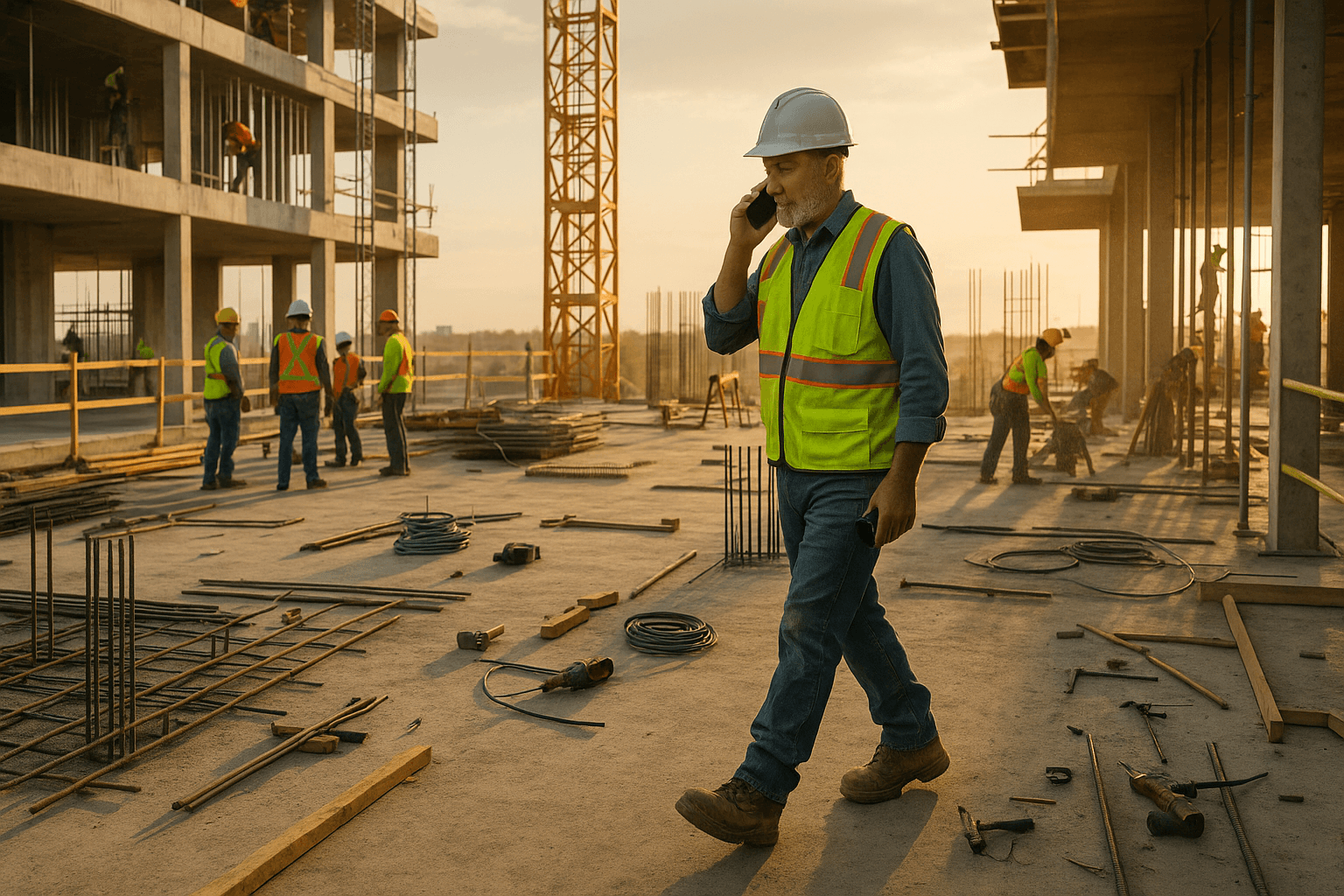
You don’t need another app that looks great in a conference room and dies the second you step onto a muddy site. If you’re looking for a construction daily report app, it has to survive bad cell service, bilingual crews, noise, and the end-of-day scramble—not just a demo on Wi‑Fi.
Most superintendents already know the pain: traditional daily reports take 30–45 minutes of typing at the end of a long shift. That’s time you’re not walking the job, closing out issues, or getting home. This guide is built for you—field-tested criteria to pick a daily reporting tool that actually works where you do.
Table of Contents
- Why Daily Report Apps Actually Fail in the Field
- Non-Negotiable Features of a Construction Daily Report App
- Evaluation Checklist for Superintendents (Before You Buy)
- Comparing Types of Daily Report Tools
- Where Voice-First AI Fits into Daily Reporting
- Cost vs Time: What a Daily Report App Should Save You
- How ProStroyka Approaches Daily Reports Differently
- 7 Questions to Ask Before You Commit to Any Daily Report App
- Next Steps: Test a Voice-First Daily Report Workflow on Your Job
- FAQ
Why Daily Report Apps Actually Fail in the Field
The 45-minute problem: typing vs building
Manual daily reports routinely burn 30–45 minutes at the worst possible time—when everyone’s tired, subs are trying to leave, and you’re still dealing with RFIs and safety issues.
Two common scenarios:
- You sit in your truck at 6:15 p.m., typing on a laptop or tablet, trying to remember what the drywall crew actually finished.
- You scribble on paper during the day, then re-type everything into a system your office wants. Double work, same poor memory.
Any daily reporting software for construction that doesn’t cut this time to under 5 minutes isn’t worth rolling out. The whole point of a construction daily report app should be to trade typing time for building time.
Common reasons superintendents abandon new software
Most abandoned tools fail for the same reasons:
- Too much typing. Keyboard-first tools assume you’re sitting at a desk, not walking a slab.
- Online-only. App works in the trailer on Wi‑Fi, dies in the basement, elevator cores, or rural projects.
- Complicated workflows. Five different screens and 20 taps just to log manpower and weather.
- Doesn’t match how you talk. You say “plumbing rough-in, 6 guys, 2 units complete,” but the app forces you through endless dropdowns.
Example: You trial an app for a week, realize each daily takes the same 30 minutes you spent in Excel, and quietly go back to your old way. Or your foremen try it once, get stuck offline, and never open it again.
What crews really need from a reporting tool
Your team doesn’t care about features; they care about friction.
On a real job, a good construction superintendent reporting tool should:
- Let you capture a complete daily while walking the site.
- Handle voice notes, photos, manpower, quantities, and issues without hunting through menus.
- Work for both English and Spanish speakers without awkward workarounds.
Think of your best foreman: he’ll give a perfect verbal rundown if you walk with him, but he’ll never type a page of notes. Your construction daily report app should capture that verbal rundown and turn it into something your PM and owner can actually read.
Non-Negotiable Features of a Construction Daily Report App
Voice-first vs. keyboard-first: what it means on a muddy site
A voice-first workflow means the app is designed so you talk first, type only if you want to, not the other way around.
On a muddy site, that looks like:
- You open the app, hit one button, and start talking: “Building A, 3rd floor, framing – 8 carpenters, finished corridor walls, started unit 305…”
- The app records, then turns that into structured text you can quickly review.
Compare that to a keyboard-first app where you:
- Pick the project
- Pick the date
- Tap into manpower, add each trade, type counts
- Drill into work performed, type each note
In practice, voice-first lets you finish a daily during a 3-minute walk from the far end of the site back to the trailer. Keyboard-first pushes the work to the end of the day.
Offline mode that actually works when cell service dies
If your construction field reporting software can’t handle offline, it’s going to fail on:
- Underground garages
- Concrete-heavy cores
- Remote solar or wind sites
Offline that “actually works” means:
- You can start, edit, and finish a daily with no signal at all.
- The app holds your photos, notes, and voice recordings locally.
- It syncs automatically when you’re back in range.
Example: You’re in the basement checking formwork. You dictate your daily, snap a few photos, log concrete quantities. No spinning icons, no “failed to save.” When you walk back into the trailer, it syncs and generates your PDF.
Spanish and bilingual crews: reporting without language bottlenecks
A lot of crews are more comfortable explaining things in Spanish than in English. If your app only works well in English, you create a bottleneck: everything flows through you.
With Spanish support:
- A foreman can speak his part of the daily in Spanish.
- The app transcribes it and structures it just like English.
- You get one consistent report while letting people talk in the language they think in.
Example: Your concrete foreman records, “Hoy en la losa del nivel 2, tuvimos 10 trabajadores, colamos 120 metros cúbicos…” The voice to text daily report app turns that into a clear section the PM can read.
Photos, quantities, manpower, and equipment in one structured report
Owners and PMs don’t want a pile of notes; they want a structured record they can search later when there’s a claim.
Your construction daily report app should automatically organize:
- Manpower: trades, headcounts, subcontractors
- Work performed: locations, scopes, progress
- Delays/issues: access, RFIs, change impacts
- Safety: incidents, near-misses
- Equipment and materials: major items on site
- Photos: tied to the right day and project
That means you talk naturally: “Crane down from 10–1 for maintenance, concrete delayed, re-sequenced steel crew,” and the system drops that into a Delays/Issues section without you manually formatting.
Evaluation Checklist for Superintendents (Before You Buy)
Time-to-complete: can you finish a report in under 5 minutes?
Your first filter: how long does one full daily actually take in this tool?
Test it on a real day:
- Set a timer.
- Log manpower, work performed by area, issues, delays, weather, photos.
- Don’t cut corners—do it like you would for a claim.
If you can’t get it reliably under 5 minutes after a couple of days, that app will not survive month-end crunch. A good daily reporting software for construction should feel noticeably faster than your current method by day three.
How many taps from open app to finished PDF?
Count the friction:
- Taps to start a new daily
- Taps to start recording voice
- Taps to attach photos
- Taps to generate and share a PDF
If it takes 20+ taps just to get a finished report, that’s time you’re not on the deck. Aim for a workflow where it’s basically:
- Open app
- Tap record
- Talk
- Quick review
- Tap “Create PDF” and send
Field test: try creating a full daily while walking the job
Desk demos don’t count. Your test should be:
- Put on your hard hat.
- Walk a typical route at the end of the day.
- Create the daily without stopping.
Ask yourself:
- Can I talk and capture everything in one pass?
- Does the app keep up, or does it force me to stop and peck at the screen?
If you can’t realistically complete a full daily between, say, the hoist and the parking lot, the tool will fall back to “I’ll do it later” mode—and later often means never.
Export formats, sharing with PMs and owners, and PDF requirements
Most PMs and owners still expect PDF daily reports in their inbox or portal.
Check that your app can:
- Generate a clean, professional PDF with your logo/date/project.
- Email or share it in a couple of taps.
- Let you download and store PDFs for claim files and audits.
Some owners also want CSV/Excel exports for analytics; nice to have, but don’t trade a simple field workflow for fancy exports you rarely use.
Comparing Types of Daily Report Tools
All-in-one platforms vs focused apps
Tools like Procore and Buildertrend are powerful for full project management. They’re great when you need RFIs, submittals, budgets, and dailies in one place.
But for superintendents, they can feel heavy:
- More screens, more required fields, longer training.
- Often tuned for office workflows instead of field speed.
Focused daily report apps (like ProStroyka or Raken) do less overall, but they do dailies really fast. If your main pain is the 45-minute daily, a focused tool is usually the quickest win.
Spreadsheet and template hacks vs dedicated software
Many supers live in:
- Excel or Google Sheets templates
- Word/PDF forms emailed nightly
These are flexible but fragile:
- Easy to forget photos or leave sections blank.
- No automatic structuring of voice notes.
- No easy way to search later when lawyers start asking questions.
A dedicated construction field reporting software gives you consistency: same format every day, same sections, clear record.
Why price-per-user matters for growing teams
A lot of tools charge $100+ per user per month. That adds up fast if you’ve got several supers, night shifts, or relief coverage.
Look at:
- Cost per active superintendent/foreman using the app.
- How that compares to the time saved per day.
Focused apps like ProStroyka come in at $49/month early bird and $99/month regular per user, which is easier to roll out across multiple projects compared to heavier enterprise tools.
Where Voice-First AI Fits into Daily Reporting
Turning a spoken walkthrough into a structured daily
A voice-first daily report workflow looks like this on a real job:
- You open the app, hit record.
- You walk the project and talk like you would to your PM: manpower, progress by area, issues, delays.
- The app transcribes your speech and automatically sorts it into sections: Manpower, Work Performed, Delays/Issues, Safety, Equipment.
- You scan through, tweak any text you want, and hit “Create PDF.”
You’re not fighting drop-downs or typing heavy paragraphs. You’re just talking, once, then letting the app do the formatting.
Handling accents, noisy jobsites, and background noise
Real sites aren’t quiet offices. There’s rebar cutting, lifts beeping, and a mix of accents.
When you evaluate a voice to text daily report app:
- Test it next to a running generator or boom lift.
- Have different supers and foremen try it (different accents, English and Spanish).
- Expect solid transcription, but don’t expect 100% perfect every time.
What matters is: can you quickly fix a couple of words if needed and still finish in under 5 minutes? If yes, the time savings are still huge.
Realistic example: from 3-minute voice note to PDF daily report
Example day using ProStroyka:
- 4:45 p.m.: You start walking Level 3. Hit record.
- You say: “Level 3 – drywall, 10 tapers from ABC, finished corridor 3A, started units 309–312. Electrical – 6 from Bright Electric, rough-in complete in 305–307…”
- You note delays: “Material delay on VAV boxes, shipment late, mechanical stood down for 2 hours.”
- Total talking time: 3 minutes.
- You stop recording, the app structures everything.
- You correct a name, tap “Create PDF,” email it to the PM and owner rep.
You’re in your truck by 5:00 instead of still typing at 5:30.
Cost vs Time: What a Daily Report App Should Save You
Rough math: 45 minutes a day per superintendent
Let’s say you currently spend 45 minutes per day on dailies:
- 45 minutes x 5 days = 3.75 hours/week
- ~15 hours/month per superintendent
If a new tool cuts that to 5–10 minutes, you’re saving 2.5–3 hours/week.
At even $60/hour loaded cost, that’s $150–$180/week of superintendent time.
Weekly and monthly impact on project margins
Those hours don’t just disappear—they move to:
- Walking more units
- Catching issues earlier
- Coordinating subs better
On a 9–12 month job, that extra attention can easily prevent one or two $5,000–$10,000 mistakes (bad pour, missed embed, rework). The daily reports themselves also become stronger backup when you’re fighting for change orders or time extensions.
When a $49–$99/month tool pays for itself
Compare that to pricing:
- ProStroyka early bird: $49/month per user
- Regular price: $99/month per user
If you’re saving 10+ hours a month of your own time, the tool pays for itself in a few days, not months. The real question isn’t “Is $49–$99 too much?” It’s “Is my 45 minutes a day of typing worth more than that?”
How ProStroyka Approaches Daily Reports Differently
True voice-to-PDF workflow for superintendents
ProStroyka is built around one core job: get you from voice to PDF daily report in minutes.
Workflow:
- Open app → tap record → walk and talk.
- Stop recording → review structured text.
- Tap once to generate a professional PDF.
No extra modules, no bloated menus. It’s tuned specifically as a construction daily report app for supers and foremen who live in the field.
Automatic structuring for manpower, trades, and issues
When you speak freely, ProStroyka:
- Detects trades and manpower (“8 carpenters from ABC Framing”).
- Separates work performed by area.
- Pulls out delays, issues, and safety items into their own sections.
You don’t have to remember to type “DELAY:” or “SAFETY:” every time. Your natural speech becomes a clean report with clear headings your PM and owner can scan fast.
Spanish support and offline mode in the field
ProStroyka supports Spanish voice input, so your bilingual crews can report in the language they’re most comfortable with.
It also has a true offline mode:
- Record dailies anywhere on site.
- Store notes and audio locally.
- Sync and generate PDFs when you’re back online.
That combination—voice-first, structured output, Spanish support, and offline reliability—is what makes it stick in the field instead of becoming another abandoned app.
7 Questions to Ask Before You Commit to Any Daily Report App
Field trial questions for your crew
Ask your supers and foremen after a week:
- Can you finish a real daily in under 5 minutes?
- Would you actually use this on a Friday at 5 p.m.?
- Did you ever lose data when offline?
- Can Spanish-speaking foremen use it without you translating?
If the answers aren’t strong yeses, keep looking.
Vendor questions about support, training, and onboarding
For the vendor, ask:
- How long does it take a new superintendent to get comfortable—hours or weeks?
- Do you offer short, jobsite-friendly training (videos, quick calls), not day-long webinars?
- What happens if something breaks at 4 p.m.—is support responsive?
You want a partner that understands field reality, not just software theory.
Implementation plan for your next project
Before you roll anything out, outline a simple plan:
- Start with one project and one or two supers.
- Run it in parallel with your current process for 1–2 weeks.
- Decide how dailies will be named, filed, and shared.
Make it clear: if this doesn’t cut daily time by at least half, you won’t force it on the rest of the team.
Next Steps: Test a Voice-First Daily Report Workflow on Your Job
Simple 3-day trial plan you can run this week
Here’s a quick, repeatable 3-day test you can run with any app (including ProStroyka):
- Day 1:
- Use your current method and time it.
- Then, use the new app to create the same daily by voice.
- Compare time and report quality.
- Day 2:
- Use only the new app while walking the job.
- Note any friction: offline issues, missed sections, confusion.
- Day 3:
- Have a foreman (English or Spanish) record their own section.
- You review and send the final PDF.
If by Day 3 you’re under 5 minutes and the reports look better than your old ones, you’ve got a winner.
How to compare results against your current reporting process
When you compare, don’t just look at speed. Check:
- Completeness: Are manpower, progress, delays, and safety all captured?
- Clarity: Could someone reconstruct the day six months from now for a claim?
- Adoption: Did your foremen fight it or actually like using it?
A good best app for construction daily reports will improve all three, not just shave a minute or two off typing.
FAQ
Q: Do I still need daily reports if I use photos and group chats?
A: Yes. Photos and chats are helpful, but they’re not a structured legal record. A daily report ties manpower, work performed, issues, and delays to a specific date and project in a way owners, insurers, and lawyers actually accept.
Q: How accurate is voice transcription on noisy jobsites?
A: Modern tools are good, but not perfect. Expect an occasional misheard word, especially with heavy noise. The key is that it’s fast and easy to correct a couple of words and still finish faster than typing everything.
Q: What if some of my supers hate talking to their phones?
A: Start with the ones who are open to it and let results speak. When others see dailies getting done in 3–5 minutes instead of 30–45, resistance usually fades.
Q: Can a focused daily report app work alongside Procore or Buildertrend?
A: Yes. Many teams use a light, field-friendly app for dailies and still keep Procore or Buildertrend for RFIs, submittals, and financials. You can upload PDFs or share them with your PMs to drop into the main system.
Q: How many projects can I use ProStroyka on at once?
A: ProStroyka is priced per user, not per project, so you can use it on as many active jobs as you’re overseeing without extra project fees.
Ready to cut your daily report time from 45 minutes to 3? ProStroyka turns your real-world voice walkthroughs into structured, professional PDF reports—offline, in English or Spanish, built for muddy boots and noisy jobsites. Test ProStroyka on your next three dailies—speak your report and get a ready-to-send PDF in minutes. Start your free trial — no credit card required.