How to Choose the Right Construction Daily Report App (Without Slowing Down the Field)
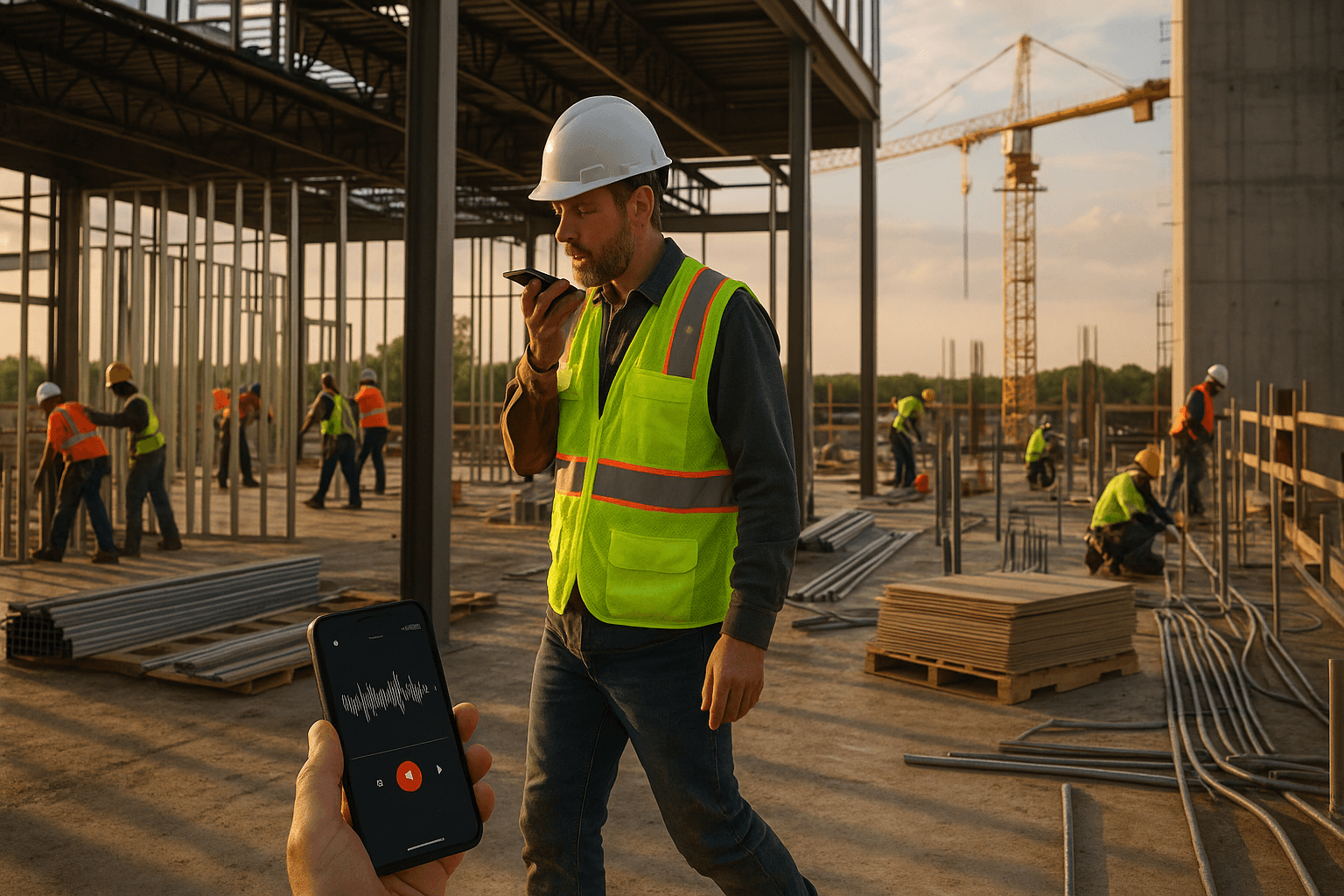
You already know the worst part of your day isn’t the 5:30 PM call from a sub or walking a muddy site—it’s sitting in your truck or at your kitchen table, pecking out a daily report. If your construction daily report app still takes you 30–60 minutes, it’s not helping the field. It’s just moving the paperwork from paper to a small screen.
Table of Contents
- Why Daily Report Apps Fail Superintendents in Real Life
- Core Jobs a Construction Daily Report App Must Handle
- Evaluation Criteria: What to Look for (and What to Ignore)
- Voice-first vs. voice-enabled: what’s the difference?
- Structuring chaos: turning raw notes into clean PDFs automatically
- Language support on real jobsites (English + Spanish crews)
- Offline mode and syncing at the end of the day
- Ease of onboarding for supers and foremen, not just PMs
- Pricing that works for field teams (not just enterprise IT)
- Comparing Popular Construction Daily Report Apps
- Must-Have Features for Superintendents Who Hate Paperwork
- Red Flags When Choosing a Daily Reporting App
- A 5-Step Checklist to Pick Your Daily Report App in One Week
- Where a Voice-First Daily Report App Fits In
- Next Steps: Test a Voice-First Daily Report App on Your Current Job
- FAQ
Why Daily Report Apps Fail Superintendents in Real Life
First, a quick definition. A construction daily report app (or daily construction report software) should do one simple job for a superintendent: capture what actually happened today—manpower, work performed, issues, weather, photos—in a way that’s fast to create and clear to read later. If it doesn’t save you time and protect you in disputes, it’s just another admin tool.
Most apps technically “do” daily reports. The problem is how they fit (or don’t fit) into a real jobsite day.
The 45-minute daily report problem
On a typical mid-size commercial job, I’ve watched supers spend 30–60 minutes every day on reports:
- 15–20 minutes trying to remember who was on site and what actually got done
- 10–15 minutes digging through text messages and photos
- 10–20 minutes typing it all into a laptop or construction daily log app that feels like a desktop form jammed onto a phone
Two real scenarios:
- Superintendent sits in his truck at 6:15 PM, typing with frozen fingers, trying to recall if the electrician had 4 or 5 guys.
- Foreman rushes a report at home after dinner, forgets to mention the extra rebar install that later becomes a change order fight.
If your construction reporting app still eats 45 minutes, it’s not fixing the problem; it’s just making it digital.
Keyboard-heavy apps vs. real jobsite conditions
Most field reporting software was clearly designed in an office:
- Tiny input boxes meant for a keyboard, not thumbs or voice
- Endless dropdowns and required fields
- Menus buried three levels deep just to start a new report
Now picture the real world:
- You’re on level 4, wind is blowing, gloves on, Wi‑Fi cutting in and out
- You’ve got a call coming in from the concrete supplier
- A trade wants you to look at an anchor layout right now
You don’t have time to chase screens. The right construction daily report app needs to work when you have one free hand and two minutes between interruptions, not when you’re back at a desk.
Missed details, late reports, and claim risk
When reporting is painful, three things happen:
- Reports get done late (or skipped entirely)
- Details get left out
- Disputes become a he-said/she-said months later
Concrete example:
- A GC back-charged a subcontractor $18,000 for “delays” on a slab pour.
- The sub’s superintendent had detailed daily reports: manpower counts, photos showing ready-mix trucks queued, plus notes that the GC-sup requested a pour sequence change.
- Because the reports were complete and time-stamped, the back charge was reduced to under $2,000 and the relationship stayed intact.
When your construction daily log app makes it hard to capture those details, you’re flying blind in these situations.
Core Jobs a Construction Daily Report App Must Handle
If you strip away the buzzwords, the best app for construction daily reports does a few core jobs well.
Capturing what happened today in 3–5 minutes
Your daily should not be a second shift. A good construction daily report app lets you:
- Hit record, walk the site, and talk through the day
- Or tap a few quick fields while you already have your phone out
Example workflows:
- At 3:45 PM, you walk from level 1 to 3, talk for 3 minutes: who was on site, what got done, issues, safety, deliveries.
- At lunch, you record a 60-second update about an RFI that stopped work on the north elevation.
By the end of the day, your report should already be 90% done just from talking as you work.
Organizing notes by trades, locations, and issues automatically
Raw notes are useless if you have to reorganize them later.
Your daily construction report software should:
- Recognize trades and locations from what you say (e.g., “plumbers on level 2 core area”)
- Group notes into clear sections: manpower, work performed, delays, safety, equipment
- Let you skim the finished PDF like a traditional daily
If you say, “Electrician had 6 guys in the west wing pulling feeders; framing crew dropped to 3 because of inspection delay,” the system should separate those items automatically.
Photos, quantities, and manpower tracking without extra steps
You shouldn’t have to:
- Open a separate screen to add photos
- Re-type crew counts into three different places
- Manually label quantities every time
Look for a construction reporting app that:
- Lets you snap photos while you’re talking and auto-attaches them to the right day
- Pulls manpower counts from what you say: “8 drywall, 4 plumbing, 2 steel”
- Captures basic quantities in plain language: “Poured 80 CY on gridlines A–F”
Two examples:
- You take 5 photos of a tricky rebar detail while explaining it; they land under “Structural – Level 2” in the PDF.
- You mention “roofing crew finished 12 squares today”; that’s logged as progress, not just buried in text.
Working in poor connectivity or offline conditions
On many sites, you’re lucky to get one bar near the trailer.
Your field reporting software has to:
- Record voice and notes 100% offline
- Save locally on the device
- Sync automatically when you hit a decent signal (trailer, truck, home Wi‑Fi)
Example:
- You’re in the basement, no service. You record your full daily while walking. It sits on your phone.
- At 6:00 PM, back at the trailer Wi‑Fi, the app syncs, generates your PDF, and emails or uploads it—without you redoing anything.
If an app needs constant connectivity, cross it off your list.
Evaluation Criteria: What to Look for (and What to Ignore)
Voice-first vs. voice-enabled: what’s the difference?
This is critical.
- Voice-enabled: they bolted speech-to-text onto an old form. You still have to tap through a bunch of fields and fix formatting.
- Voice-first: the entire workflow is built around the idea that you complete a report by talking, with minimal taps.
In a voice-first construction daily report app, you should be able to:
- Open the app
- Tap once to start recording
- Talk for 3 minutes
- Hit done and get a structured draft report
No hunting for the “manpower” field. No typing headings. Voice is the primary input, not a feature buried in a menu.
Structuring chaos: turning raw notes into clean PDFs automatically
Talking is easy; turning that into a clean, shareable report is the hard part.
Look for an app that automatically:
- Breaks your notes into clear sections (Weather, Manpower, Work Performed, Issues, Safety, Visitors)
- Groups information by trade and location
- Produces a professional PDF you can send to GCs, owners, or inspectors without editing
ProStroyka, for example, takes a 3-minute voice note and generates a structured PDF daily in a standard format, so you don’t have to rewrite anything.
Language support on real jobsites (English + Spanish crews)
On many U.S. and international projects, half the real information comes in Spanish.
You need a construction daily report app that:
- Understands English and Spanish
- Lets you speak in either language (or mix)
- Accurately captures what Spanish-speaking leads tell you
Example:
- Your bilingual foreman talks through concrete progress in Spanish— the app captures and structures it.
- You walk with a Spanish-speaking trade lead, repeat key points in Spanish, and the report reflects exactly what was said.
ProStroyka is built for English + Spanish crews, so bilingual supers aren’t stuck translating everything later.
Offline mode and syncing at the end of the day
We touched on this, but for evaluation purposes ask:
- Can I start, edit, and finish a report offline?
- Does everything sync automatically later, or do I have to remember to push something?
- Does it handle photos and voice notes offline too?
In practice:
- You record in the field offline → app stores it on-device
- You get back to signal → app quietly uploads and generates the final PDF
Anything less is going to burn you on remote or dense urban jobs.
Ease of onboarding for supers and foremen, not just PMs
If it takes a 90-minute webinar to learn, your supers won’t use it.
Look for:
- A first-time experience where a superintendent can create a report in under 5 minutes without training
- Simple mobile interface: big buttons, clear labels, no clutter
- Short, targeted tips or in-app examples instead of thick manuals
When we roll tools like ProStroyka onto sites, we aim for this test: hand the phone to a superintendent, say “Record today’s update,” and see if they can finish a report without asking for help.
Pricing that works for field teams (not just enterprise IT)
You don’t need a $100k platform just to fix daily reports.
Typical ranges:
- Raken: often $100+/user/month depending on plan
- Procore: powerful, but usually enterprise contracts that bundle much more than daily reports
- Buildertrend and similar: broader project management with daily logs included
For many teams, a focused construction daily report app is enough. ProStroyka’s pricing is straightforward:
- $49/month (early bird)
- $99/month regular
No per-user surprises, and targeted at solving daily reporting speed and quality first.
Comparing Popular Construction Daily Report Apps
Point solutions vs. full project management platforms
You’ll typically choose between:
- Point solutions: focused tools for daily reports
- Full platforms: all-in-one systems (RFIs, submittals, drawings, financials, etc.) that also include dailies
Point solutions usually win on:
- Speed to deploy
- Simplicity for supers
- Cost when your main pain is daily reports
Full platforms can make sense if:
- You’re standardizing across a large organization
- You need deep integration with contracts, RFIs, and financials
But if your supers are simply drowning in late, incomplete reports, start with the daily report problem itself.
Typical pricing ranges (Raken, Procore, Buildertrend, others)
You’ll generally see:
| Tool Type | Example Tools | Typical Positioning |
|---|---|---|
| Daily reporting–focused | Raken, ProStroyka | Strong on field logs, photos, reporting |
| Full platforms | Procore, Buildertrend | Complete project management suites |
- Raken: often $100+/user/month level depending on configuration
- Procore: usually enterprise-only, bundled modules, long sales cycles
- Buildertrend: broad functionality for builders and remodelers
ProStroyka focuses specifically on voice-first daily reports at $49/month early bird, $99 regular, making it easy to try on one job without a huge commitment.
When a simple daily report app beats an all-in-one system
A focused construction daily log app is often better when:
- Your current platform is fine for documents, but nobody uses its daily log
- You’re a specialty contractor who mainly needs proof of work and delay documentation
- You want something you can roll out this week without involving corporate IT
I’ve seen projects where supers ignored the big platform’s daily module and sent texts or handwritten notes instead. A simple, voice-first app that actually gets used is worth more than a giant system that lives in the PM’s browser.
Must-Have Features for Superintendents Who Hate Paperwork
One-take voice recording that becomes a structured PDF
This is the core of a voice-first construction daily report app.
Workflow should look like this:
- Tap “New Daily”
- Tap “Record”
- Walk and talk for 3 minutes
- Hit “Finish”
- Review and share the auto-generated PDF
ProStroyka is built exactly this way: 3 minutes of talking in English or Spanish → professional PDF daily ready to send.
Templates that adapt to different projects and owners
Owners and GCs like their own formats.
Your app should let you:
- Use standard sections (weather, manpower, work, issues)
- Adjust fields to match specific client requirements
- Reuse templates across similar projects
Examples:
- Public school project: include extra safety/visitor sections
- Industrial job: add more detail on equipment and shutdowns
The point is: templates should adapt to the project, without making the super do extra formatting.
Fast export and sharing with GCs, owners, and inspectors
Once the report is done, sharing should take seconds.
Look for:
- Direct PDF export
- Simple email or share link from your phone
- Ability to save to your existing system (SharePoint, Dropbox, etc.)
Real-world:
- Inspector asks for yesterday’s concrete placement— you pull it up and email the PDF while you’re still walking the deck.
- Owner’s rep wants all weather delays for last week— you forward the PDFs without any rework.
Audit trail: how good reports protect you in disputes
Strong daily reports are your insurance policy.
A good construction reporting app gives you:
- Time-stamped logs
- Clear manpower and progress history
- Photos tied to specific days and locations
Example dispute avoided:
- GC claimed a sub caused drywall delays.
- The sub’s ProStroyka-generated dailies showed: inspection failures on the GC’s side, repeated access issues, and photos of areas not ready.
- With this documentation, the sub avoided a large back charge and negotiated added time.
Without that level of detail, it would’ve been a finger-pointing contest.
Red Flags When Choosing a Daily Reporting App
Too many clicks to start a report
If it takes more than 2–3 taps to start capturing the day, walk away.
Common red flags:
- Required project setup screens before you can do anything
- Long forms to “configure” the report each time
- Menus that feel like desktop software
You want: open app → tap project → tap record.
No offline support or poor mobile experience
If the salesperson keeps showing desktop screenshots, be careful.
Watch for:
- Mobile app that looks like a shrunk-down web page
- Fine print that says “some features require an internet connection”
You live on your phone, in bad reception. Judge the mobile app first, not the browser version.
Slow setup, heavy training, and IT involvement
If they’re pushing you toward a long implementation plan, it’s probably overkill.
Superintendents don’t need:
- Custom workflows configured by consultants
- Formal training sessions
- Corporate IT approvals just to try something on one job
You should be able to sign up, load one project, and be doing real dailies the same day.
Locked-in annual contracts before you test it in the field
Avoid signing a year-long commitment before:
- Your supers use it on a live project
- You confirm actual time saved per report
- You see how consistent the PDFs look
If they won’t let you run a real field trial first, move on.
A 5-Step Checklist to Pick Your Daily Report App in One Week
Map your current daily report workflow
Spend 15 minutes and write down:
- How long dailies currently take (average minutes per day)
- Where they’re done (truck, home, trailer)
- Common gaps (missing manpower counts, no photos, late entries)
This gives you a baseline to measure improvement.
Shortlist 2–3 apps and run a real “day in the life” test
Pick a mix of:
- One voice-first app (e.g., ProStroyka)
- One tool you’re already using or considering (Raken, platform module, etc.)
- Maybe one more wildcard
Then, for each app, do one full day of real dailies on the same project.
Have supers and foremen test on live jobs, not demos
Ignore polished demo projects.
Instead:
- Use today’s actual work, on your current job
- Have at least two field leaders try each app
- Tell them: “Pretend this is our real system for the day”
You’ll see right away which tool fits their rhythm.
Compare time saved, report quality, and crew adoption
After a week, compare apps on:
- Time per report (aim for 3–5 minutes)
- Completeness (did they capture delays, safety, visitors, photos?)
- Adoption (did supers naturally reach for it, or avoid it?)
The winner is the one that:
- Cuts reporting time the most
- Produces consistent, useful PDFs
- Your supers say they’ll actually use
Rollout plan: start with one project, then standardize
Don’t flip the whole company at once.
- Start with one active project
- Run the chosen app for 2–4 weeks
- Gather feedback from supers, PMs, and accounting (if they use the data)
If it works, standardize templates and roll to the next 2–3 projects.
Where a Voice-First Daily Report App Fits In
Using voice to go from 45 minutes to 3 minutes per report
Here’s the real shift.
Typed workflow:
- Remember the day
- Type everything on a small keyboard
- Reformat into a clean report
Voice-first workflow (with a tool like ProStroyka):
- Hit record while walking the site
- Talk through the day for 3 minutes
- Let the system turn it into a structured PDF automatically
Most supers I’ve walked with can describe their whole day faster than they can type a single manpower section. Voice-first leans into that.
Combining voice, Spanish support, and offline mode
On real jobsites, these three together matter:
- Voice-first: you talk, it writes
- Spanish support: crews can speak naturally, you don’t have to translate everything later
- Offline mode: works in the basement, syncs in the trailer
ProStroyka is built around that triangle:
- True voice-first workflow
- English + Spanish
- Offline capture with end-of-day syncing
That’s how you get from “I’ll finish these dailies tonight at home” to “They’re done by the time I leave the site.”
Example: what a clean, structured PDF looks like
A solid daily PDF from a voice-first app should read like you typed it on your best day, even if you just talked for 3 minutes. For example, ProStroyka output typically includes:
- Weather and basic project info at the top
- Manpower by trade with headcounts
- Work performed, organized by location/trade
- Issues and delays clearly labeled
- Safety notes, visitors, and inspections
- Photos with timestamps and brief captions
It looks like something you’d be happy to email to an owner or drop into a claim file—without you touching a keyboard.
Next Steps: Test a Voice-First Daily Report App on Your Current Job
How to run a 14-day field trial
Here’s a simple plan you can start this week:
- Pick one active project with a cooperative superintendent
- Use a voice-first app like ProStroyka for all dailies for 14 days
- Keep your old method in parallel for the first 2–3 days if you’re nervous
By day 4–5, most supers will know whether it fits their workflow.
What metrics to track: time saved and report completeness
During the trial, track:
- Minutes per report (aim for 3–5)
- Days with missing or late reports (should drop to near zero)
- Detail level: did you capture more issues, delays, and photos than before?
Ask your supers:
- “Will you actually use this every day?”
- “Does it make your life easier, or just different?”
Use the checklist and start your trial
You don’t need another tool that looks good in a demo but dies in the field. You need something that cuts your daily report time from 45 minutes to a few minutes, works offline, and handles English + Spanish crews without drama.
Test a voice-first daily report app on your current job—start your free ProStroyka trial and see how much time you save this week. Start your free trial — no credit card required.
FAQ
Q: What exactly is a construction daily report app?
A: It’s a mobile tool that helps supers, foremen, and PMs capture each day’s work—manpower, progress, issues, weather, and photos—in a consistent format. A good one lets you do this in a few minutes on your phone and produces a clean PDF you can share or store.
Q: How is a voice-first app different from regular speech-to-text?
A: Regular speech-to-text just dumps your words into a big text box. Voice-first apps like ProStroyka are built so you can complete the entire report mainly by talking. They organize your words into sections (manpower, work, issues) and generate a ready-to-send PDF automatically.
Q: Do I need internet on site for a voice-first app to work?
A: Not with the right tool. ProStroyka, for example, lets you record and save reports offline. When you get back to a signal—trailer Wi‑Fi, your truck, or home—it syncs, processes the audio, and delivers the final PDF without extra steps.
Q: Why is Spanish support such a big deal for daily reports?
A: On many sites, key details come from Spanish-speaking crew leads. If your app can’t handle Spanish, you either lose those details or force someone to translate later. With Spanish support, you capture information accurately and immediately, straight from the field.
Q: How much does ProStroyka cost compared to other tools?
A: ProStroyka is focused on daily reports and is priced at $49/month (early bird) and $99/month regular. That’s often less than many per-user tools like Raken, and far simpler than large enterprise platforms, while still giving you voice-first reporting, Spanish support, and offline mode.