Construction Daily Report App: How to Cut Paperwork from 45 Minutes to 3
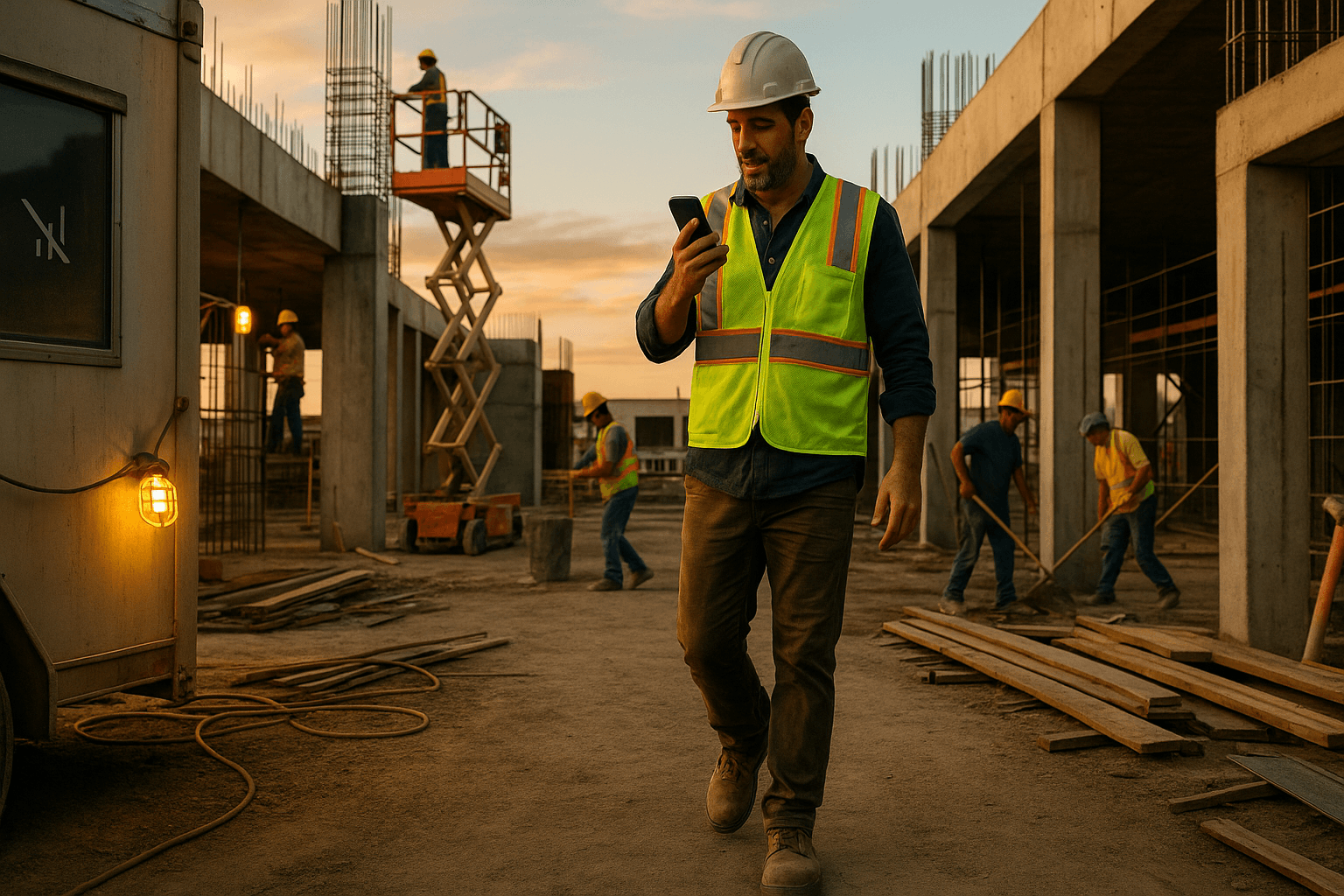
You probably didn’t become a superintendent or foreman to spend 30–60 minutes every night typing reports. Yet here we are: scrolling through photos, digging through texts, fighting with Excel — just to get a daily out the door. A purpose-built construction daily report app should cut that mess down to a few minutes, not just move your paperwork from a laptop to your phone.
This guide shows how to reclaim your time using a voice-first, field-ready daily reporting app that actually fits real jobsite conditions.
Table of Contents
- Why Daily Reports Still Eat Up Your Evenings
- What a Construction Daily Report App Should Actually Do
- Voice-First vs. Typing-Based Daily Report Apps
- Evaluating Daily Report Apps: A 10-Point Checklist
- Comparing Your Options: Point Solutions vs. Heavy Platforms
- How ProStroyka Handles Daily Reports in 3 Minutes
- Implementation: Getting Your Crew to Actually Use the App
- Try a Daily Report App on Your Next Shift
- FAQ
Why Daily Reports Still Eat Up Your Evenings
The hidden cost of 30–60 minutes of paperwork per day
Most supers and foremen lose 30–60 minutes every day to reports. Do the math:
- 45 minutes/day × 22 workdays = 16.5 hours/month
- At $60/hour burdened cost, that’s $990/month per superintendent
That’s time you’re not walking the job, solving problems, or seeing your family.
Example 1: You wrap at 5:30, then sit in your truck until 6:15 piecing together a daily from memory because you didn’t have time during the day.
Example 2: You’re home on the couch, scrolling through a hundred photos on your phone trying to remember which crew poured which section and when the pump showed up.
A good daily construction report software tool should give you most of that time back — without turning you into a data entry clerk.
Common headaches with paper, Excel, and photo texts
Current reality for a lot of jobsites:
- Notes scribbled on a paper pad in your pocket
- Quick bullet points in the Notes app on your phone
- Progress photos texted to yourself or the PM
- Quantities and manpower tracked in a rough Excel sheet back at the trailer
Then at the end of the day, you’re:
- Copying texts and notes into an email or template
- Hunting through photo timestamps
- Guessing on weather, headcounts, and equipment hours
Example: Concrete foreman texts you “finished piers 7–12” with a few photos. Later, you’re trying to remember: Was that 25 or 30 CY? Did the pump arrive late or was it the trucks?
A construction reporting app should pull all of that into one simple workflow you can use while you’re still on the slab, not at 7 pm.
What a Construction Daily Report App Should Actually Do
Must-have features for supers and foremen (from the field, not the office)
Forget what the office wants for a minute. From the field, a useful construction daily report app needs to:
- Work fast with one hand, even with gloves
- Capture crews, quantities, equipment, and delays without hunting for fields
- Attach photos to the right work areas automatically
- Let you speak in plain language, not click through 20 dropdowns
Real-world example: You’re walking Level 3 on a mid-rise. You should be able to pull your phone, tap one button, and say: “Mechanical crew, 4 guys, installed duct on level 3, grid C–F, about 250 feet. One scissor lift. Lost an hour waiting on material.” The app should handle the structure.
If you still feel like you’re filling out a government form, it’s not field-first.
Offline mode, photos, crews, quantities, and safety in one place
Most jobsites don’t have reliable signal — inside concrete cores, basements, or out on remote sites. Offline mode is not optional.
You need to:
- Record notes and photos with no LTE / Wi‑Fi
- Save everything locally
- Sync automatically when you’re back in range
Example 1: Underground parking — no reception. You record:
“Excavation crew, 3 operators, hit unforeseen rock at grid B-4, lost 3 hours. Safety talk on trenching at 7:10 am. No incidents.”
The app stores it offline, then syncs later.
Example 2: Rural substation job. You’re in and out of service all day. The app should never freeze or lose notes; it just uploads when it can.
All of this — photos, crews, quantities, safety notes — needs to live in one place so your daily isn’t a puzzle.
Supporting bilingual crews: English–Spanish realities on site
On many sites, half or more of the crew is Spanish-speaking. A serious construction foreman app has to respect that.
That means:
- Supers can record notes in English or Spanish
- Foremen can speak their part of the report in Spanish
- Safety items and incidents can be described in the language people are most comfortable with
Example: Your concrete foreman explains in Spanish:
“Tuvimos un retraso de dos horas porque el camión de concreto llegó tarde y hubo que rehacer el encofrado en el eje 5.”
The app should understand that, tag it as a delay, and put it in the daily log clearly.
This isn’t just about convenience — it’s about safety and accuracy. When people can describe hazards and issues in their own language, you get better information.
Voice-First vs. Typing-Based Daily Report Apps
Why most apps still feel like glorified spreadsheets
A lot of construction daily log app tools look modern but still work like spreadsheets:
- Long forms with required fields
- Tiny dropdowns and date pickers
- “Add row” for every crew and area
Some even have basic voice-to-text, but you’re still dumping text into one big notes box, then manually sorting it into sections.
That’s not voice-first. That’s just typing with your mouth.
You end up:
- Stopping in the field to tap tiny boxes
- Cleaning up voice-typed text full of errors
- Still spending 30+ minutes getting a clean daily out
How true voice-first reporting changes the workflow
A true voice-first construction daily report app works differently:
- You tap once and speak naturally as you walk
- The app detects structure in your speech — crews, counts, locations, quantities, weather, delays
- It automatically puts each piece in the right section of the report
Example of one spoken block:
“Today is March 2nd. Weather was clear, around 65 degrees. Framing crew, six guys, finished walls on level two, grid A through D, about 1,200 square feet of sheathing. Electricians, four guys, roughed in units 205 and 207. Lost 45 minutes in the morning waiting on lift access. No safety incidents.”
A voice-first app turns that into structured data:
- Weather
- Crews & manpower
- Work completed with quantities
- Delays with duration
- Safety summary
No extra typing, no hunting for the right box.
Realistic scenario: logging a full day in under 3 minutes
Here’s what under 3 minutes looks like in real life for a superintendent using a voice-first field reporting app:
-
Walk from trailer to truck (1 minute)
You open the app, hit record, and talk through the day as you walk: crews, work areas, quantities, deliveries, delays, inspections. -
Stop at the truck (30–60 seconds)
You add a few photos: slab pour, finished walls, inspection tag. The app attaches them to the right sections. -
Drive home (sync in background)
The app structures everything and generates a professional PDF. By the time you’re home, the report’s ready to send.
Is it always three minutes on the dot? No — some days are heavier. But compared to 45–60 minutes of typing, even a 10-minute worst case is a win.
Evaluating Daily Report Apps: A 10-Point Checklist
Use this checklist to judge any daily construction report software:
- Can you log a full day in under 5 minutes after a bit of practice?
- Does it work one-handed with gloves and dust, on a noisy job?
- Does it support voice-first input, not just voice-to-text in one big notes field?
- Does it work offline without losing data?
- Can it automatically structure crews, equipment, quantities, delays, safety from your notes?
- Can you attach and organize photos quickly from the field?
- Does it generate a clean, professional PDF that owners, GCs, and inspectors accept without questions?
- Is it simple enough that a new foreman can learn it in one short toolbox talk?
- Does it support English and Spanish naturally?
- Does the cost per user make sense compared to 10–20 hours saved per month?
If an app can’t check most of these boxes, it’s probably just another spreadsheet on your phone.
Speed and ease of use in the field (one-handed, with gloves, bad signal)
When you test a construction superintendent software tool, don’t test it at your desk. Test it:
- Walking the site
- With gloves on
- With poor reception
If you can’t:
- Start a report with one tap
- Speak for 1–3 minutes and be almost done
- Save everything without signal
…it’s not built for you. It’s built for the office.
Structuring data automatically (crews, equipment, quantities, issues)
A strong construction reporting app doesn’t just record text. It:
- Detects crew sizes and trades from your voice
- Recognizes quantities (“200 feet of pipe”, “15 CY of concrete”)
- Tags equipment (“boom lift”, “excavator”, “crane”)
- Flags issues and delays (“lost 2 hours”, “waiting on inspection”)
That’s what saves you time. You shouldn’t be re-typing what you already said.
PDF output that GCs, owners, and inspectors will accept
End of the day, the only thing that matters is the output. Your construction daily log app should produce PDFs that include:
- Project info and date
- Weather
- Manpower by trade
- Work performed with locations and quantities
- Equipment on site
- Safety notes and incidents
- Delays and impacts
- Photos, labeled and timestamped
If your owner or GC looks at it and says, “Looks good, keep sending these,” that’s the standard.
Cost per superintendent and per project vs. wasted time
Let’s talk ROI quickly.
Say a tool costs $49/month per superintendent.
If it saves just 30 minutes/day:
- 0.5 hours × 22 days = 11 hours/month
- At $60/hour, that’s $660/month of time freed up
You’re trading $49 for $660 of time. Even if your rate is lower, or savings are 20 minutes/day, it still pays for itself fast.
Compare that to heavy platforms that run $100+/user and still expect you to type everything manually.
Comparing Your Options: Point Solutions vs. Heavy Platforms
Standalone daily report apps vs. full project management suites
You’ve got two main choices:
| Option | Pros | Cons |
|---|---|---|
| Standalone daily report app | Fast to adopt, focused on one job (reports), cheaper/user | Doesn’t replace your full project management system |
| Full project management suite | Many modules (RFIs, submittals, docs, etc.) | Expensive, complex, daily reports are often just another long form |
If your main pain right now is daily reports eating your evenings, a focused construction daily report app usually gets you results faster than rolling out a massive platform.
When you don’t need a full ERP, just faster daily reports
Not every contractor needs an ERP or enterprise system. Examples:
- A drywall subcontractor with 3 supers running multiple jobs
- A concrete crew doing foundations and flatwork for different GCs
- A GC doing small to mid-size commercial jobs without a big back office
They all still need solid daily reports. A simple field reporting app that plays nice with whatever you already use (email, shared drives, simple PM tools) is often enough.
How ProStroyka Handles Daily Reports in 3 Minutes
Step-by-step: speaking your report and getting a clean PDF
ProStroyka is a voice-to-PDF construction daily report app built specifically for this workflow.
Here’s how a typical day looks:
- Open ProStroyka on your phone, tap the mic.
- Speak your report in plain English or Spanish: crews, work, quantities, delays, safety, inspections.
- Add photos of key areas; no need to label every one manually.
- ProStroyka’s AI automatically structures everything into sections.
- You review on your phone, make small edits if needed.
- Tap once and get a professional PDF you can email or share.
From start to finished PDF, most users are in the 3–5 minute range once they’re used to it — instead of 30–60 minutes of typing.
Spanish support and offline mode in real jobsite conditions
ProStroyka was built for real sites, not meeting rooms:
- Offline mode: Works in basements, remote sites, steel cores — syncs later.
- English + Spanish: Speak in either language; ProStroyka understands both.
- Voice-first: No hunting through forms. Your voice drives the report.
Example: Your Spanish-speaking foreman finishes his area and records his part. You, as the super, record your own summary in English. ProStroyka combines both into one structured daily.
Example output: what the finished daily report looks like
A ProStroyka PDF daily includes:
- Project name, date, weather
- Manpower by trade and crew
- Work performed with locations and approximate quantities
- Equipment on site
- Safety meetings and incidents
- Delays and their impact
- Photos with captions and timestamps
It’s the kind of report a GC, owner, or inspector can read in two minutes and know exactly what happened that day.
Implementation: Getting Your Crew to Actually Use the App
Rolling it out to supers and foremen in under a week
You don’t need a 3‑month rollout plan. A simple approach:
- Day 1: Pick one or two supers to pilot ProStroyka.
- Day 2–3: 15-minute toolbox talk: show them how to open, speak, and send.
- Days 3–5: Have them run it in parallel with your current method.
- End of week: Compare time spent and report quality.
Most field leads buy in when they see they can finish their daily before they leave the site, instead of at home.
Tips to standardize reports across all your projects
To keep reports consistent:
- Agree on a standard order when speaking: weather → manpower → work → equipment → safety → delays.
- Set a target length: most voice reports should be 1–3 minutes.
- Ask every super to include locations and quantities (“grid lines, levels, units, LF/SF/CY”) in their spoken notes.
Once a few projects use the same pattern, you’ll have standardized dailies across your company without extra admin work.
Try a Daily Report App on Your Next Shift
14-day trial checklist: what to measure and look for
When you test any construction daily report app (including ProStroyka), time it:
- Day 1–2: How long does the first report take?
- Day 3–5: Are you under 10 minutes consistently?
- Day 6–10: Can you get most days to 3–5 minutes, even busy ones?
Also check:
- Are your reports more detailed than before?
- Do you capture issues and delays more accurately because it’s easier to log them in real time?
- Are foremen actually willing to use it, or do they avoid it?
How to know if an app really cut your reporting time
Simple test:
- Time your next daily with your current method — from when you sit down to when the report is ready to send.
- Then run the same day through a voice-first app like ProStroyka.
- Compare minutes spent and detail captured.
If you’re not seeing at least 20–30 minutes saved most days after a week, it’s not the right tool.
Ready to see if you can win back your evenings? Time your next daily report, then let ProStroyka try to beat it. ProStroyka turns your voice into a clean, professional PDF in minutes — in English or Spanish, even offline. Start your free trial and see if you can get your daily done in under 3 minutes.