Construction Technology Trends 2026: What Superintendents Need to Know
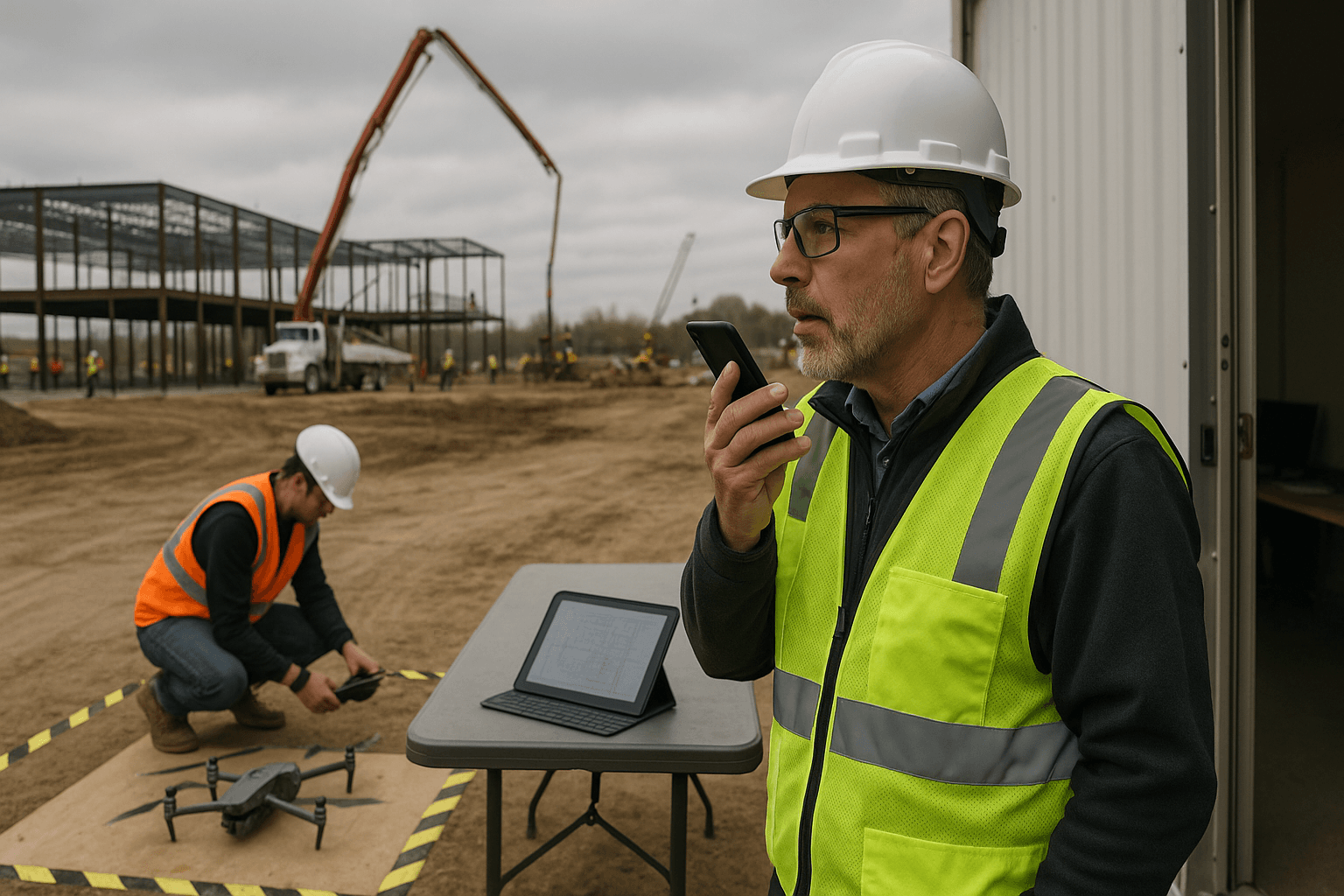
If you’ve sat in your truck at 6:30 PM finishing a daily report, you already know why construction technology 2026 matters: it’s not about shiny gadgets—it’s about getting your time back and keeping jobs moving without playing “catch up” every night. The hard part is separating what’s actually working on real sites from what looks good in a demo.
Table of Contents
- The State of Construction Tech in 2026
- Trends That Are Real (And Useful)
- Trends That Are Overhyped
- What Superintendents Should Actually Adopt
- ROI Calculations for New Tech
- Vendor Evaluation Tips
- FAQ
The State of Construction Tech in 2026
Construction tech trends in 2026 are less about “new” and more about “finally usable.” The industry’s still fragmented—different subs, different workflows, different levels of tech comfort—but the tools are getting more practical. The winners aren’t the platforms with the most features; they’re the ones that fit into the way work actually happens: quick field capture, clear accountability, and fewer rework surprises.
Two realities define contech 2026:
- Labor is still tight, and the average superintendent isn’t getting extra hours in the day.
- Documentation pressure is higher than ever—owners want proof, claims are more common, and schedules are tighter.
On a real job, “future of construction technology” doesn’t mean robots. It means fewer missed details, fewer duplicate entries, and fewer late-night admin sessions.
Two scenarios you’ve probably seen recently:
- A GC rolls out a new platform, but the crew still texts photos and updates because logging into an app takes too long. The “system of record” becomes the least-used tool on site.
- A project gets into a delay dispute, and the team scrambles to reconstruct what happened from scattered notes, call logs, and a few blurry photos. The cost isn’t just money—it’s credibility.
The big shift in construction technology 2026 is that tools are starting to solve these exact pain points without demanding a total workflow overhaul.
Trends That Are Real (And Useful)
This section is the difference between construction innovation that helps on Monday morning and hype that looks good at a conference booth. These trends are real because they deliver measurable outcomes: time saved, risk reduced, or decisions made faster.
AI Documentation (Voice-to-Report)
AI documentation is mature enough now that it’s not experimental—it’s operational. The best tools aren’t “AI for AI’s sake.” They’re voice-first systems that turn what you already say in the field into a structured daily report.
If you’re a superintendent, the practical value is simple: talk for 2–3 minutes, get a clean report, instead of typing for 30–45 minutes after hours.
What’s changed by 2026:
- Voice recognition is reliable even with jobsite noise (within reason) and with industry terms.
- Automatic structuring works: weather, manpower, activities, delays, inspections, deliveries, issues—formatted consistently.
- Multilingual support is improving, including Spanish, which matters when your foremen and subs communicate in mixed languages.
Two real-world examples:
- Concrete day documentation: You finish a slab pour, and you voice: “40-yard pour, started 7:15, finished 10:05, 6 finishers, slump 4–5, inspector on site 9:20, no rejects, one truck late 25 minutes.” The report comes out structured, readable, and claim-ready.
- Delay and disruption tracking: You note, “Elevator subcontractor didn’t show, 5 guys idle 3 hours, impacted framing on levels 3–4.” That one entry can be the difference between a clean backcharge conversation and a messy argument later.
Practical takeaway you can apply this week:
- Stop aiming for “perfect reporting.” Aim for consistent reporting. If voice makes consistency easy, your job gets safer and calmer.
Where ProStroyka fits: ProStroyka is built specifically for voice-to-PDF daily reports, with true voice-first workflows, automatic structuring, Spanish support, and offline mode for bad service areas. It’s designed to replace 45 minutes of typing with about 3 minutes of speaking.
Drone Surveys
Drones are no longer a “cool toy.” In construction technology 2026, they’re a practical field tool for progress verification, quantities, and owner communication—especially on civil, infrastructure, and large commercial sites.
The real value isn’t just photos. It’s repeatable visuals and measurable data:
- Weekly progress flights from the same angles
- Orthomosaics for site logistics and coordination
- Volume calculations for stockpiles and earthwork
Two scenarios where drones pay off fast:
- Earthwork quantities: Instead of arguing about how much material moved, you have a consistent drone volume comparison week over week. That reduces disputes and speeds pay apps.
- Roofing and façade progress: You can document work at height without pushing people into risky access just to “get pictures.” You still need inspections and safe access—but drones reduce unnecessary trips.
Adoption reality check:
- You need someone trained (internal or a vendor), and you need a flight plan that respects safety and regulations.
- Drones don’t replace field walks—they reduce blind spots and improve communication.
Practical takeaway:
- Start with a weekly flight cadence (same day/time if possible) and store outputs in a consistent folder structure tied to the schedule. Consistency beats fancy.
Wearable Safety Tech
Wearables are improving, but adoption is slower than vendors claim. The tech is real; the challenge is human. In construction superintendent technology, anything worn on the body has to survive two tests: “Does it help me?” and “Will people actually wear it?”
What’s working in 2026:
- Smart hard hats with impact detection and location features (mostly on high-risk sites)
- Proximity alerts in controlled environments (plants, warehouses, heavy equipment zones)
- Fatigue and heat stress monitoring in extreme climates (more common on big industrial projects)
Two realistic jobsite examples:
- Heat stress prevention: On a summer concrete placement, a wearable flags elevated risk conditions. The superintendent uses it as a trigger for more water breaks and shade—not as a punishment tool.
- High-risk zones: On a site with tight equipment movement, proximity alerts reduce near-misses around backing trucks and telehandlers.
Why adoption is still hard:
- Crews don’t want to feel tracked.
- Devices get lost, broken, or left in the gang box.
- Safety teams love the dashboards; field teams hate extra steps.
Practical takeaway:
- If you trial wearables, run a 30-day pilot on one scope (not the whole job) and measure near-misses, compliance, and worker feedback. If the crew hates it, the data won’t matter.
BIM Integration
BIM isn’t “new,” but in contech 2026 the practical trend is integration: BIM connected to field execution instead of staying in the office.
The jobsite value shows up when BIM helps answer field questions fast:
- “What’s the latest revision?”
- “What’s above this ceiling?”
- “Does this sleeve location conflict with the beam?”
Two on-site scenarios:
- MEP coordination in the field: Instead of guessing where the duct run fits, the foreman verifies clearances against the coordinated model, then avoids a rework cycle.
- Layout verification: Layout crews use model-based points and reduce manual interpretation errors, especially on repeatable interiors.
Reality check:
- BIM only helps if the model is current and if field teams can access it without pain.
- Many teams still struggle with version control and permissions.
Practical takeaway:
- Treat BIM as a decision tool, not a “model deliverable.” If it doesn’t answer questions faster than calling the PM, it won’t get used.
Trends That Are Overhyped
This is where skepticism is healthy. The future of construction technology will include big shifts—but not on the timelines most marketing decks suggest. Superintendents don’t need predictions; they need what will actually work during this schedule.
Fully autonomous equipment
Autonomous equipment is real in controlled settings—mining, some large-scale earthmoving, specific haul routes—but it’s not ready for broad, messy, mixed-trade construction sites.
Why it’s still overhyped for most projects:
- Jobsites change daily: laydown moves, access changes, trades overlap.
- Safety and liability are complicated.
- Weather, mud, and unpredictable obstacles break “lab assumptions.”
Two scenarios where autonomy is limited today:
- Urban commercial site: Tight staging, pedestrian zones, frequent deliveries. Autonomy is a liability, not a benefit.
- Renovation work: Constant unknowns behind walls and ceilings. Autonomous workflows don’t handle surprises well.
What’s realistic in 2026–2028:
- More assistive automation (machine guidance, collision avoidance, better telematics)
- More semi-autonomous features on specific equipment in controlled scopes
Practical takeaway:
- If a vendor pitches “fully autonomous,” ask where it’s running unsupervised in conditions like yours. Not a pilot—production.
AR headsets on every worker
AR can be useful for niche tasks—complex installs, prefab assembly verification, remote expert support. But “everyone wearing headsets all day” is not happening soon.
Why it’s overhyped:
- Comfort and safety: headsets can be bulky and interfere with PPE.
- Workflow friction: if it slows the work, it won’t stick.
- Content readiness: AR is only as good as the drawings/models fed into it.
Two realistic limitations:
- Finish trades: Workers need clear sightlines and mobility. A headset that fogs up or shifts becomes a distraction.
- High-pace crews: If the tech requires extra steps to load views, log in, or calibrate, it dies after week one.
What’s realistic:
- AR remains a specialist tool for certain tasks and training—not a jobwide standard.
Practical takeaway:
- If you trial AR, tie it to a single high-value use case (like above-ceiling MEP verification) and define success as reduced rework—not “cool factor.”
What Superintendents Should Actually Adopt
Here’s the practical stack for construction technology 2026—the tools that pay back without turning you into a part-time IT admin.
1) Start with documentation and communication (highest leverage)
If your daily reporting is inconsistent, everything else suffers—claims, pay apps, safety tracking, schedule recovery.
Two examples of “low-effort, high-impact”:
- Voice-first daily reports: Capture manpower, work completed, delays, inspections, and issues while you’re walking the site.
- Standard photo logging: A simple routine: 10–20 photos daily, same key areas, tagged by location and date.
Practical steps:
- Set a non-negotiable: daily report is done before you leave the site, not at home.
- Use voice capture during your last walkthrough when details are fresh.
2) Add drones if you have scale (or disputes)
Drones make the most sense when there’s enough area, enough moving parts, or enough risk of disagreement.
Two “good fit” scenarios:
- Civil site with weekly earthwork and changing access roads
- Large commercial job where owner updates and progress verification are constant
Practical steps:
- Pick one day a week for flights.
- Keep outputs consistent: same naming convention, same folder location, shared access for PM/owner (as appropriate).
3) Use wearables selectively, not universally
Wearables can help safety—especially in heat, high-risk zones, or industrial settings—but forcing them everywhere usually backfires.
Two “selective use” scenarios:
- Heat stress monitoring for a summer scope
- Proximity alerts around a high-traffic equipment zone
Practical steps:
- Involve foremen in the pilot design.
- Be transparent about what data is collected and what it’s used for.
4) Push for BIM access that actually works in the field
You don’t need every worker in the model. You need the right people able to answer questions quickly.
Two practical wins:
- Field access to the latest coordinated views for foremen
- Simple model-based verification for layout and embeds
Practical steps:
- Create a “field BIM” rule: if the model isn’t updated weekly, it’s not trusted.
- Assign one person responsible for version control communication.
ROI Calculations for New Tech
ROI in construction isn’t just dollars. It’s time, risk, and predictability. But you still need a framework so you don’t buy tools that look impressive and quietly fail.
The superintendent ROI framework (simple and honest)
Score any tool on four buckets:
- Time saved per week (field + office)
- Risk reduced (claims, safety incidents, rework)
- Adoption effort (training time, behavior change, resistance)
- Reliability in bad conditions (offline use, jobsite noise, device durability)
If a tool doesn’t save time or reduce risk within 30–60 days, it’s probably not worth the friction.
A practical ROI calculation you can do in 10 minutes
Use this formula:
- Weekly value = (hours saved/week × burdened hourly cost) + expected risk reduction
- Payback period = monthly cost / monthly value
Two realistic examples with numbers:
-
AI daily reporting:
- Current: 45 minutes/day × 5 days = 3.75 hours/week
- With voice-to-report: 3 minutes/day × 5 = 0.25 hours/week
- Time saved: 3.5 hours/week
- If your burdened cost is $85/hour, that’s about $297/week in recovered time.
- Even at $99/month, payback can be measured in days, not months.
-
Drone progress documentation:
- Cost: $300–$1,500/month depending on vendor or internal program
- Time saved: fewer site walks for photos, fewer “prove it” conversations, faster owner updates
- Risk reduction: fewer disputes over percent complete and site conditions
- If it prevents one claim escalation or speeds one pay app, it often pays for itself—but it’s harder to measure unless you track disputes.
What to measure during a pilot
Pick metrics you can actually track without extra admin.
- Daily report completion rate (percentage done same day)
- Average time to produce a report
- Number of RFIs caused by missing field info
- Rework incidents tied to coordination issues
- Near-misses in a targeted safety zone (if using wearables)
Two pilot setups that work:
- 30-day documentation pilot: One superintendent, one project, measure time and completeness.
- Single-scope drone pilot: One area (earthwork or exterior envelope) with weekly flights and a defined reporting format.
Practical takeaway:
- Don’t let vendors define “success.” You define it in jobsite terms: time back, fewer surprises, cleaner records.
Vendor Evaluation Tips
Most tech fails because it doesn’t fit the jobsite reality. Here’s how to vet tools like a superintendent, not a software buyer.
Ask questions that expose real-world friction
Good vendors will answer clearly. Weak ones will talk around it.
- How long does it take to capture an update in the field—start to finish?
- What happens with no signal? (Basements, remote areas, steel buildings)
- Who owns setup and training—us or you?
- What does “support” look like at 6 AM?
- Can we export our data if we leave?
Two examples of “red flag” answers:
- “Most teams do it in 5–10 minutes.” (Translation: it’s not easy.)
- “Offline isn’t necessary anymore.” (Translation: they don’t work on real jobsites.)
Evaluate adoption, not features
A tool used by 20% of the team is basically shelfware. Adoption comes from speed and simplicity.
Two practical tests:
- Glove test: Can someone use it quickly wearing gloves, in sunlight, with dust on the screen?
- Foreman test: Can a skeptical foreman learn it in 10 minutes and still want to use it tomorrow?
Watch for “platform sprawl” and duplicate entry
Tech should reduce steps, not add them. If your team is entering the same info into two systems, the field will revolt.
Two ways to avoid sprawl:
- Pick tools that integrate with your existing system of record (where it matters).
- Standardize on a small set of workflows: reporting, photos, safety, progress verification.
Practical takeaway:
- The best construction superintendent technology is the one your team will actually use when it’s hot, noisy, and you’re behind schedule.
FAQ
Q: What’s the #1 construction technology 2026 trend that’s useful right now?
A: AI documentation—especially voice-to-report daily logs. It’s mature, it fits the way superintendents already work, and it saves real time immediately. On a normal 5-day week, saving even 30 minutes/day adds up fast.
Q: Are drones worth it for smaller projects?
A: Sometimes. If the project is simple and tight, you might not need them. But if you’ve got disputed progress, hard-to-access areas (roof, façade), or an owner who wants frequent visual updates, drones can pay off even on smaller sites. The key is having a repeatable flight routine.
Q: Will wearables become standard PPE soon?
A: Not across the board. In 2026, wearables are improving, but adoption is still uneven due to comfort, trust, and durability issues. They’re most realistic in targeted situations—heat stress, high-risk zones, industrial work—where the safety benefit is obvious.
Q: How should a superintendent avoid buying overhyped tech?
A: Run a 30-day pilot with one crew and measure two things: time saved and friction added. If it doesn’t reduce time or risk quickly, it’s not ready for your jobsite. Also, ask for examples of the tool running in production on sites like yours—not controlled demos.
Q: What’s a realistic timeline for fully autonomous equipment on typical jobsites?
A: Expect gradual automation (guidance, avoidance, better telematics) now, with broader autonomy showing up first in controlled environments. For typical mixed-trade commercial sites, fully autonomous equipment is still more of a late-decade conversation than a 2026 reality.
Ready to start with tech that saves time today—not someday? ProStroyka gives you AI documentation that works now: speak your daily notes and get a professional PDF report automatically in about 3 minutes. Start your free trial — no credit card required.